Best CPQ for Stripe Billing: Top 7 Options in 2026
Best CPQ for Stripe Billing: Top 7 Options in 2026
By:
Kunal Mehta
,
September 30, 2026
Stripe Billing supports many sophisticated billing models, but native integrations rarely live up to expectations. The friction usually starts when Sales closes a deal with terms that do not map neatly to the standard setup.
For example, a rep might agree to a ramped contract, usage-based pricing, custom terms, or a non-standard billing schedule. Finance then has to translate the signed agreement into the right Stripe configuration without missing anything.
At lower volumes, that process can undoubtedly be manageable. As deal complexity grows, though, the manual handoff becomes harder to maintain.
Stripe does offer Quotes, but it stops short of the full configure-price-quote (CPQ) workflow many B2B SaaS companies eventually need because it does not come integrated with your CRM or include document signature capabilities.
So, if you're looking for the best CPQ for Stripe Billing, the main decision is how much of your current stack you want to keep.
TL;DR
These are the seven best CPQ tools for Stripe Billing:
Your best fit will depend on how much of your current billing setup you want to keep and how complex your sales process has become. The options below range from Stripe-focused CPQ tools to broader platforms that can take over more of the billing and revenue workflow:
1. Finrite
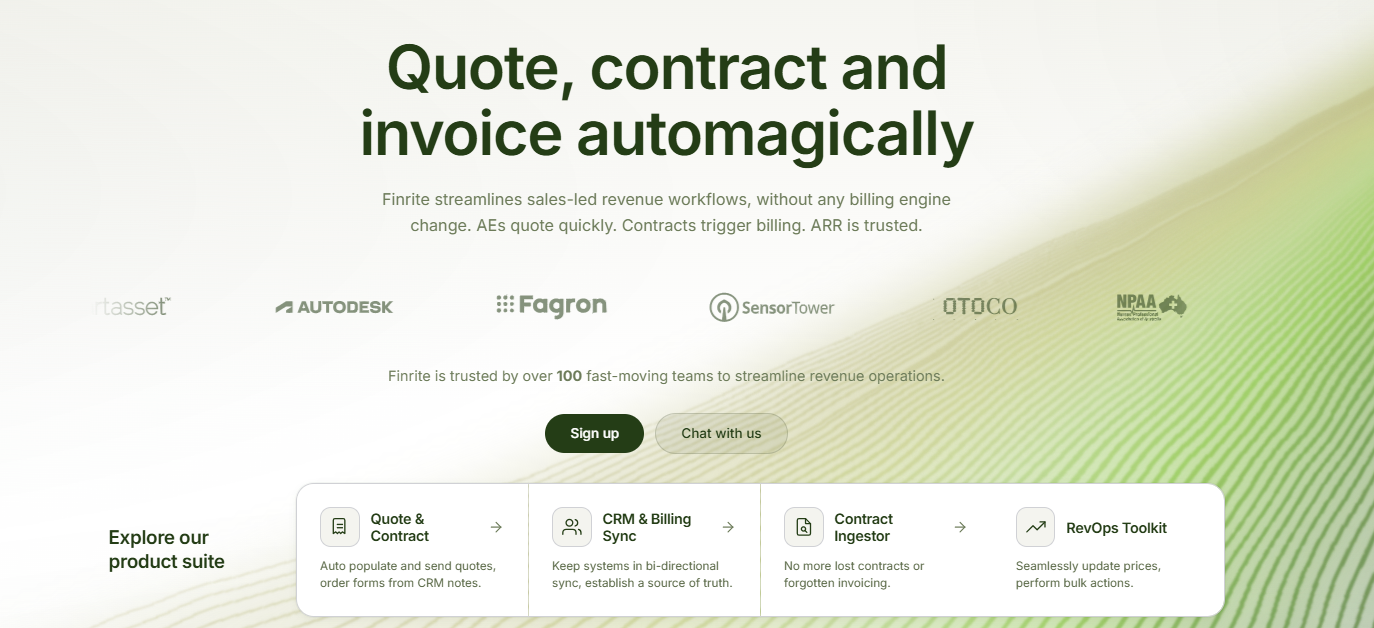
Finrite takes a pretty straightforward position: if Stripe Billing already works for you, why replace it?
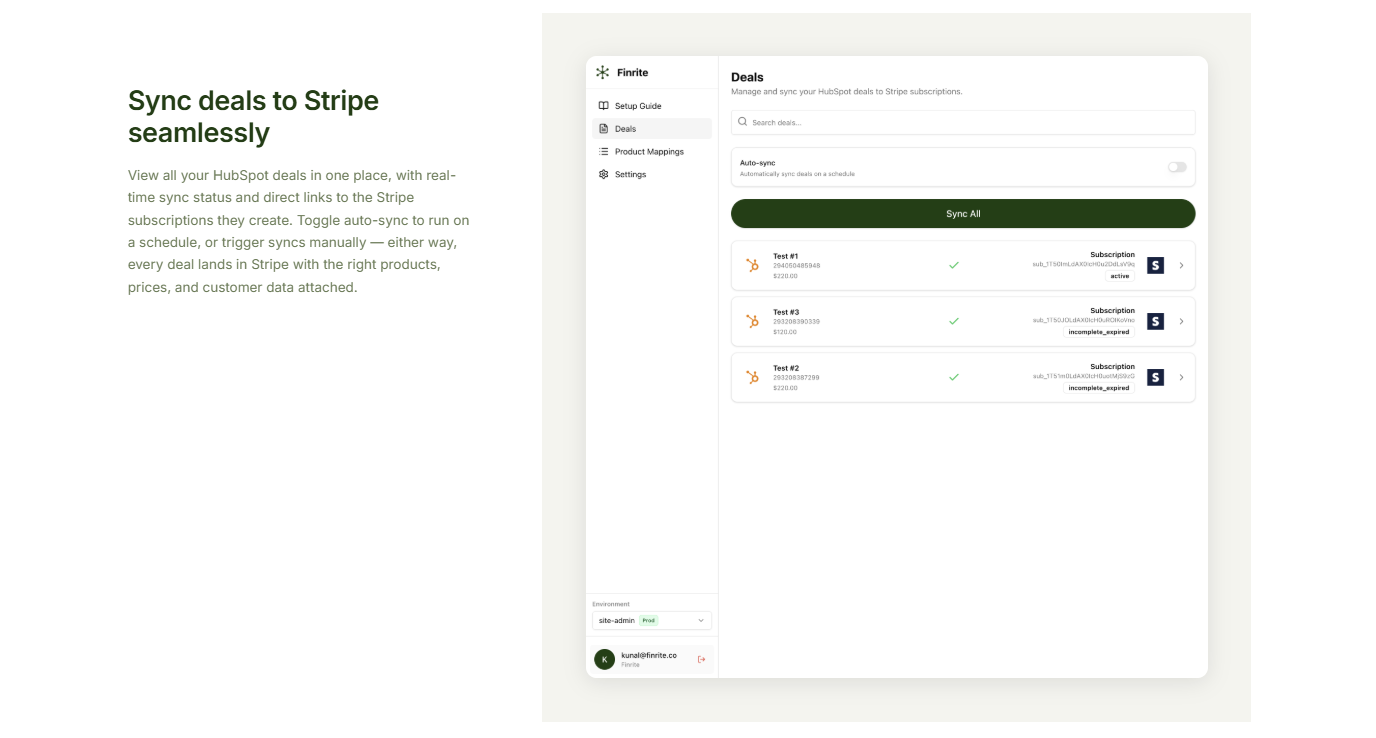
Its CPQ sits inside your customer relationship management (CRM) software, where your sales team can build quotes using the customer and deal information already there. Once the agreement is signed, Finrite turns those commercial terms into the correct Stripe setup.
The platform can handle custom contracts, ramps, usage-based pricing, renewals, prepaid credits, and other structures that become awkward to recreate manually.
For B2B SaaS companies with both self-serve and sales-led revenue, the architecture is relatively simple. Finrite’s app is embedded directly in your CRM, so it feels native to the sales workflow.
Essentially, you get a stronger quote-to-cash process without asking Finance to abandon the Stripe data and billing workflows it already uses.
Best Features
CRM-embedded quoting: Reps can build quotes from existing CRM data, which cuts down on copying customer records, products, and commercial terms between separate systems.
Stripe Billing automation: A signed agreement can create the appropriate subscription, schedule, or invoice line items in Stripe without Finance rebuilding the deal manually.
Complex pricing support: Finrite can handle structures such as ramps, usage pricing, discounts, prepaid credits, and hybrid contracts that go beyond basic billing.
Custom contract workflows: Quote templates can reflect your pricing structure and pull relevant CRM fields into customer-facing documents.
Renewals and amendments: Teams can adjust pricing, quantities, or contract terms while keeping changes connected to the existing Stripe customer.
AI contract parsing: Finrite can extract commercial terms from an existing agreement and turn them into structured billing data.
Starter: $200/month. Supports up to 10 contracts per month. It includes HubSpot-to-Stripe sync, automated subscription creation, usage-based billing support, standard field mapping, and email support. 14-day free trial, no card required.
Core: $400/month. Supports up to 50 contracts per month and personal onboarding for custom business logic.
Pro: $1,000/month. Includes unlimited contracts, Finrite's HubSpot-embedded quoting engine, AI contract parsing, custom workflow mapping, data audits, and support for additional integrations such as ERP or finance systems.
You can upgrade or downgrade mid-cycle, and going over the contract limit does not automatically stop the sync.
Tabs goes considerably further than CPQ. It is a broader billing and revenue management platform built around turning contract terms into downstream financial workflows.
Source: G2
A signed agreement can feed billing schedules, invoicing, payment collection, and revenue recognition. Tabs focuses more on post-signature billing and revenue workflows, while quoting and document signatures typically stay in other tools.
With all those features in mind, the platform is useful for SaaS companies whose needs extend well beyond quoting.
Finance teams can spend a lot of time translating custom contracts into invoices, while collections and recurring billing applications may still live in separate systems.
Tabs brings more of those revenue operations into one platform, which can reduce some of the manual handoffs between billing and accounting.
If your main requirement is simply adding CPQ in front of Stripe Billing, though, you're looking at a much broader replacement.
Best Features
Contract ingestion: Tabs can turn contract language into structured billing terms to reduce the amount of manual interpretation Finance needs after signature.
Flexible pricing structure: Fixed fees, tiered pricing, usage-based models, and other complex pricing models can live within the same contract.
Usage billing: Usage ingestion can feed invoice calculations when charges depend on customer consumption.
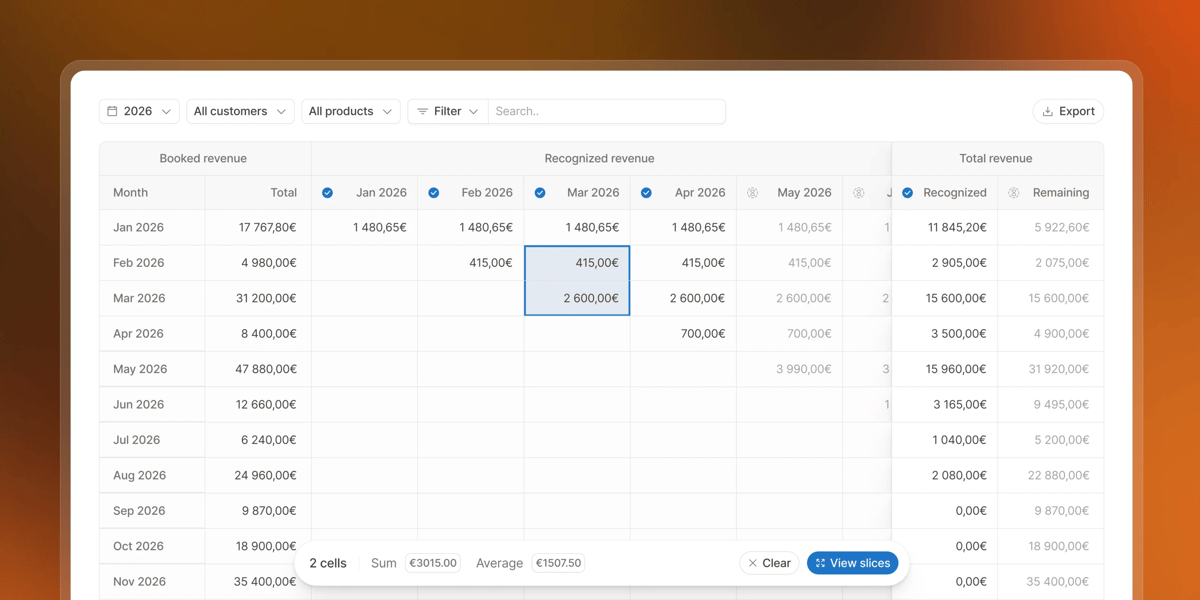
Revenue recognition: Billing terms can connect with revenue schedules, which gives finance teams another option beyond separate tools such as Stripe Revenue Recognition.
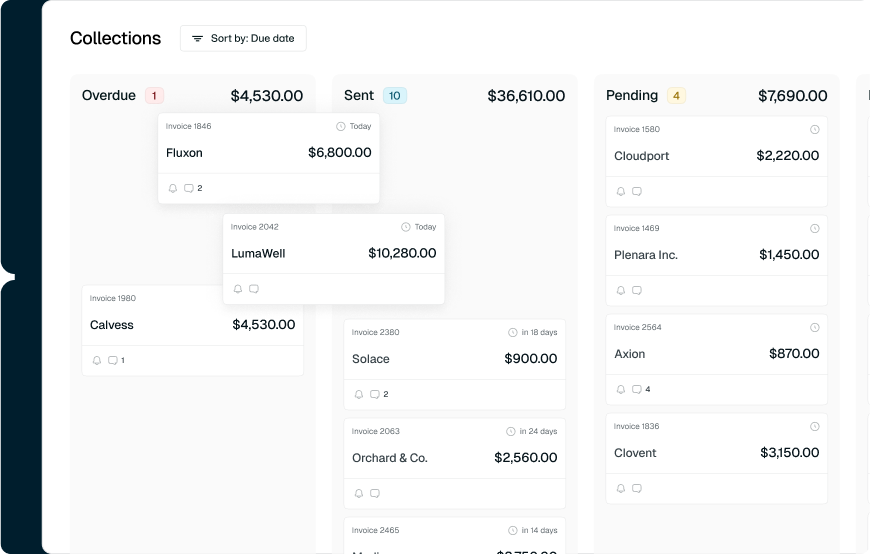
Collections automation: Tabs brings invoice delivery, payment collection, and follow-up around failed payments into the wider workflow.
Financial system integrations: Billing information can connect with financial systems such as NetSuite and QuickBooks.
Pricing
Tabs uses revenue and contract volume to structure its plans. AI features are included at every tier, while implementation is priced separately based on the plan you choose.
Launch: $2,000/month. For companies with up to $5 million in annual revenue and up to 100 active contracts.
Growth: Custom pricing. For companies with $5 million to $20 million in annual revenue and up to 500 active contracts.
Scale: Custom pricing. For companies with $20 million to $50 million in annual revenue and up to 2,000 active contracts.
Enterprise: Custom pricing. For companies with more than $50 million in annual revenue and unlimited active contracts.
3. Sequence
Sequence takes another route: quoting and billing run from the same pricing logic.
Your team creates a quote using the pricing model that will eventually generate the customer's invoices.
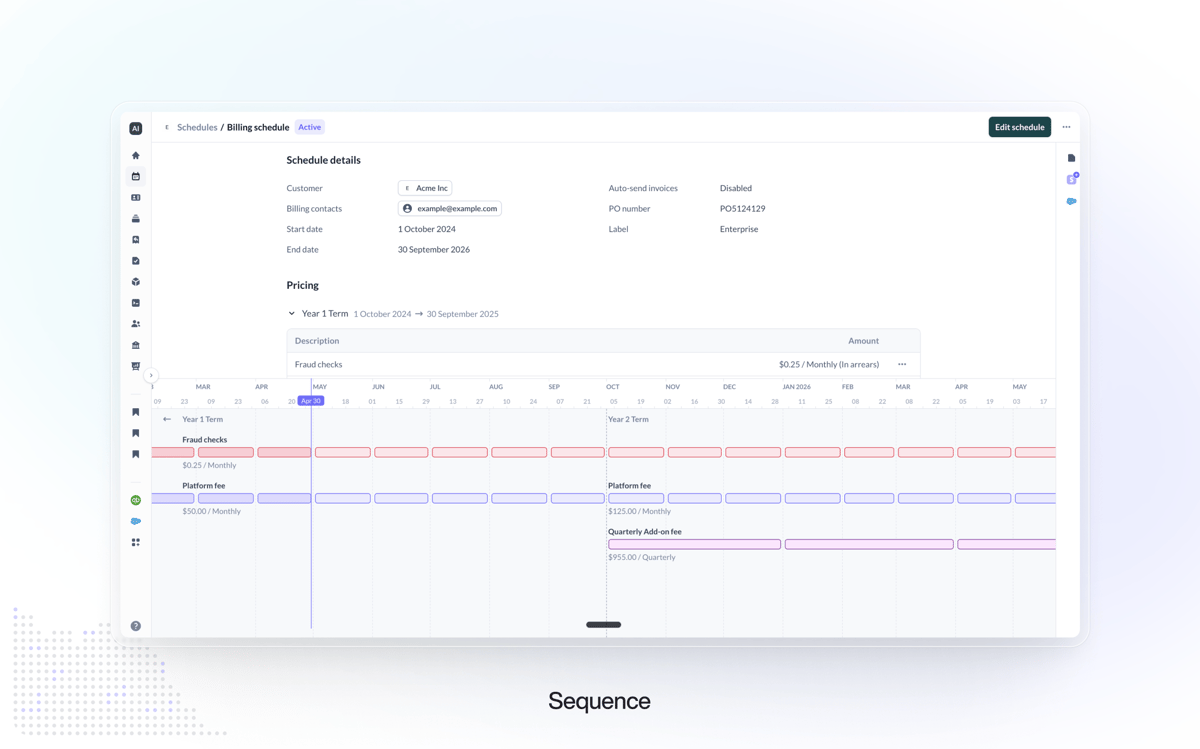
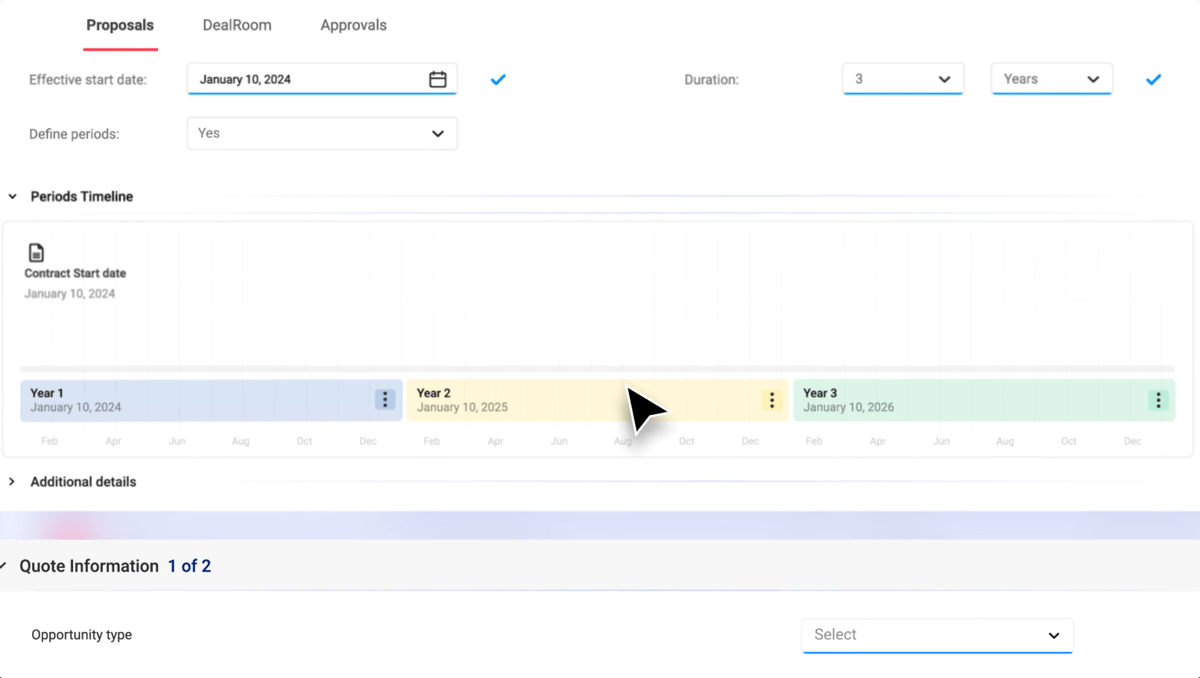
Once the quote is signed, Sequence can turn it into the appropriate billing schedule. Its structure is a good fit when you sell enterprise deals that don't fit neatly into a standard monthly subscription.
Source: G2
Sequence supports commitments, ramps, usage-based models, usage metering, and hybrid pricing. Stripe can still handle payments, so you don't necessarily have to abandon Stripe Payments.
The important distinction is what Stripe is doing.
You can continue using Stripe as a payment processor while Sequence becomes the billing engine. If keeping Stripe Billing itself is important, you'll want to look closely at the migration implications before treating Sequence as a simple CPQ add-on.
Best Features
Shared pricing rules: CPQ and billing use the same underlying pricing rules, which can reduce the chance that the signed deal and invoice calculate differently.
Complex pricing models: Sequence supports structures such as commitments, ramp schedules, usage-based pricing, and hybrid models.
Usage metering: Product consumption can flow into the platform and drive billing calculations automatically.
Contract changes: Scheduled adjustments, amendments, cancellations, and other lifecycle events can stay attached to the original agreement.
Automated billing schedules: Signed quotes can move directly into billing without requiring Finance to recreate the pricing model.
Stripe payment processing: Stripe can remain the payment processor and support recurring payments even when Sequence handles billing logic.
Pricing
Sequence has three plans based on annual revenue, with the CPQ quote builder available as an add-on at every tier.
Growth: $799/month. Built for startups with less than $1 million in annual revenue. It includes native invoicing, usage metering, advanced pricing models, bespoke contract terms, CRM connectors, ERP connectors, and basic support.
Core: Custom pricing. Designed for companies with $1 million to $10 million in annual revenue. It adds sales tax connectors, NetSuite and Salesforce integrations, and priority support. Revenue recognition is available as an add-on.
Scale: Custom pricing. Built for companies with more than $10 million in annual revenue. It adds a dedicated onboarding manager, migration support, engineer support, custom connectors, custom pricing scenarios, and support SLAs.
4. Hyperline
Hyperline gives Stripe users another option for adding CPQ while keeping Stripe Billing in place.
Its Stripe Billing support covers core quoting workflows, but it is more limited for complex use cases.
For example, renewal quotes and usage-based billing are not supported through the Stripe Billing integration. Companies that need those capabilities may need to use Hyperline’s own billing system instead.
Source: G2
Quotes can be created from the CRM and converted into subscriptions after signature, while customer and subscription data stays connected with Stripe. Hyperline can also support custom pricing, ramps, approvals, and multi-year agreements.
Best Features
Stripe Billing connection: Keep Stripe Billing for supported quoting and subscription workflows without migrating immediately to another billing engine.
CRM quote builder: Sales reps can create quotes using CRM data rather than maintaining a separate customer database.
Approval workflows: Route discounts and non-standard commercial terms through internal approvals.
Contract flexibility: Support custom pricing, ramps, and multi-year agreements.
Native billing option: More advanced requirements, including usage-based billing, can be handled through Hyperline’s own billing platform.
Pricing
Hyperline offers three plans based largely on annual revenue and subscription volume.
Launch: $299/month + 0.7% of revenue processed. Built for companies with up to $2 million in annual revenue and up to 100 active subscriptions. It includes recurring billing, CPQ quotes, e-signature, automated invoicing, payments, dunning, collections, and core integrations.
Growth: Custom pricing. Designed for companies with $2 million to $20 million in annual revenue and up to 1,000 active subscriptions. It adds usage-based and hybrid pricing, revenue recognition, multi-currency billing, and priority support.
Scale: Custom pricing. Built for companies with more than $20 million in annual revenue and unlimited active subscriptions. It adds multi-entity consolidation, advanced approvals, custom contracts, SLAs, and a dedicated success manager.
5. HubSpot CPQ
If your sales team already lives in HubSpot, keeping quoting and billing inside the CRM has an obvious appeal.
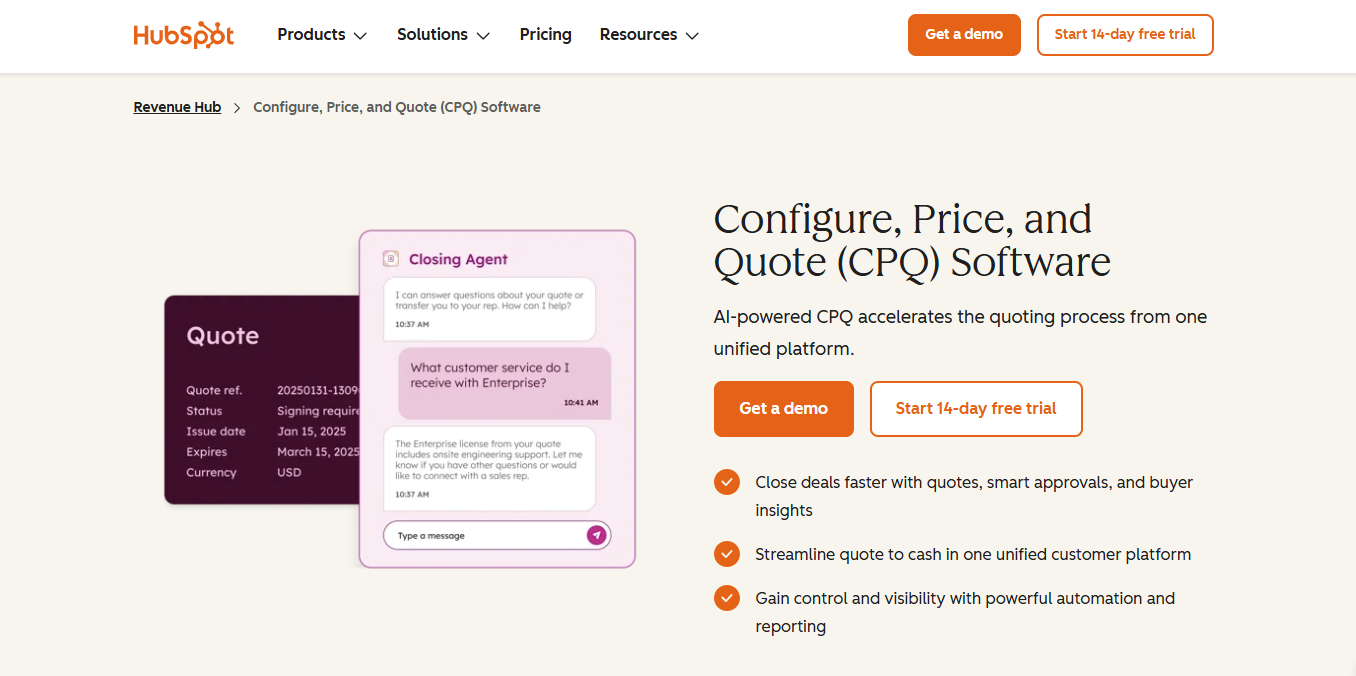
HubSpot Revenue Hub lets reps configure products, create quotes, collect signatures, and manage billing from the same ecosystem. Its CPQ supports different pricing structures, approvals, contracts, renewals, invoices, and payments.
Source: HubSpot.com
The tradeoff is flexibility. More complex SaaS agreements can require considerably more setup, particularly for multi-year deals with changing pricing or billing terms. HubSpot’s billing capabilities are also more limited than a dedicated billing platform such as Stripe Billing.
You should also consider geographic limitations. HubSpot payments is currently available to businesses in the U.S., U.K., and Canada.
Companies using Stripe as their connected payment processor pay an additional 0.75% HubSpot platform fee on transactions, on top of applicable Stripe processing fees.
Global tax automation is another consideration. HubSpot’s automated sales tax functionality is currently available for businesses based in the U.S. and Canada. Companies operating in other markets may need to configure tax rates manually or use additional tax tooling.
Stripe users should look closely at the architecture before moving more of their revenue workflow into HubSpot. Connecting Stripe for payment processing is different from keeping Stripe Billing as the system managing subscriptions and billing logic.
Best Features
Native CRM integration: Quotes can use the contacts, products, and deal information your sales team already maintains in HubSpot.
Built-in quoting and signatures: Reps can create quotes, collect approvals, and get agreements signed within HubSpot.
Quote approvals: Discounts and non-standard terms can move through internal approval workflows.
Contract management: Accepted quotes can feed contracts, renewals, and later account changes.
Billing and payments: HubSpot supports invoices, subscriptions, recurring payments, and payment collection.
Connected revenue workflow: Sales, contracting, billing, and payment data can remain within the HubSpot ecosystem.
Pricing
HubSpot Revenue Hub has a free tier for basic billing and payments, while full CPQ and quoting are available on Professional and Enterprise.
Free: Supports up to two users and includes basic billing tools such as invoices, subscriptions, and payment links. CPQ quoting is not included.
Professional: $95/seat/month. Adds CPQ, AI-powered quotes, contracts, e-signature, automated sales tax, revenue analytics, and up to 10 quote approvers.
Enterprise: $140/seat/month. Includes everything in Professional plus advanced approval workflows, quote rules, higher e-signature limits, and additional HubSpot Credits.
Payment processing is charged separately from the seat price. Connecting Stripe carries a 0.75% HubSpot platform fee on transactions, in addition to applicable Stripe processing fees.
6. PandaDoc
PandaDoc comes at the problem from a different direction. Its roots are in documents and e-signatures, so it can be a good fit if your biggest headache happens before billing begins.
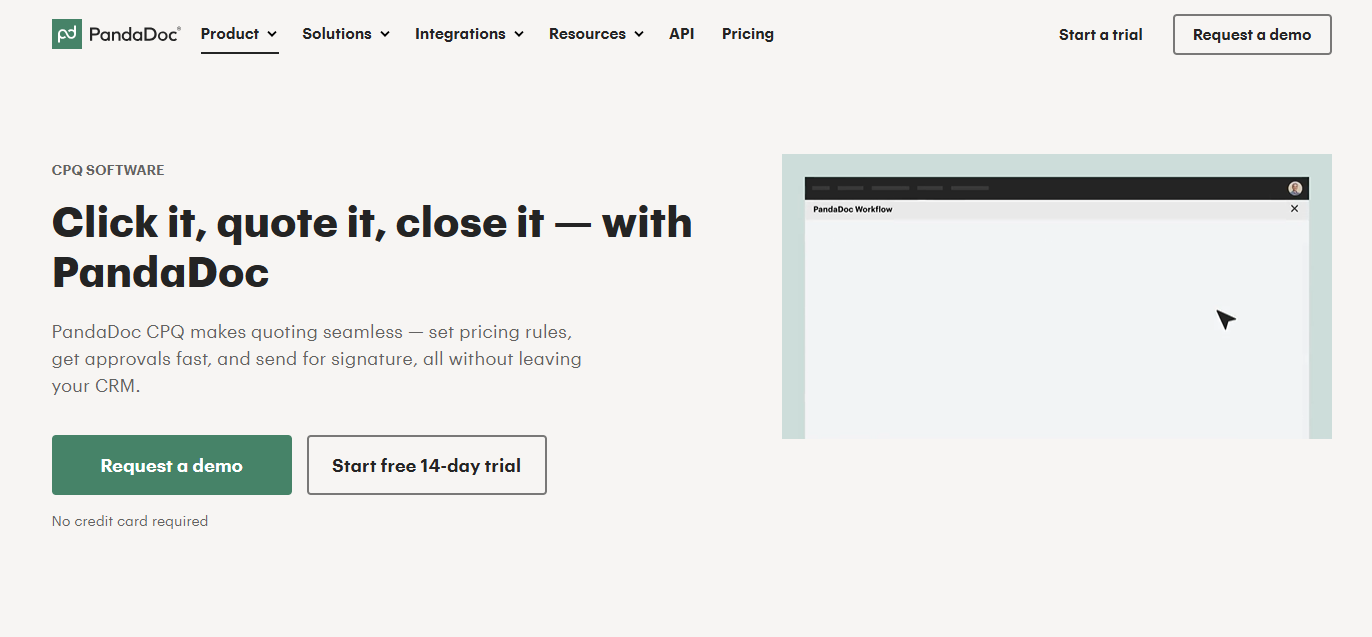
You can create proposals, configure products, route approvals, and get the customer to sign. Stripe then supports payment collection directly from the document.
Source: PandaDoc.com
PandaDoc can handle recurring payments too, which may be enough for software companies selling straightforward subscriptions.
However, more complex billing needs a closer look. Usage-based contracts, prepaid credits, and frequent amendments can still leave some billing logic outside PandaDoc, so the quoting process improves while the full quote-to-cash handoff may still rely on another system.
Best Features
Document creation: Teams can build sales proposals, order forms, and custom contracts with a flexible document editor.
CPQ capabilities: Enterprise customers can create controlled product and pricing configurations rather than relying on completely manual quotes.
Approval workflows: Non-standard discounts or commercial terms can move through internal review before reaching the customer.
CRM integration: Customer and deal data can populate documents, reducing duplicate entry for the sales team.
Stripe Payments: Customers can complete payment directly from PandaDoc using Stripe-supported payment methods.
Recurring payments: PandaDoc can create recurring Stripe payment schedules for simpler subscription arrangements.
Pricing
PandaDoc’s full CPQ functionality is available on the Enterprise plan only, which uses custom pricing based on either seats or document volume. It includes CPQ, workflow automation, smart content, SSO, team workspaces, and API access.
7. DealHub
DealHub sits at the heavier end of the market. Its platform combines CPQ with subscription management and billing, and its main goal is to give companies a broader way to manage the full quote-to-cash lifecycle.
The CPQ supports guided selling, pricing rules, approvals, and complex enterprise deals. DealHub's subscription management capabilities cover later changes such as renewals, amendments, co-terming, and proration.
Source: G2
Billing lives in the same broader platform, including support for recurring billing, usage-based models, and hybrid contracts.
For enterprise customers, having sales and billing data tied to one revenue model can reduce the handoffs between separate systems.
Smaller SaaS companies may see the opposite problem. If all you need is to turn a HubSpot deal into an accurate Stripe subscription, DealHub may introduce far more infrastructure than the use case requires.
Best Features
Guided CPQ: Reps can move through structured configuration steps instead of figuring out complicated product combinations on every deal.
Pricing governance: Rules and approvals help control discounts, custom terms, and pricing exceptions on larger deals.
Subscription management: Renewals, amendments, co-terming, and proration can stay connected to the original customer agreement.
Usage-based billing: Consumption-driven products can feed billing calculations rather than requiring a separate usage workflow.
Broader revenue workflows: DealHub connects the sales process with downstream subscription and billing operations.
Unified system: CPQ, subscription management, and billing can operate from one platform and a shared revenue model.
Pricing
DealHub does not publish fixed plan pricing.
Keep Stripe Billing and Fix the Handoff With Finrite
The right CPQ depends on how much of your current billing setup you want to change.
Finrite lets you keep Stripe Billing in place while giving Sales a cleaner quoting process and helping Finance avoid rebuilding signed deals manually.
Your CRM stays central, Stripe remains the billing engine, and more of the quote-to-cash handoff can happen automatically.
If that sounds closer to the setup you want, book a demo with Finrite and see how it would work with your existing CRM and Stripe workflow.
FAQs About Best CPQ for Stripe Billing
Does Stripe have a CPQ?
Stripe does not currently offer a full native CPQ. Stripe Billing includes a Quotes feature that can work for basic billing and straightforward recurring revenue agreements, but dedicated CPQ platforms generally add CRM-driven quoting, approval rules, custom terms, ramps, and support for more complex pricing models.
Who are Stripe Billing's main competitors?
Stripe Billing competes with platforms such as Hyperline, Tabs, Sequence, Chargebee, and Zuora. The main difference is how much of the workflow they handle, from billing alone to quoting, contracts, and broader revenue operations.
For B2B SaaS companies, the key choice is usually between keeping Stripe Billing and adding tools around it or moving more of the billing workflow to another platform.
What is the difference between Stripe Payments and Stripe Billing?
Stripe Payments handles payment processing, while Stripe Billing manages subscriptions, invoices, recurring payments, and related billing workflows. Stripe Payments can use a pay-as-you-go pricing model, while Stripe Billing has separate pricing based on billing volume.
Other Stripe services, such as Stripe Tax, can add functionality for areas like sales tax. For B2B SaaS companies, the distinction is important because a CPQ may connect to Stripe Billing while Stripe Payments continues handling the actual payment collection.
What should B2B SaaS companies look for in a Stripe CPQ?
Look at what happens after the quote is signed. A Stripe CPQ should turn the agreement into the correct billing setup without making Finance rebuild the deal. Check its CRM integration, billing model support, usage metering, and handling of hybrid models or prepaid credits.
It should also support renewals, pricing changes, payment collection, and other ongoing management.
About Finrite
Finrite streamlines sales-led revenue workflows, without any billing engine change. Sales reps can send out proposals in seconds, and our HubSpot to Stripe Connector creates subscriptions, customers, and billing objects in moments.
Automate quote-to-cash. Keep your billing stack.
Give sales a faster way to quote and finance a reliable way to bill. Finrite connects your CRM, contracts, and billing to automate the work from proposal to subscription.