Summary
Quote-to-cash on HubSpot + Stripe has five stages: deal → quote, quote → signature, signature → billing, billing → CRM truth, and renewals. Each stage can be done manually (Google Docs, DocuSign, re-keying into Stripe) or automated. This guide walks through both versions of every stage, what breaks at scale, and which tool covers what.
Here's the version of quote-to-cash we hear described on almost every first call: an AE closes a deal in HubSpot, then builds an order form in Google Docs (or fills a Google Sheet that populates a Word template), sends it through DocuSign, waits, nudges, and finally forwards the signed PDF to finance — who reads it and re-types the terms into Stripe. Somewhere along the way, a deal stage gets moved by hand. Sometimes a CEO is personally running this loop.
It works. Then one month it quietly doesn't, and you find out during fundraising diligence. Here's each stage of the pipeline, the manual way and the automated way.
Stage 1: Deal → quote
Manual: the rep copies customer name, contact, products and negotiated pricing out of the HubSpot deal into a document template. Ten to thirty minutes per quote, with every field a chance for a typo — and none of the line items ever land back on the deal record.
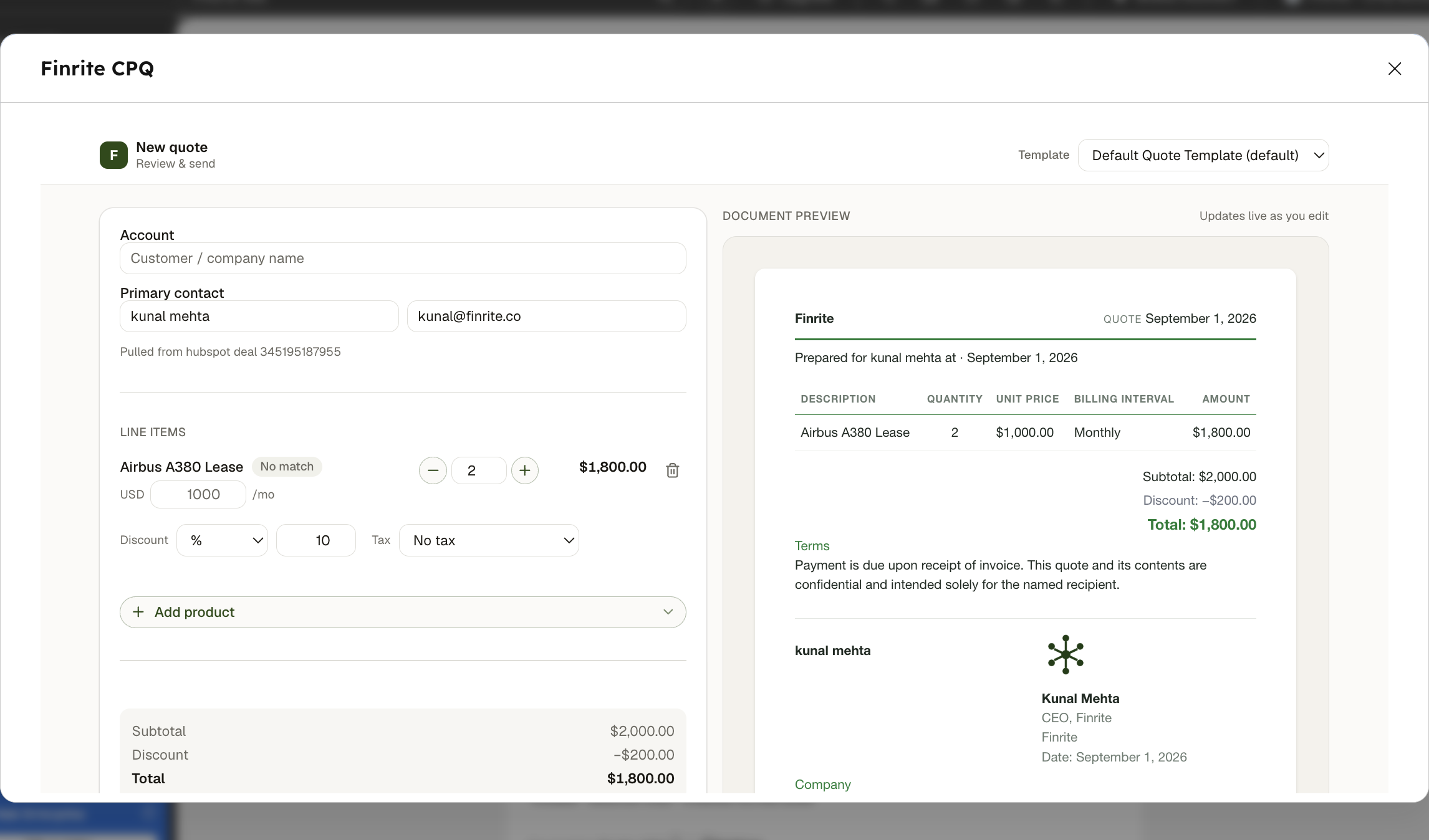
Automated: the quote assembles itself from deal data, inside the CRM. Line items, discounts and tax are calculated in the builder; custom templates and conditional terms handle deal structure. This is what Finrite's quote builder does — reps stay on the deal page and blaze through it.
Stage 2: Quote → signature
Manual: send the PDF, then live in your inbox. Redlines come back as tracked changes; versions multiply; nobody is sure which document is current. Follow-ups depend on someone remembering.
Automated: quotes out for signature are tracked in one dashboard, reminders send themselves, and signing triggers the next stage instantly. Keep DocuSign if you like it — the automation is about what happens around the signature, not the signature itself.
Stage 3: Signature → billing
Manual: finance reads the signed contract and re-creates its terms in Stripe: products, prices, discounts, start dates, ramps. This is the stage where errors cost actual money — a missed contract is unbilled revenue, and a mis-keyed ramp is a dispute six months out.
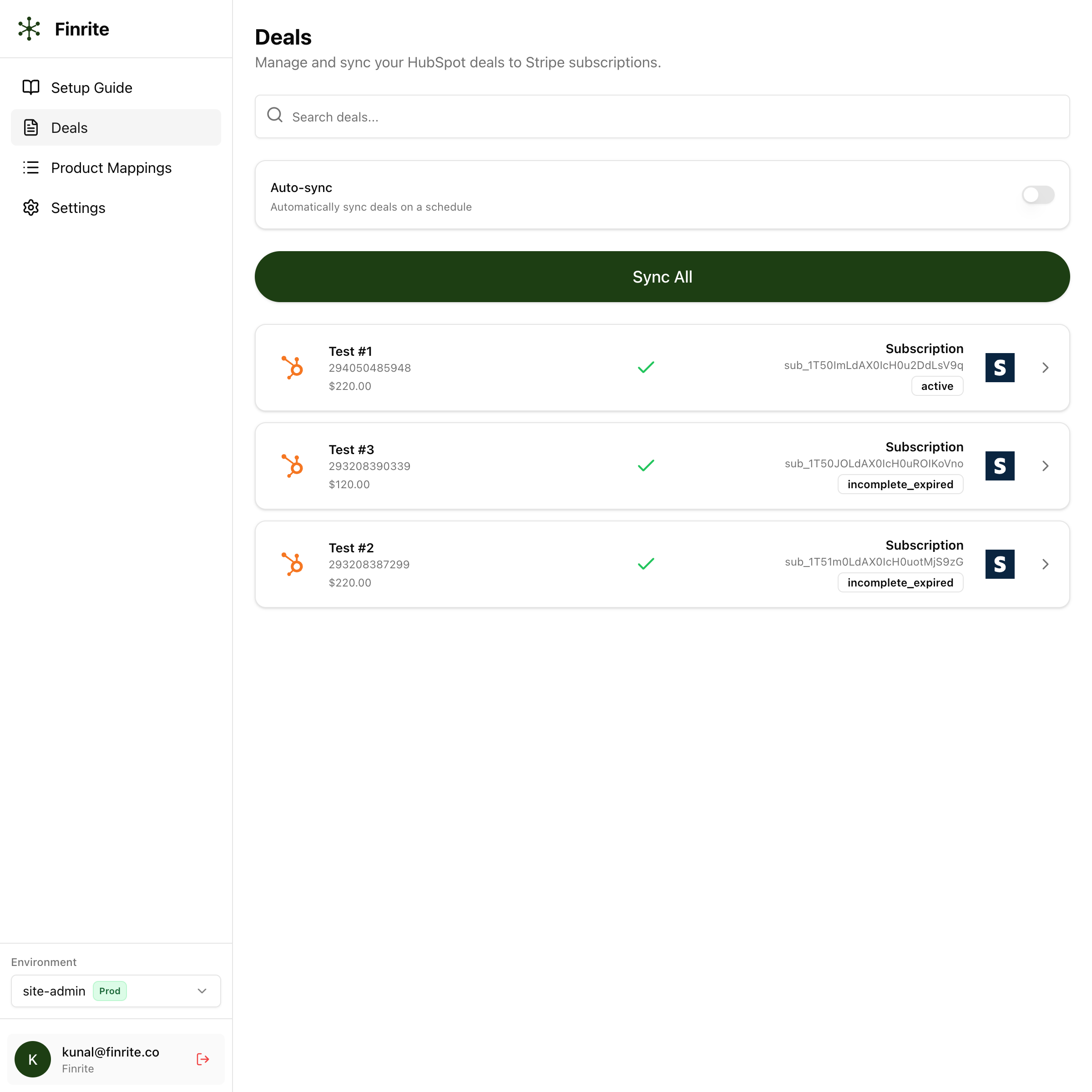
Automated: the signed quote already carries structured line items, so the subscription, schedule or invoice creates itself in Stripe — including usage pricing, ramps and amendments. If your terms only exist in contract PDFs, an AI parser with human review extracts them first.
Stage 4: Billing → CRM truth
Manual: HubSpot and Stripe drift apart. Deals say one thing, subscriptions another, and every ARR question starts with an export and a pivot table.
Automated: a bi-directional sync writes billing status back to the deal and links records in both directions — the HubSpot–Stripe connector's core job. Ask either system a revenue question and get the same answer.
Stage 5: Renewals, upgrades and changes
Manual: upgrades and renewals restart the whole loop from scratch, plus surgery on existing Stripe subscriptions — phases, prorations, price increases edited one by one.
Automated: renewal and upsell quotes amend the customer's existing billing rather than creating a parallel document, and bulk changes like annual price increases run from the price changer app instead of by hand.
What breaks at scale?
Three things, reliably:
- Silent failures: nothing alerts you to the contract that never reached billing.
- Key-person risk: one long weekend for your RevOps lead can mean five figures unbilled.
- Compounding drift: every manual hop between systems adds a small error rate, and at 20–30 deals a month those errors compound into numbers you can't trust.
The full argument is in our comparison with manual processes.
The tool map
- Stages 1–2 are the CPQ's job (Quote & Contract).
- Stage 3 is the connector's — or the AI parser's when terms live in PDFs.
- Stages 4–5 are the connector plus the RevOps toolkit.
They install separately — plenty of teams start with the connector alone — and everything runs on top of your existing HubSpot and Stripe accounts with no migration. If you're weighing this against replatforming entirely, see all alternatives compared.
Frequently Asked Questions
How long does it take to automate quote-to-cash on HubSpot and Stripe?
The Finrite connector installs and runs out of the box with a 14-day free trial. Quoting and AI contract parsing involve mapping onto your templates and workflows, which takes up to two weeks — with no coding required on your end.
Do I need engineering resources?
No. Everything installs as embedded HubSpot and Stripe apps and is configured through a UI; custom flows are set up with our team during onboarding.
Can I keep DocuSign for signatures?
Yes. Finrite integrates with common tools including DocuSign — automation covers what happens before and after the signature.
Does this work with usage-based pricing and ramps?
Yes. The connector covers complex Stripe Billing scenarios including usage-based components, multi-year ramps, amendments and mid-month changes.
Related reading: does Stripe Billing have a CPQ? · the connector setup guide · the best HubSpot to Stripe connectors, compared · Finrite vs manual quote-to-cash
Automate the whole pipeline, not one stage
Finrite covers deal-to-quote, signature, billing creation and CRM write-back on top of the HubSpot and Stripe accounts you already have. Set up in days, no engineering required.
Get in touch