5 Top Platforms for Syncing HubSpot Deals to Stripe in 2026
5 Top Platforms for Syncing HubSpot Deals to Stripe in 2026
By:
Kunal Mehta
,
November 27, 2026
Your sales rep closes a HubSpot deal. How does the agreed pricing reach Stripe?
If someone still needs to manually create the subscription, your billing process depends on another person interpreting the agreement correctly. A reliable HubSpot Stripe integration can reduce that handoff and keep relevant billing information connected to the original deal.
However, the top platforms for syncing HubSpot deals to Stripe handle different responsibilities. Dedicated connectors translate commercial terms into billing records. General automation tools let you build the data flow yourself, including the rules for handling exceptions.
The right choice depends on your billing model and the ongoing maintenance your team can support. Below, we’ll compare five options and explain what to check before connecting your HubSpot account to Stripe.
TL;DR
The five best tools for syncing HubSpot deals to Stripe are:
Integrating Stripe with HubSpot connects the agreement your customer accepted to the system responsible for billing it. You can also return selected Stripe data to the CRM so account owners can see what happened after the sale.
A well-configured integration offers several practical benefits:
Faster subscription setup: An eligible deal can trigger the corresponding Stripe subscription, which can then reduce the wait between sales approval and billing.
Less manual entry: Transfer approved HubSpot data into Stripe instead of asking finance teams to recreate the agreement.
Consistent customer records: Match HubSpot contacts to existing Stripe customers before creating new records, helping prevent duplicate billing accounts.
Better billing visibility: Keep relevant Stripe payment data and subscription status available in HubSpot CRM, so your sales team can answer routine customer questions.
Earlier issue detection: Configure alerts for incomplete transfers or situations where a payment fails, which gives the responsible person a clear next step.
More dependable reporting: Connected subscription data can support revenue reporting, provided your calculations account for changes to existing agreements.
5 Best Tools for Syncing HubSpot Deals to Stripe
The right platform should turn your HubSpot deals into accurate Stripe billing records and give your team a reliable way to manage changes after the sale. Here are five options to consider:
1. Finrite
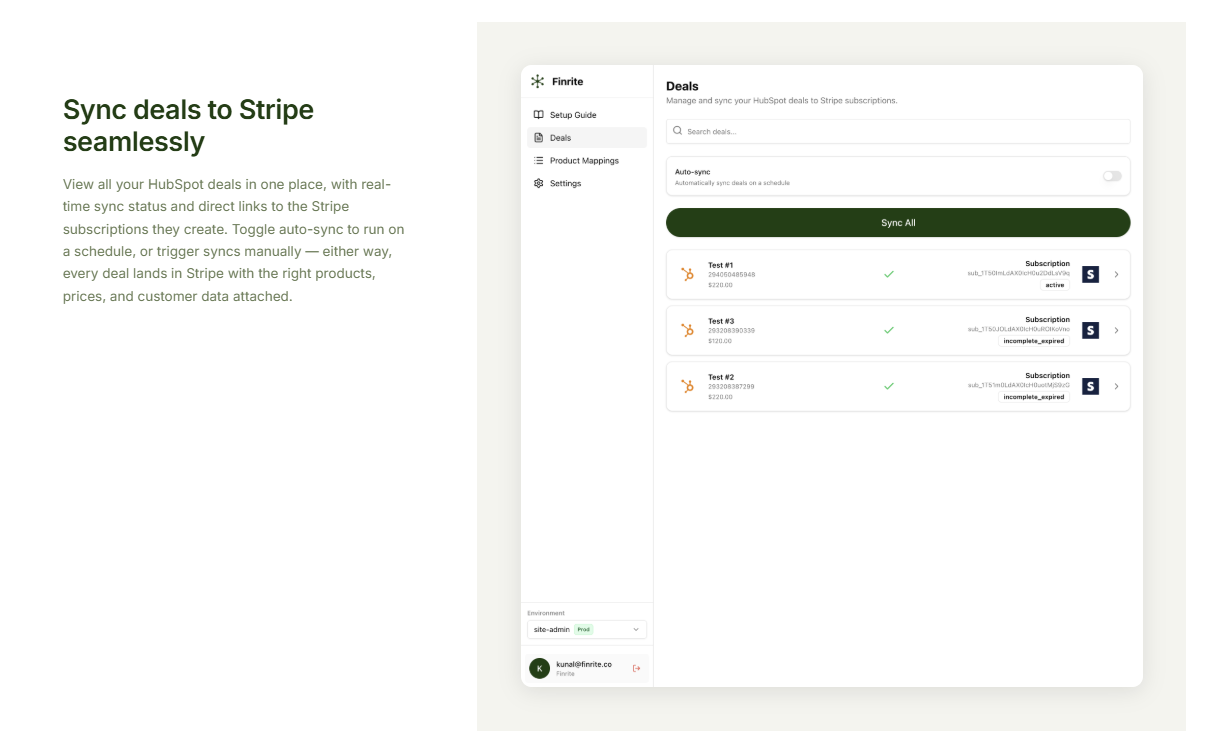
Finrite is ideal for businesses that sell through HubSpot and want Stripe Billing to remain their billing engine. The Finrite connector uses closed-won deal information to create subscriptions and related billing records in your existing Stripe account.
The setup centers on your commercial terms. Product mapping connects HubSpot line items to Stripe prices, while deal-level overrides accommodate negotiated agreements.
You can also review sync status and open the corresponding Stripe subscription from the connector dashboard.
Finrite supports complex scenarios, such as ramp pricing and subscription amendments, which makes it relevant if your billing requirements extend beyond a fixed monthly charge.
Your self-service customers and sales-led agreements can continue using the same billing foundation. Meanwhile, linked records help your team investigate what reached Stripe.
Best Features
Deal-to-billing automation: Create Stripe subscriptions and related billing objects from eligible HubSpot deals, with manual testing before enabling automatic synchronization.
Product and price mapping: Connect HubSpot products to existing Stripe prices, including CSV-based mappings and deal-level pricing overrides.
Customer matching: Match HubSpot contacts to Stripe customers using the documented matching logic, creating customer records when no match exists.
Flexible billing terms: Configure supported arrangements, such as recurring charges with one-time fees, alongside relevant invoice and proration settings.
Usage-based pricing support: Map products to Stripe usage meters so subscription setup reflects the agreed billing model.
Subscription changes: Support arrangements such as scheduled price ramps and amendments. Finrite’s RevOps toolkit also handles bulk price updates.
Sync visibility: Review sync status and follow links to billing records when investigating a customer’s setup.
Additional revenue capabilities: Separate quoting and AI contract-parsing products support workflows where structured deal fields aren’t the only source of billing terms.
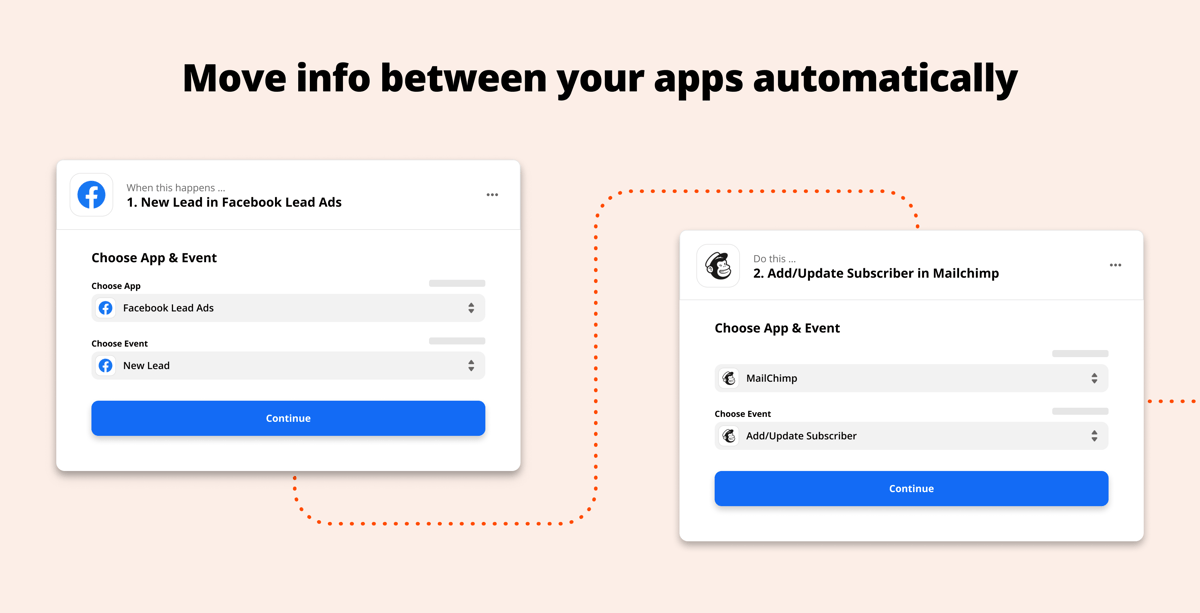
Zapier is a practical starting point if you already use automation tools and need a relatively straightforward HubSpot integration.
A workflow, called a Zap, connects a trigger to subsequent actions. For example, eligible deal activity can initiate a process that identifies the customer and creates a Stripe subscription. Zapier includes a dedicated Create Subscription action, so that step doesn’t inherently require custom code.
Source: G2
You can also build a separate Stripe-to-HubSpot workflow to return supported payment data or update contacts.
The possible drawback is ownership. Zapier supplies the actions, but your team defines when they run and how they interact. A deal reaching closed-won twice shouldn’t create two subscriptions.
Similarly, an expansion deal needs logic that recognizes the existing subscription. As exceptions accumulate, a simple automation can become a custom integration that needs regular attention.
Best Features
Deal-based triggers: Start workflows from supported HubSpot deal activity, then check eligibility before creating billing records.
Subscription creation: Create a subscription using the required customer ID and items, with supported payment collection settings.
Customer updates: Transfer approved customer information into Stripe to keep supported billing fields current.
Price creation: Create a Stripe price when your workflow requires a new price rather than an existing catalog entry.
Stripe event workflows: Use supported Stripe events to initiate follow-up actions in HubSpot, such as updating relevant CRM records.
Pros
Makes straightforward automation accessible to non-developers.
Includes a dedicated subscription creation action.
Fits businesses already using Zapier.
Lets you start with a limited workflow.
Supports separate workflows for returning billing information.
3. Make
Make gives you a visual workspace for designing how HubSpot and Stripe exchange data. It’s useful if your process needs conditional routes and you want to inspect the sequence on screen.
For example, your scenario could check for an existing customer before choosing the next action. An incomplete deal could follow a review path instead of continuing into billing. Routers and filters control those branches.
That flexibility also creates responsibility. Your builder needs to understand what each route does and how changes affect the overall data flow.
Source: G2
However, you might need to check that the exact operations your agreement requires before building. A workflow that creates a payment link may suit checkout-based purchases, but it won’t necessarily reproduce your negotiated subscription terms.
Make can support custom workflows, although sophisticated billing behavior may require API calls and more ongoing maintenance than a dedicated connector.
Best Features
Visual scenario building: Arrange connected modules to see how CRM information moves through the integration.
Conditional routing: Apply filters that separate eligible deals from records needing review, with a fallback route for unmatched cases.
Customer record actions: Create or update Stripe customer information as part of your configured process.
Payment link creation: Generate a Stripe payment link using line items when the customer should complete checkout.
API-call capabilities: Extend the workflow beyond ready-made modules for supported API operations.
Pros
Makes conditional data flow easy to inspect.
Supports different routes for different deal requirements.
Combines customer updates with payment-related actions.
Provides flexibility for experienced automation builders.
Can accommodate API calls when standard modules aren’t sufficient.
4. n8n
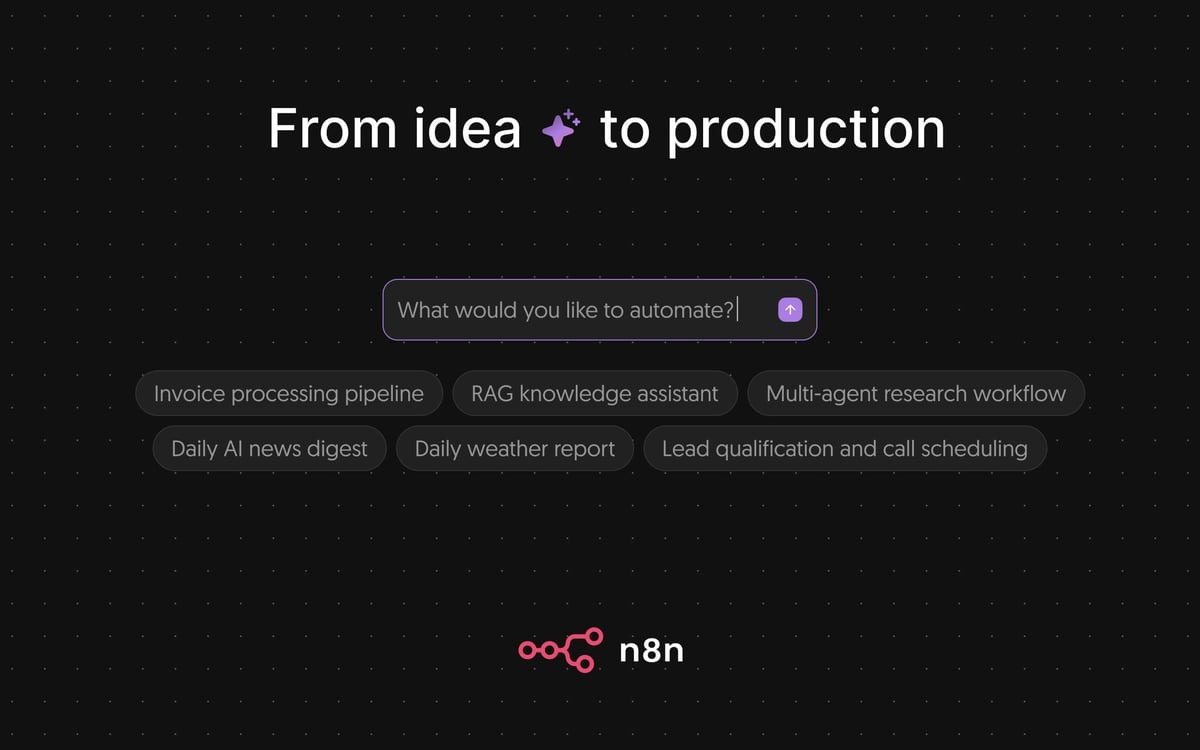
n8n is a good candidate if you have technical resources and want to own your integration.
Its HubSpot node supports operations involving deals and contact records. However, the standard Stripe node doesn’t currently list subscription creation as a supported operation. You can use an HTTP Request node to call the Stripe API for that step.
Source: G2
The approach gives you control over the request, but it also requires API knowledge. Your builder must handle partial failures, such as a subscription being created successfully before the HubSpot update fails.
n8n supports self-hosting, too. Running it on your own infrastructure provides deployment control while adding responsibility for maintenance and availability.
If you need to connect custom objects or retrieve historical data through the HubSpot API, verify the required endpoints and account permissions before committing. Those requirements can substantially expand the project.
Best Features
HubSpot record operations: Read and update supported CRM records as part of the billing workflow.
Stripe customer operations: Create or update customers through the built-in Stripe node.
HTTP requests: Call API endpoints for subscription operations unavailable in the standard node.
Meter event creation: Send supported usage events to Stripe as part of a separately designed usage-reporting process.
Self-hosting: Deploy n8n on your own infrastructure if your organization wants control over hosting.
Pros
Provides substantial control over integration behavior.
Supports API requests beyond built-in actions.
Offers self-hosting for organizations with infrastructure requirements.
Fits technical teams comfortable maintaining their own integration.
Allows billing workflows to include custom processing steps.
5. Workato
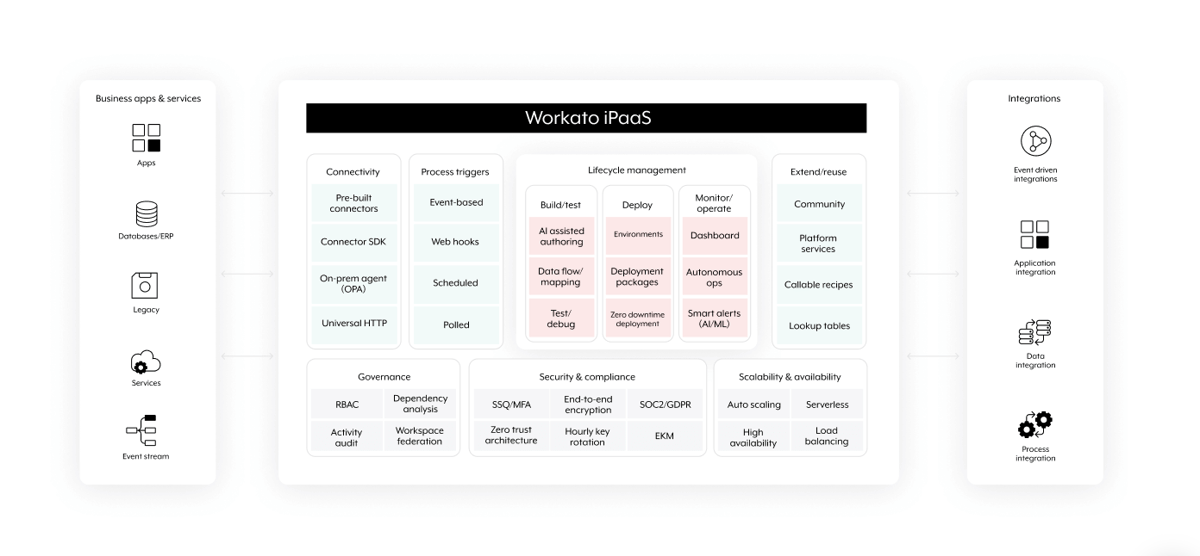
Workato is worth evaluating if syncing data between HubSpot and Stripe belongs to a broader integration program.
An approved agreement might need to initiate an accounting process alongside billing setup. Workato provides connectors for HubSpot and Stripe that can participate in those wider automated workflows.
Its HubSpot connector supports record operations and associations, subject to account privileges.
Workato calls its workflows recipes. Your team configures the sequence of actions and decides how exceptions should be handled.
Source: G2
The potential drawback is the implementation overhead. You still need someone to translate commercial requirements into reliable automation and maintain the resulting recipes.
Workato makes more sense if your organization already uses it or needs coordinated processes involving several business systems. For a narrow deal-to-subscription requirement, compare that broader investment against a dedicated third-party connector.
Best Features
HubSpot connectivity: Use supported triggers and actions to work with CRM records and their associations.
Stripe authentication: Connect your Stripe account through supported authentication methods for use in recipes.
Error monitoring: Monitor selected actions and define a recovery path if an integration step fails.
Configurable retries: Retry appropriate temporary failures according to the settings you establish.
Error context: Use available failure details to guide corrective actions or notify the person responsible for the workflow.
Pros
Fits broader CRM and finance integration programs.
Provides configurable error-handling paths.
Supports defined ownership of business workflows.
Can extend an existing Workato investment.
Offers recovery controls for selected failed actions.
Give Every Closed Deal a Clear Path to Stripe Billing
Your sales rep shouldn’t need to explain the same agreement again after it’s signed. Approved commercial terms should reach billing through a process your sales and finance teams understand.
Finrite connects HubSpot deals to Stripe Billing while keeping your existing subscriptions in place. You can configure the billing handoff and review linked records as deals move into billing.
Start with a recent agreement, then test a change, such as an expansion during a scheduled price ramp. You’ll learn much more from a realistic billing scenario than a demonstration using one fixed monthly price.
FAQs About the Top Platforms for Syncing HubSpot Deals to Stripe
Can HubSpot integrate with Stripe?
Yes. You can connect Stripe for payment processing, use native data sync for supported records, or choose a third-party connector for billing automation. A native connector that syncs customer information won’t automatically create subscriptions from closed-won deals.
HubSpot subscriptions using Stripe also follow a different management workflow from subscriptions in Stripe Billing. HubSpot Payments is another processing option, so decide where billing should live and which Stripe payment data should return to your CRM.
Who is Stripe's biggest competitor?
PayPal is a major competitor in online payment processing, though “biggest” depends on the market or measurement. Compare the capabilities your business needs, such as payment gateway functionality or recurring payment support, alongside subscription billing requirements.
Also evaluate the integration separately: accepting a Stripe payment and syncing subscription data with HubSpot serve different purposes.
Who is HubSpot's biggest competitor?
Salesforce is one of HubSpot’s main competitors for CRM and sales management. Your choice depends on your workflows and administration resources. For revenue operations, compare billing connectivity, including how each setup links customer records to subscriptions and makes payment data available to account owners. Assign responsibility for custom integration maintenance, too.
How much is the Stripe fee for $1,000?
At Stripe’s standard U.S. online domestic card rate of 2.9% plus $0.30, a $1,000 payment costs $29.30, leaving $970.70 before additional fees. Your payment method and account pricing can affect the total. International cards or currency conversion may add charges, while Stripe Billing has separate fees. Payments processed through HubSpot or another platform may also incur platform charges beyond the payment processing fee.
About Finrite
Finrite streamlines sales-led revenue workflows, without any billing engine change. Sales reps can send out proposals in seconds, and our HubSpot to Stripe Connector creates subscriptions, customers, and billing objects in moments.
Automate quote-to-cash. Keep your billing stack.
Give sales a faster way to quote and finance a reliable way to bill. Finrite connects your CRM, contracts, and billing to automate the work from proposal to subscription.