How much work does your team do between agreeing on a price and sending a quote the customer can sign?
A straightforward offer might take minutes. A negotiated subscription can involve a pricing exception that needs approval, followed by another round of work to set up billing. Your quoting software should help with the steps that actually slow you down.
The best quote management software depends on how you sell and what needs to happen after acceptance. A consulting firm may prioritize professional proposals, while a SaaS business needs signed terms to reach its billing system correctly.
Below, you’ll find the top seven options, with practical guidance on their strengths and the trade-offs to consider before choosing one.
TL;DR
The seven best quote management software options for 2026 are:
Quote management software helps you prepare sales quotes and manage them through customer acceptance. It gives sales teams a repeatable process for presenting an offer, handling revisions, and tracking its progress.
Most tools let you create quotes using saved product information and quote templates. Instead of rebuilding every document, your reps can reuse approved material and pull customer details from connected CRM systems.
However, the level of automation varies. Document-focused software emphasizes presentation and signatures. Configure-price-quote (CPQ) software adds controls for requirements such as complex product configurations or discount approvals.
Consider a customer requesting additional seats halfway through an annual agreement. Preparing the price quote is one task. Applying the correct effective date and updating the existing subscription are separate responsibilities.
A connected quote-to-cash workflow carries accepted terms into the systems responsible for billing. During your evaluation, establish how far each platform takes the agreement and what your team still handles manually.
What Does Your Team Need From Quote Management Software?
Start with a recent quote that took longer than expected. Identify the reason, then use the following requirements to narrow your shortlist:
Pricing control: Look for pricing rules that reflect your agreements, including exceptions such as volume discounts or negotiated rates.
Approval routing: Rules-based approval workflows should send exceptions to the right reviewer without holding up routine deals.
CRM integration: Reusing customer information reduces duplicate data entry, but check which fields sync and how updates are handled.
Document flexibility: Customizable templates should give reps room to explain the offer while protecting approved terms.
Buyer visibility: Document tracking helps you follow up with context instead of repeatedly asking if the quote arrived.
Billing continuity: Accepted quotes should reach the correct billing workflow, particularly if you already manage recurring revenue in Stripe.
A good tip is to bring a real agreement to the demonstration. Ask the vendor to revise its pricing, send it for approval, and show what happens after signing.
7 Top Quote Management Tools in 2026
The following quoting software tools support different sales workflows, ranging from proposal preparation to complex revenue operations. Use the comparisons to identify which platform fits your requirements and how much of your current process it could handle:
1. Finrite
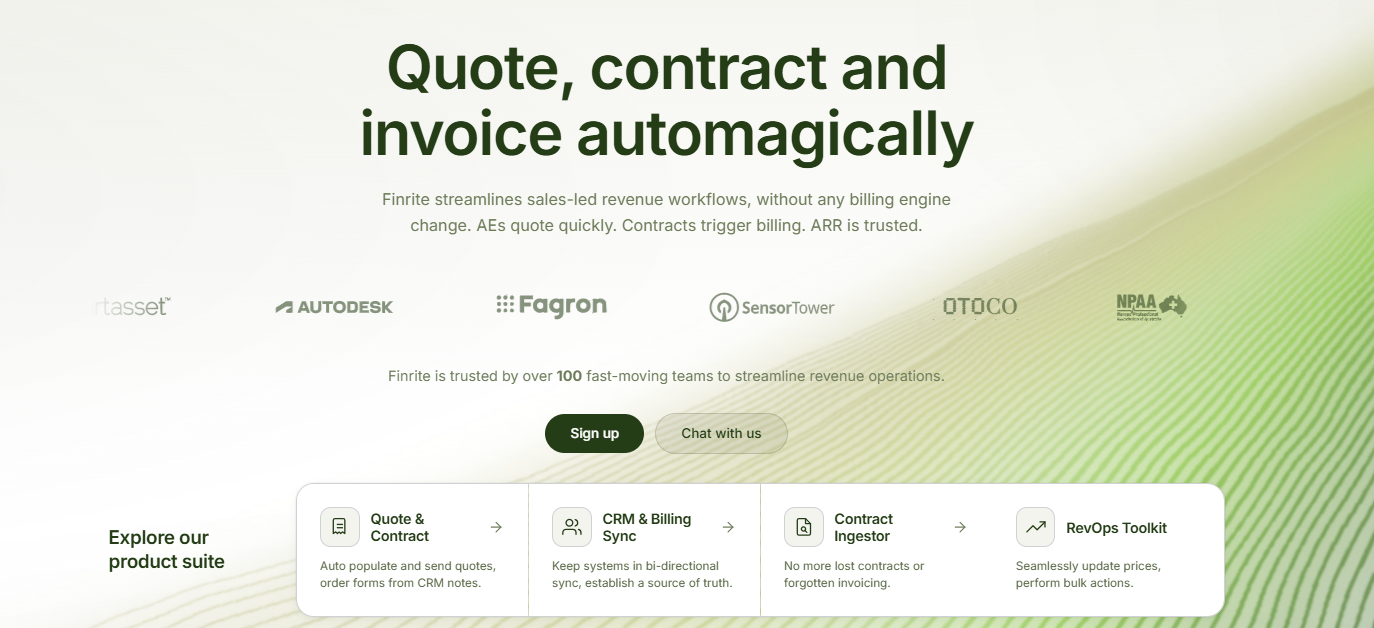
Finrite connects CRM-based quoting with the billing systems your business already uses. Its quote builder lets sales reps work with HubSpot deal data, then carry the signed agreement into Stripe Billing through Finrite’s connected workflow.
The benefit becomes clear after the customer signs. Your finance team doesn’t have to read the order form and manually recreate its commercial terms. Finrite can use structured agreement data to create the appropriate subscription, schedule, or invoice.
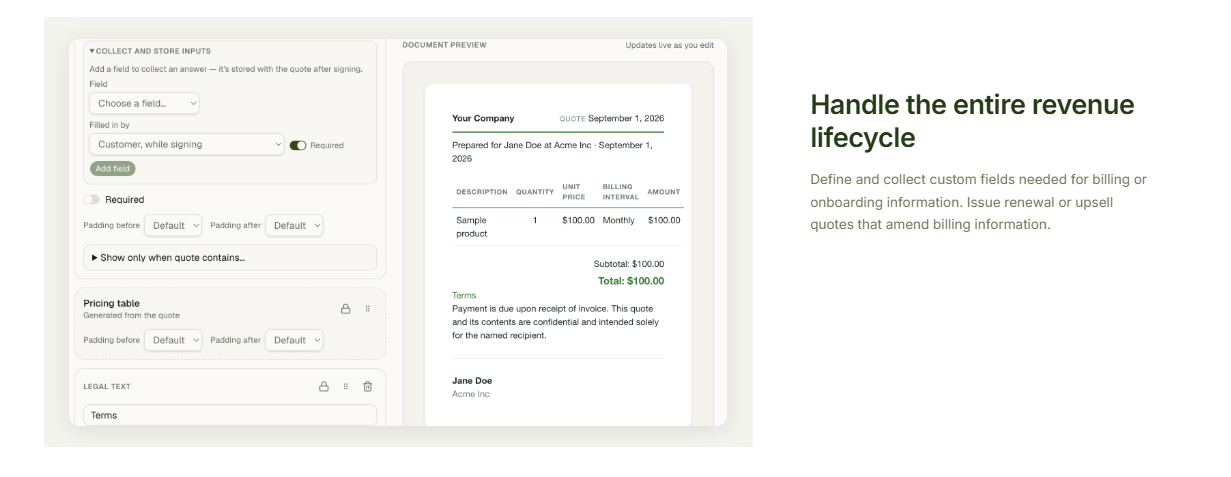
Existing customers follow a connected process, too. A renewal or upsell quote can amend their existing billing, keeping the new agreement attached to the subscription it changes.
For a SaaS business selling through both self-service and negotiated deals, keeping billing in Stripe helps maintain a shared billing foundation. Your reps gain a quoting workflow while your billing engine continues handling the subscriptions already running there.
Finrite’s broader product suite also includes an AI contract parser with human review for agreements received as PDFs, which gives your team another route for turning signed terms into billing data.
Best Features
CRM-embedded quote creation: Build quotes using HubSpot deal information, keeping customer data and negotiated line items connected to the opportunity.
Custom agreement templates: Adapt the document to your sales process using conditional terms and CRM fields.
Payment method collection: Collect payment details during signing so your team can prepare for collection without another request to the customer.
Flexible billing structures: Connect agreed terms to Stripe Billing for arrangements such as usage-based charges, scheduled price ramps, or custom payment terms.
Renewal and expansion quotes: Issue agreements that update existing customer billing, including changes to subscription quantities.
Signature tracking: See outstanding quotes in a dashboard and configure reminders for agreements awaiting signature.
CRM write-back: Sync quote outcomes and linked billing records to the deal, giving sales useful visibility after acceptance.
Custom information capture: Gather fields needed for billing or onboarding during the agreement process.
Pros
Your existing Stripe subscriptions can stay in place while you improve the quoting process around them.
Reps can prepare agreements using the deal context they already have in HubSpot.
Signed commercial terms can flow into billing without finance repeatedly entering the same pricing data.
Payment method collection during signing reduces the follow-up needed before the customer can be charged.
Renewal and upsell workflows keep approved changes connected to the customer’s existing subscription.
Shared billing infrastructure can support both self-service purchases and sales-led agreements.
Billing information synced back to the CRM gives account owners a clearer view before customer conversations.
Finrite’s separate product components let you build the workflow around the handoffs your business needs to automate.
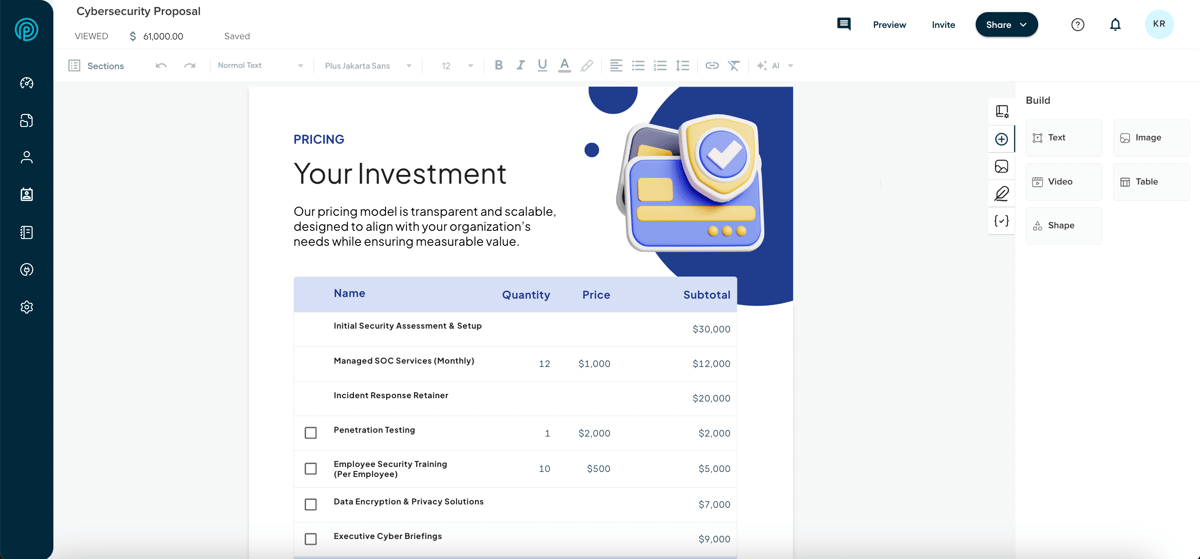
PandaDoc is a suitable candidate if preparing the customer-facing document consumes most of your quoting time. You can build professional quotes using reusable content, then collect signatures within the same document workflow.
Professional services firms may find that approach useful because the explanation surrounding the price often needs as much attention as the total. A proposal can describe the scope clearly without requiring your rep to assemble a fresh document for every opportunity.
Source: PandaDoc.com
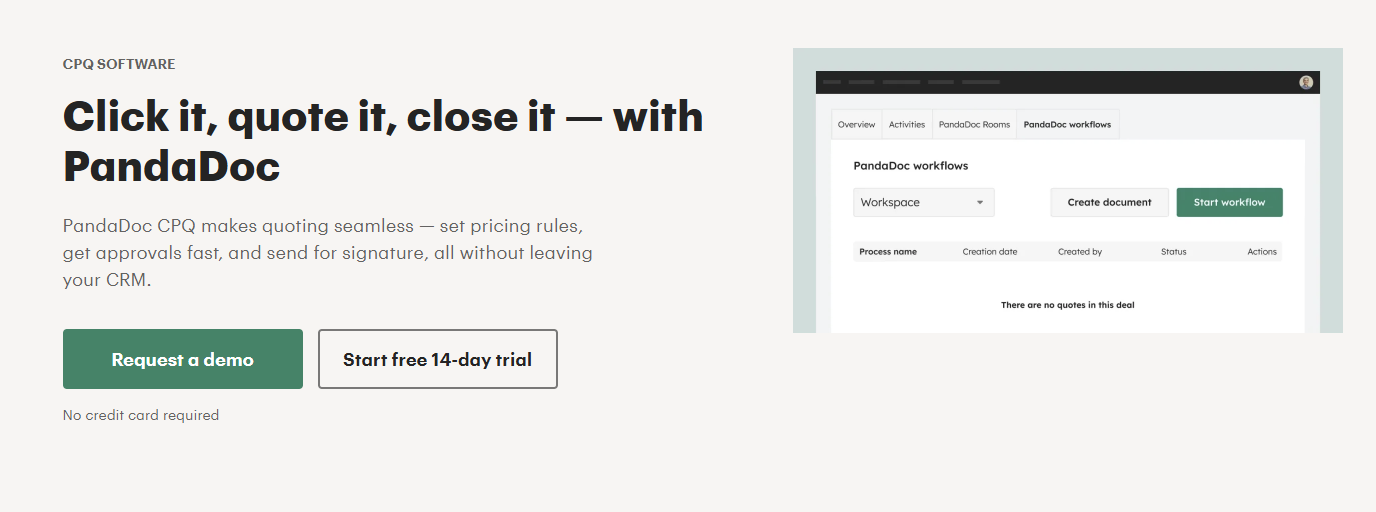
PandaDoc also offers CPQ capabilities for businesses that need more structured product selection and pricing controls. Its CRM-focused offerings include guided selling and automated approval workflows.
The main purchasing consideration is feature access. Don’t assume the entry-level document plan includes the CPQ workflow demonstrated by the sales team. Review the proposed package and any additional charges for your required integrations.
You should also test the billing handoff separately. A signed proposal with a payment option doesn’t demonstrate that a negotiated subscription will be created or amended correctly in your existing billing system.
Best Features
Document editor: Assemble branded proposals with an editor that supports reusable layouts, helping reps spend less time formatting each offer.
Content library: Save approved material for future proposals to reduce the need to locate wording in an older customer document.
Pricing tables: Present products and prices within the agreement so the buyer can review the commercial offer alongside its scope.
Approval workflows: Add internal review before sending, with conditional approval capabilities available for supported quoting workflows.
CPQ functionality: Apply product and pricing rules through PandaDoc’s CPQ offering when your requirements extend beyond document preparation.
CRM connections: Bring customer and opportunity information into supported workflows, which can limit repeated entry during quote creation.
Electronic signatures: Let customers sign the completed agreement within PandaDoc.
Pros
Reusable proposal content can shorten preparation time for offers that need substantial explanation.
Document creation and electronic signatures share a connected workflow.
Sales teams can maintain a consistent presentation without rebuilding the layout for every buyer.
Conditional approvals can direct attention to quotes that meet defined review criteria.
Available CPQ capabilities give businesses a path toward more controlled quoting as their requirements develop.
3. Qwilr
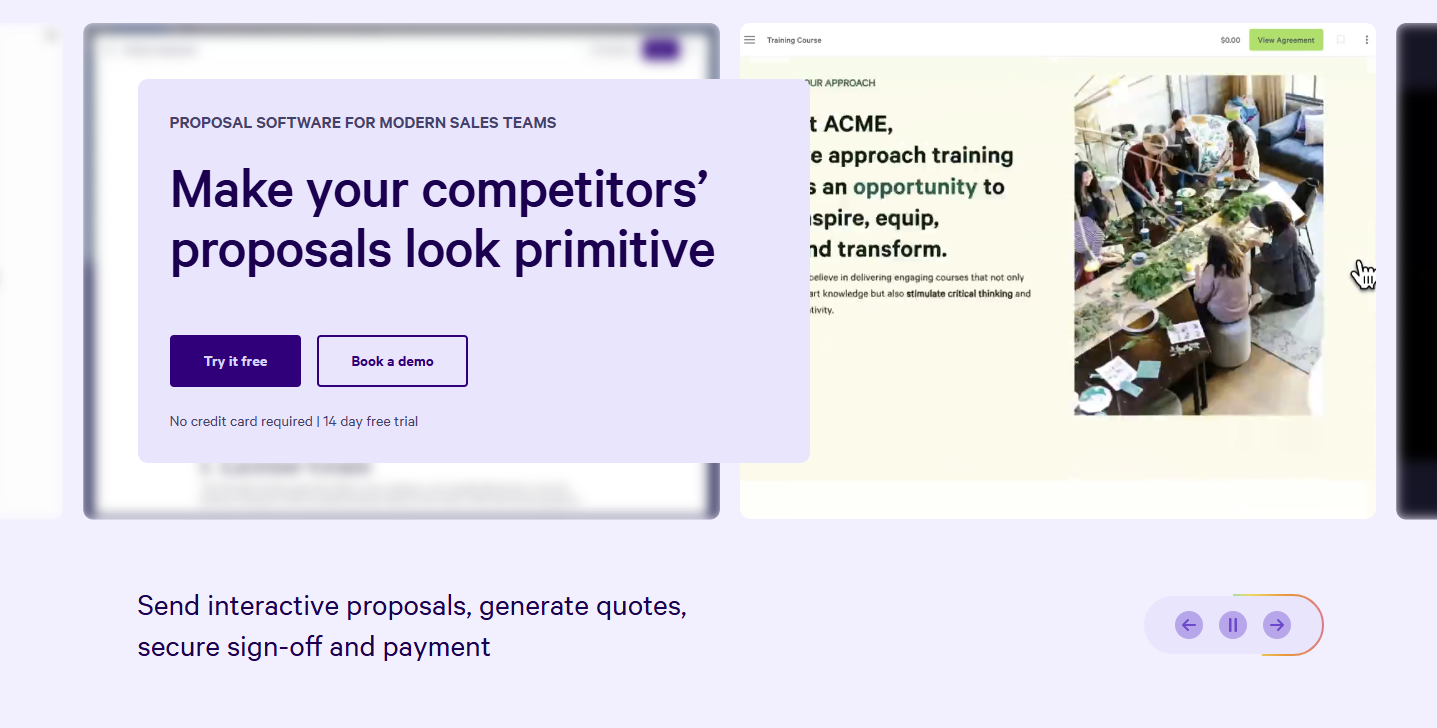
Qwilr takes a web-based approach to sales documents. Buyers receive interactive web pages where they can explore the offer and make permitted selections, such as choosing an optional service.
That format can suit service businesses selling packages. Instead of asking your rep to resend a proposal every time the buyer considers a different quantity, interactive pricing can show the updated total within the page.
Qwilr also connects the proposal to acceptance and payment, creating a convenient customer journey for offers that can be purchased directly.
Source: Qwilr.com
Plan restrictions deserve attention, though. Custom branding and automation sit above the Starter plan, while Salesforce integration is listed under the Scale plan.
Higher plans also introduce minimum seat commitments, so a small business may face a larger purchase than the per-user rate suggests.
Treat the pricing display and the billing setup as separate evaluation points. A page that updates its total immediately still needs the correct downstream workflow if your agreement includes ongoing subscription changes.
Best Features
Interactive quotes: Let buyers select permitted options or adjust quantities while the displayed price responds to their choices.
Web-based proposals: Present the offer as a page that can combine supporting content with the commercial details.
Drag-and-drop editor: Build and revise the proposal layout without asking a designer to prepare each individual document.
CRM-generated content: Populate supported proposals using existing data from records such as deals or opportunities.
Acceptance and payments: Give buyers a route to sign and pay within the proposal experience.
Engagement tracking: Monitor buyer interactions to understand when a proposal is receiving attention.
Proposal automation: Higher plans support additional automation, with advanced capabilities such as conditional content available on Scale.
Pros
Buyers can explore approved package choices without requesting a separate document for every variation.
Interactive presentation can help explain services that need visual context alongside the price.
Reusable page layouts help reps create professional-looking quotes with less formatting work.
Engagement information gives your team a useful signal for timing follow-up.
Acceptance and payment within the proposal can reduce the steps required to complete a straightforward purchase.
4. DealHub
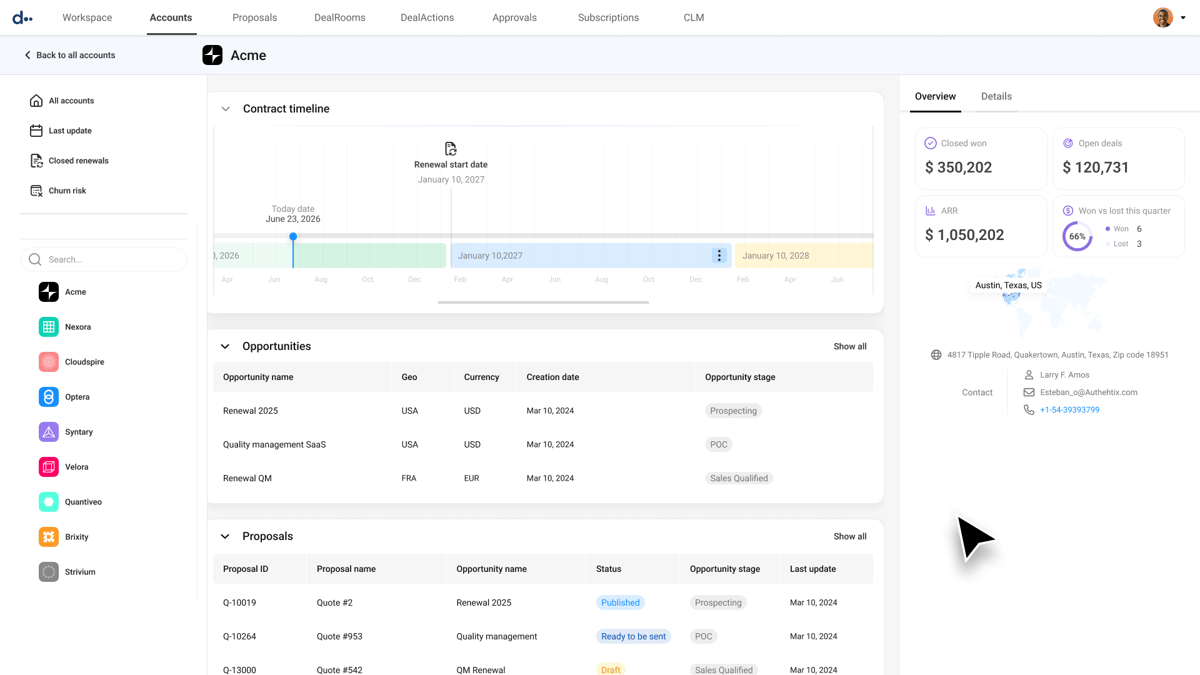
DealHub deserves attention if your reps need guidance through the commercial decisions behind a quote. Its CPQ workflow uses guided selling and structured pricing to help sellers prepare offers within defined rules.
A business managing complex pricing structures can use that approach to make quoting less dependent on individual experience.
Newer reps can follow the configured process, while approval controls route exceptions for review. Plus, DealHub offers broader capabilities around subscription management and billing.
Source: G2
The tradeoff is rollout scope. You’ll need to define the rules and assign responsibility for maintaining them. That work may be difficult to justify if your main requirement is sending a few straightforward quotes each month.
Pricing requires a sales conversation, so request a breakdown of the capabilities included. If you intend to keep Stripe Billing, ask DealHub to demonstrate the specific integration and subscription changes you need; a listed Stripe connection alone doesn’t establish the full workflow.
Best Features
Guided quote configuration: Lead reps through product selection using structured questions and filters instead of relying on an unrestricted blank quote.
Flexible pricebooks: Support different pricing models, including usage-based arrangements and tiered pricing.
Discount controls: Apply configured rules around commercial flexibility and route exceptions through the approval process.
Parallel approvals: Allow relevant reviewers to assess an agreement through coordinated workflows.
Digital DealRoom: Present proposals and supporting deal content in a buyer-facing space that supports collaboration.
Subscription workflows: The broader platform supports lifecycle changes such as amendments and co-terminated expansions.
CRM integrations: Connect quoting with supported platforms, including HubSpot and Salesforce, to keep the sales workflow tied to opportunity records.
Pros
Guided selling can help less experienced reps prepare offers within established commercial rules.
Structured approval routing reduces reliance on informal messages to obtain authorization.
Flexible pricing support makes the platform relevant to businesses with varied deal structures.
A shared DealRoom can give buyers a clearer place to review the active offer.
Broader subscription capabilities provide room to expand the implementation beyond initial quote creation.
5. HubSpot CPQ
Already managing your sales pipeline in HubSpot? Native CPQ gives you a way to keep quote creation close to the deal record your reps use daily.
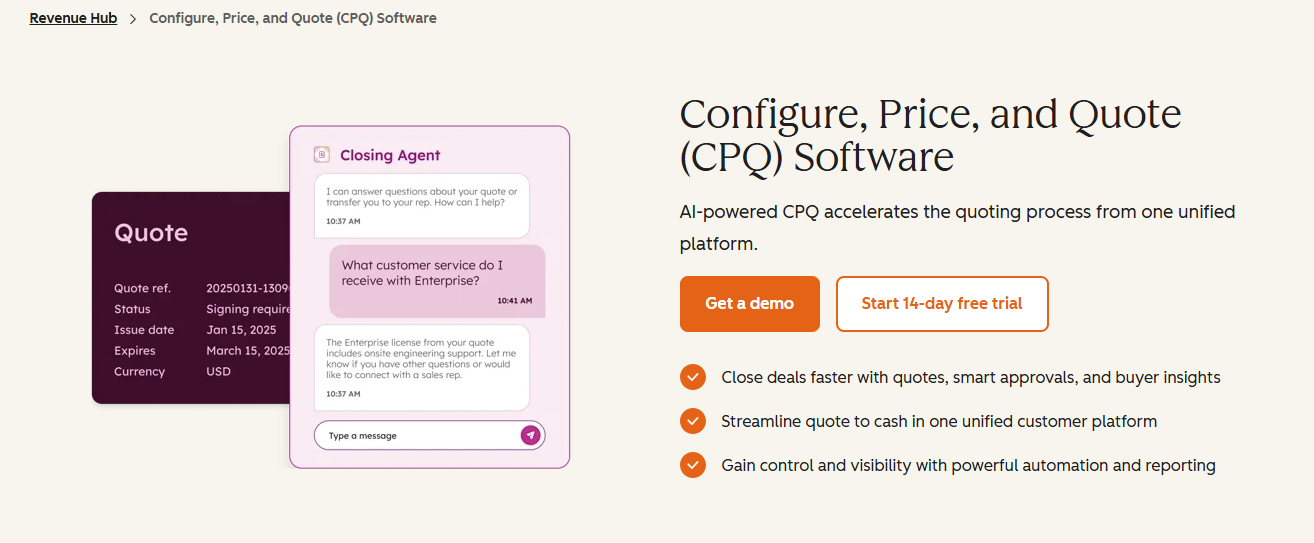
HubSpot’s current CPQ offering sits within Revenue Hub. It brings product selection and quote acceptance into the CRM, with engagement information available alongside the opportunity.
The appeal is practical. Your rep can work with customer information already stored in HubSpot instead of moving it into a separate document tool.
Source: HubSpot.com
The limitations depend on the workflow you need. Advanced approvals require the Enterprise plan, and quote creation requires the appropriate subscription and seat.
Stripe users should also examine billing ownership. Connecting Stripe as HubSpot’s payment processor supports collection for HubSpot-managed revenue tools. It doesn’t automatically make HubSpot CPQ an interface for managing your existing Stripe Billing subscriptions.
If self-service customers already subscribe through Stripe, test how sales-led agreements would be managed alongside them before adding another subscription workflow.
Best Features
CRM-based quoting: Create sales quotes within HubSpot using the customer records and deal information already supporting the opportunity.
Product library: Select products for quotes, with tiered pricing and pricebooks available under applicable subscription requirements.
Quote approvals: Use standard approvals or configure advanced workflows on Enterprise based on quote properties.
Flexible acceptance: Choose supported acceptance methods, including electronic signatures or acceptance without a signature.
Payment collection: Accept eligible online payments through HubSpot payments or a connected Stripe account.
Engagement visibility: Review quote activity, including customer views and downloads, to inform follow-up.
Connected billing records: Use HubSpot invoices and subscriptions to manage payments associated with the commercial agreement.
Pros
Reps can prepare quotes within the CRM they already use to manage opportunities.
Existing customer details reduce repeated entry during the quote creation process.
Quote activity gives account owners additional context for their next conversation.
Native acceptance and payment options can simplify straightforward sales workflows.
Businesses choosing HubSpot as their revenue system can keep related billing activity close to their CRM records.
6. Proposify
A proposal often needs to explain the work before the customer can judge its price. Proposify fits that part of the sales process, particularly for businesses that repeatedly assemble detailed service offers.
Its editor and content library help your team reuse approved material while adapting the document to the opportunity. Interactive quoting lets the buyer make permitted choices, and document analytics show how recipients engage with the proposal.
For professional services, that combination can support a more consistent approach to both presentation and follow-up.
Source: G2
The drawback is that essential management controls may require a larger plan. Proposify lists approval workflows and user permissions under the Grow plan, while premium integrations involve additional plan or purchasing considerations.
There’s also an approval detail to test: Proposify’s documentation says users can edit documents after approval. Ask how your process should handle a material pricing revision so a reviewed offer doesn’t change without the right person checking it again.
Best Features
Proposal editor: Use drag-and-drop tools to prepare professional proposals with a layout suited to your offer.
Reusable content: Store approved sections and supporting material so reps don’t have to search previous proposals for a starting point.
Product catalog: Maintain a central source for services and pricing used in customer quotes.
Interactive quoting: Allow buyers to choose optional fees or adjust quantities within the permitted proposal structure.
Document analytics: See recipient activity and time spent in sections, giving your team more context for follow-up.
Conditional approvals: Apply review requirements based on configured thresholds, such as the discount amount or proposal total.
Electronic signatures: Collect customer acceptance within the document workflow.
Pros
A shared content library helps maintain consistent service descriptions between proposals.
Reps can tailor the offer without starting the document from an empty page.
Interactive options let customers explore approved additions before signing.
Section-level engagement information can help sales conversations focus on the parts buyers are reviewing.
Conditional approval requirements let managers concentrate on proposals that exceed the limits assigned to a user’s role.
7. Salesforce Agentforce Revenue Management
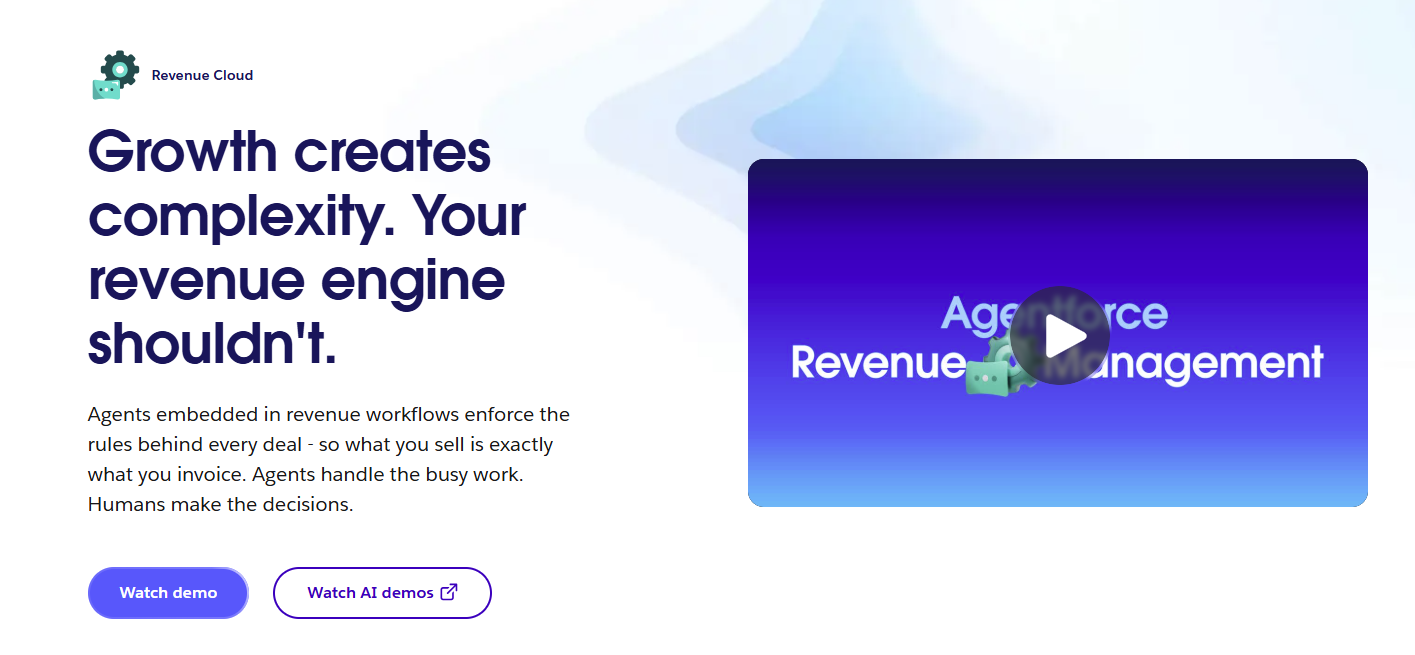
Salesforce Agentforce Revenue Management is a broader choice for organizations that need quoting connected to a substantial revenue operation. Salesforce also uses Revenue Cloud branding in its current product materials.
The platform combines a unified product catalog with configurable pricing and product rules. That makes it relevant if your reps need to construct valid offers from complex product configurations rather than simply enter a price into a template.
Its scope extends into downstream revenue processes, with capabilities varying by edition.
Source: Salesforce.com
The main drawbacks are cost and implementation scope. Agentforce Revenue Management is a paid add-on to Sales Cloud, and the broader workflow requires deliberate configuration. You’ll need ownership of the product catalog and the rules behind it.
Avoid treating a Salesforce Revenue Cloud purchase as a routine upgrade to an existing quoting tool. Request a demonstration of your actual agreements and a clear implementation plan, particularly if you’re replacing legacy Salesforce CPQ or connecting to an external billing engine.
Best Features
Unified product catalog: Organize products and bundles in a shared structure that supports consistent selling.
Product configurator: Define constraints that help reps select valid combinations when the offer involves complex dependencies.
Configurable pricing engine: Build pricing calculations around your commercial requirements, with visibility into the calculation process.
Agent-assisted quoting: Use Agentforce capabilities to support quote creation and updates within the configured workflow.
Subscription management: Manage recurring commercial relationships through the capabilities included in the selected edition.
Order and contract capabilities: Connect approved deals to downstream revenue processes through the broader platform.
Administrative configuration: Use Salesforce’s tools to define product behavior and customize the implementation for your business systems.
Pros
A shared catalog can reduce inconsistent product definitions between selling channels.
Configuration constraints help reps build valid offers without memorizing every dependency.
The pricing engine supports businesses whose calculations need more control than a basic quote table provides.
Broader revenue capabilities can suit organizations planning a substantial Salesforce-centered implementation.
Existing Salesforce expertise gives administrators a useful foundation for managing the platform’s ongoing configuration.
Your Customer Signed. Let Finrite Handle the Billing Handoff.
Your customer has agreed to the offer. Your team should be able to act on the signed terms without rebuilding the agreement in another system.
Finrite connects CRM-based quoting with Stripe Billing so approved commercial details can continue into the billing workflow.
Reps can prepare the agreement in HubSpot and collect payment information during signing. Renewal and expansion quotes can update existing customer billing as the relationship develops.
Bring a representative deal to the conversation, including a negotiated term that usually requires extra work. You can review how the quote would reach billing and what information would return to the CRM.
Book a demo with Finrite to explore a quoting workflow built around your existing CRM and billing setup.
FAQs About the Best Quote Management Software
What is the best software for quotation management?
The best quote management software fits your agreements and reduces manual work. Finrite suits businesses connecting HubSpot quoting to existing Stripe billing. PandaDoc or Proposify can help with detailed proposals, while Qwilr offers an interactive buyer experience.
Start with the step causing delays, then compare the complete workflow, including what happens after acceptance. Better formatting won’t solve a subscription amendment that finance still has to rebuild manually.
What is the best automated quoting software available?
The best automated quoting software depends on the work you need to automate. Finrite connects CRM-based agreements to Stripe billing workflows. DealHub and Salesforce offer extensive configuration and pricing controls, while proposal platforms automate document preparation through templates and connected data.
Ask each vendor to demonstrate a routine quote, then introduce an exception, such as a discount above the rep’s approval limit, to see how much intervention remains.
Can quote management software handle complex pricing models?
Yes, but support for complex pricing models varies. An interactive pricing table may calculate quantities correctly without supporting a scheduled price ramp or midterm subscription amendment.
Test your actual pricing structures, including an exception such as an expiring discount, and review the billing outcome. Also clarify terminology: dynamic pricing may describe configured calculations, while real-time pricing may refer to displayed total updates. Neither guarantees support for your commercial model.
How does quoting software integrate with existing CRM and billing systems?
A CRM integration brings information such as customer details or opportunity line items into the quoting workflow and may sync quote status back. Billing integration turns accepted commercial terms into financial records.
Ask vendors to demonstrate both directions using your existing systems, including what happens after a record changes or a transfer fails. Your team needs dependable support for amendments and renewals as well as the initial export.
About Finrite
Finrite streamlines sales-led revenue workflows, without any billing engine change. Sales reps can send out proposals in seconds, and our HubSpot to Stripe Connector creates subscriptions, customers, and billing objects in moments.
Automate quote-to-cash. Keep your billing stack.
Give sales a faster way to quote and finance a reliable way to bill. Finrite connects your CRM, contracts, and billing to automate the work from proposal to subscription.