How do you know when your quoting process has outgrown the way you currently sell?
For a while, a simple setup may work perfectly well. Then pricing starts to evolve, deals need more review, and sales reps spend more time figuring out what can be offered at what price. Gradually, the quoting process becomes harder to manage consistently.
Configure-price-quote (CPQ) software gives you more structure around those decisions. It can help your team apply pricing rules, handle approvals, and create quotes without relying so heavily on manual work.
Still, the right setup depends on how your SaaS business operates. Your pricing model, sales process, and existing systems all influence what will actually work well in practice.
A good CPQ platform should support that complexity without making the sales process heavier than it needs to be. In this buying guide, we’ll help you compare the leading options and understand what to look for before choosing one.
TL;DR
Here are the nine best CPQ for SaaS companies in 2026:
There is no single CPQ setup that works for every SaaS business. Your sales process, pricing strategy, billing platform, and existing business systems should guide the decision.
Pay close attention to:
Flexible pricing models: Your CPQ platform should support the pricing structures you sell, including subscription models, usage-based pricing, volume discounts, and hybrid pricing models.
Pricing rules and approvals: Pricing logic, discount controls, business rules, approval routing, and the wider approval process should be manageable without creating extra work for sales operations.
Subscription lifecycle management: Look at how the platform manages renewals and other subscription changes after the original sale.
CRM and billing integration: Strong integration capabilities help customer data and billing system data move cleanly between your revenue systems.
Workflow automation: Automating quote creation and downstream handoffs can improve sales productivity while reducing repetitive work.
Room for pricing experimentation: Your pricing strategy will evolve, so the right CPQ platform should let revenue teams adjust product catalogs and pricing rules without a major redevelopment project.
Total cost of ownership: Look beyond the license price. CPQ implementation, custom integrations, administration, and ongoing maintenance can add significantly to your total cost.
9 Top Options for SaaS CPQ Software in 2026
The right CPQ software depends on how your SaaS business handles pricing, quoting, approvals, and billing. Here are nine platforms worth considering in 2026:
1. Finrite
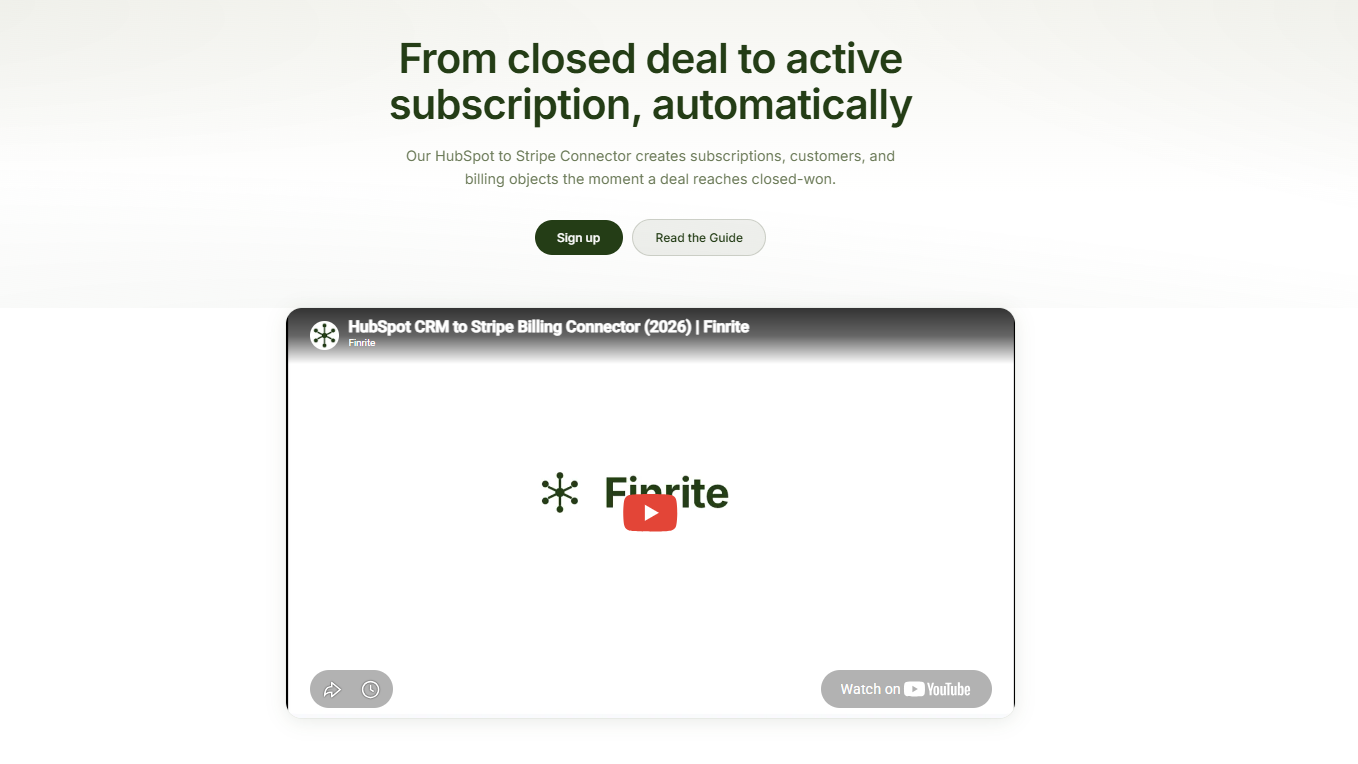
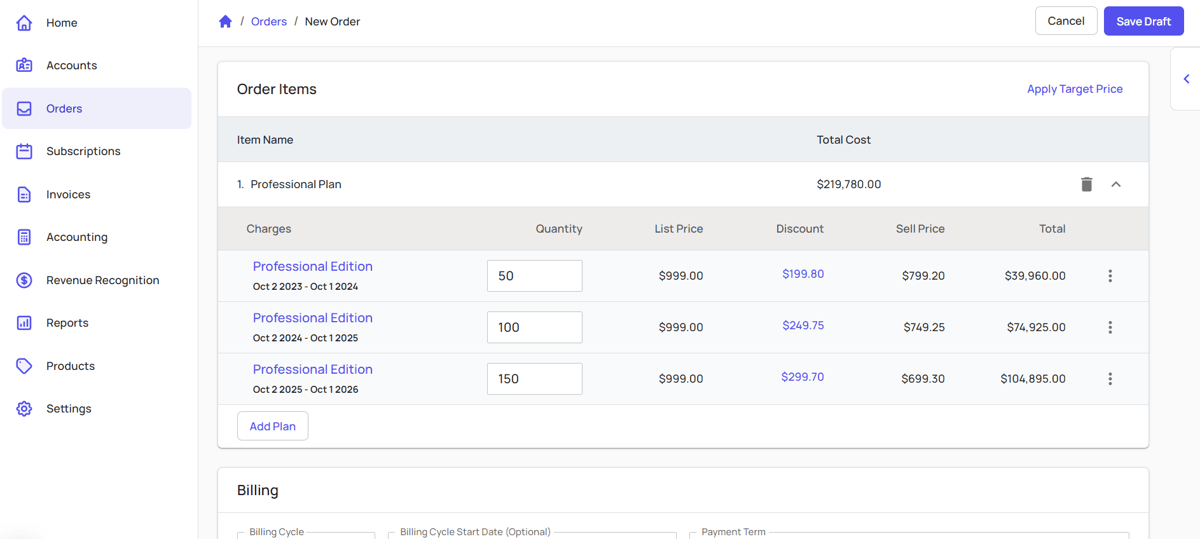
Finrite integrates CPQ deeply with your current billing engine, which can make it easier to improve quoting without rebuilding the rest of your stack.
Its quoting engine sits inside the CRM, so your sales reps can work from existing deal and customer data while they create quotes.
You can keep the sales process close to the systems your team already knows, while still adding more control around pricing, approvals, and quote generation.
Once a contract is signed, Finrite can move the relevant information into downstream billing workflows. If you use HubSpot and Stripe, Finrite can sync deal data into Stripe and create the corresponding billing objects automatically.
You also get support for contract parsing, renewals, and more customized revenue workflows.
For your team, the main advantage is continuity. You can add a stronger CPQ process and reduce manual handoffs between sales and finance without replacing a billing system that already works well.
Best Features
CRM-embedded quoting: Sales reps can build proposals from CRM data using templates, fields, and conditional terms.
CRM-to-billing automation: Closed deals can move into Stripe with automated billing object creation.
Usage-based billing support: Finrite can support SaaS companies using usage-based pricing alongside their existing Stripe setup.
Renewal workflows: Existing subscriptions can be updated as customers renew or expand.
AI contract parser: Finrite can turn signed contract information into structured billing data and keep human review in the workflow.
Existing-stack integration: Finrite connects with systems such as HubSpot, Salesforce, and Stripe rather than forcing a billing migration.
Pros
Works with your existing CRM and billing systems
Reduces manual handoffs between sales and finance
Supports workflow automation from quote through billing
Avoids a full billing migration
Supports usage-based billing
Can reduce implementation and migration costs
Offers built-in CPQ on the Pro plan
Includes automated billing workflows for HubSpot and Stripe
Pricing
Finrite currently offers three pricing tiers for its HubSpot-to-Stripe connector, CPQ, and AI contract parser:
Starter: $200/month: Supports up to 10 contracts per month, automated HubSpot-to-Stripe subscription creation, usage-based billing support, standard field mapping, and email support.
Core: $400/month: Supports up to 50 contracts per month and adds higher contract volume plus priority support.
Pro: $1,000/month: Supports unlimited contracts and adds the HubSpot-embedded quoting engine, AI contract parser, custom workflow mapping, and data audit and drift analysis.
Starter includes a 14-day free trial with no card required.
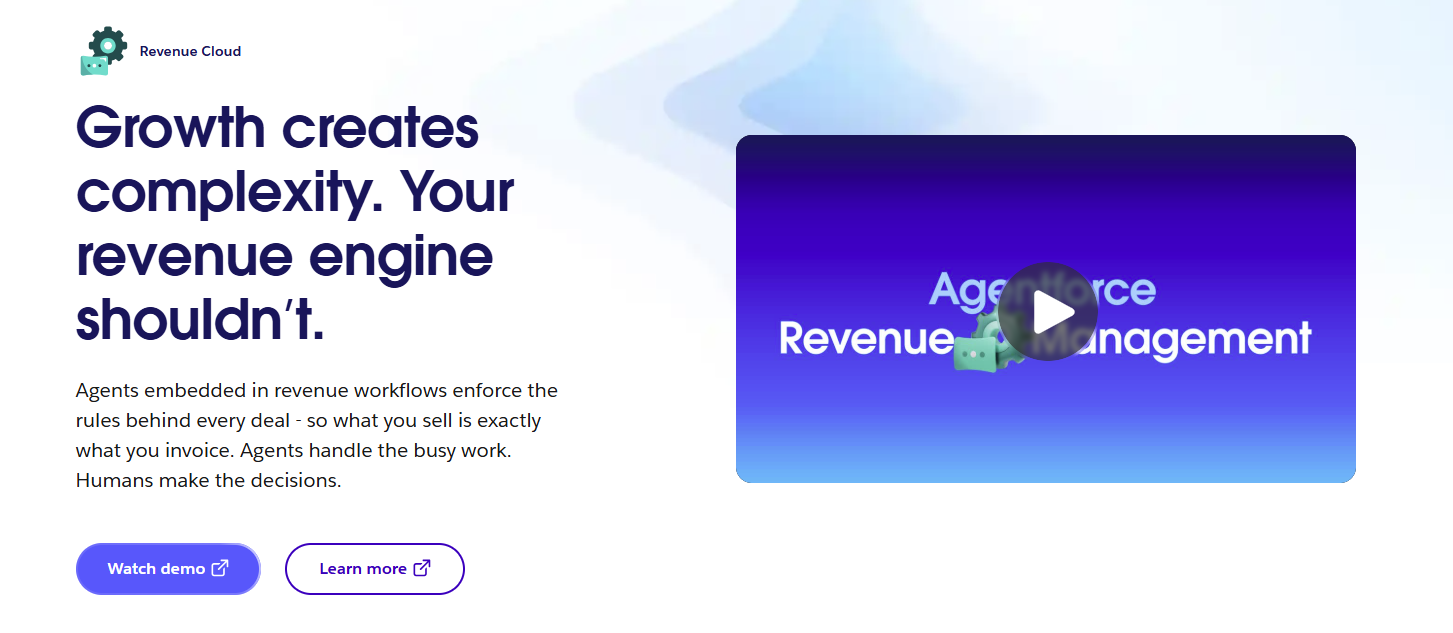
Agentforce Revenue Management is Salesforce’s current revenue management platform, formerly known as Salesforce Revenue Cloud.
The platform covers configure-price-quote workflows, subscriptions, and broader revenue operations. Salesforce positions it as the current development path for revenue management, separate from the older Salesforce CPQ managed package.
Source: Salesforce.com
For companies already running their sales process inside Salesforce, keeping pricing logic and quoting within the Salesforce ecosystem can simplify how sales reps interact with customer data.
Agentforce Revenue Management can also support sales channels beyond a standard direct sales motion. Guided selling, discount controls, and automated approvals help keep pricing decisions aligned with established business rules.
The downside for many users is its complex UI and frequent need to work with consultants to get the best out of the software.
Best Features
Product and price management: Manage product catalogs, pricing logic, configuration rules, and quote data inside Salesforce.
Flexible discounting: Supports pricing strategies such as volume discounts and other controlled discount structures.
Automated approvals: Approval workflows can route pricing exceptions according to predefined rules.
Subscription management: Supports recurring revenue products and subscription workflows.
Consumption support: Advanced functionality can manage consumption-based revenue models and invoicing.
Agentforce functionality: AI-powered workflows can assist with quote creation and other revenue tasks.
Pros
Deep integration with the Salesforce ecosystem
Supports complex pricing structures
Handles product configuration and quoting in one platform
Includes automated approval workflows
Supports subscription management
Can improve sales productivity for Salesforce-heavy organizations
Suitable for enterprise sales channels
Extends beyond traditional Salesforce CPQ
Pricing
Salesforce currently offers two Agentforce Revenue Management editions:
Revenue Cloud Growth: $150/user/month. Includes quoting and configuration, order capture, and subscriptions.
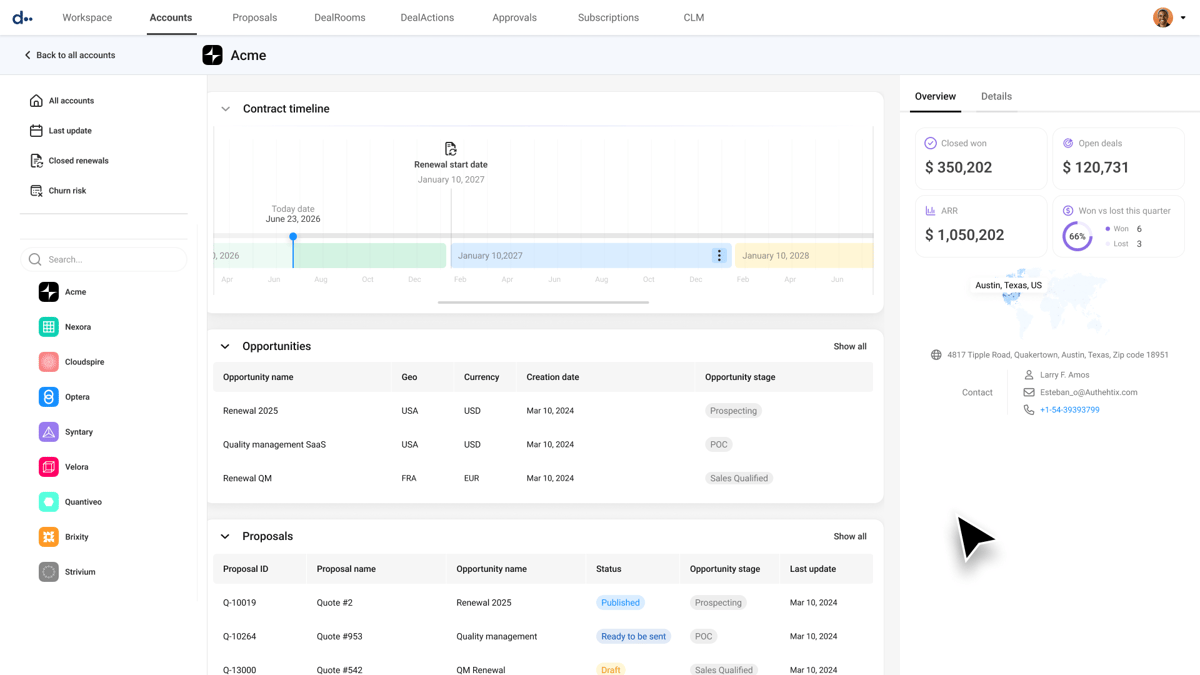
DealHub connects CPQ with a wider quote-to-revenue workflow.
Its CPQ platform gives sales reps a guided way to configure products and create quotes while keeping pricing rules under control. DealHub can also connect the quote with later processes involving contracts and subscription changes.
Source: G2
The platform supports pricing models commonly used by SaaS companies, including usage-based pricing. CRM integration is available for Salesforce, HubSpot, and Microsoft Dynamics, which gives revenue teams more flexibility with their existing sales infrastructure.
Best Features
Adaptive pricebook: Supports recurring and usage-based pricing structures alongside other pricing models.
Guided configuration: Helps sales reps navigate products and quote requirements through controlled selling workflows.
Approval workflows: Routes pricing exceptions through the appropriate approval process.
Subscription management: Supports lifecycle changes after the initial sale.
Contract management: Connects CPQ workflows with DealHub CLM.
Buyer engagement: DealRoom gives buyers access to relevant sales materials in one location.
Pros
Broad quote-to-revenue functionality
Supports complex pricing structures
Works with Salesforce, HubSpot, and Microsoft Dynamics
Includes contract management capabilities
Supports subscription lifecycle management
Adds buyer engagement tools
Helps centralize pricing and business rules
Pricing
DealHub does not currently publish fixed subscription prices.
4. Nue
Nue is built around modern SaaS monetization, which makes it relevant when pricing flexibility is central to how you sell.
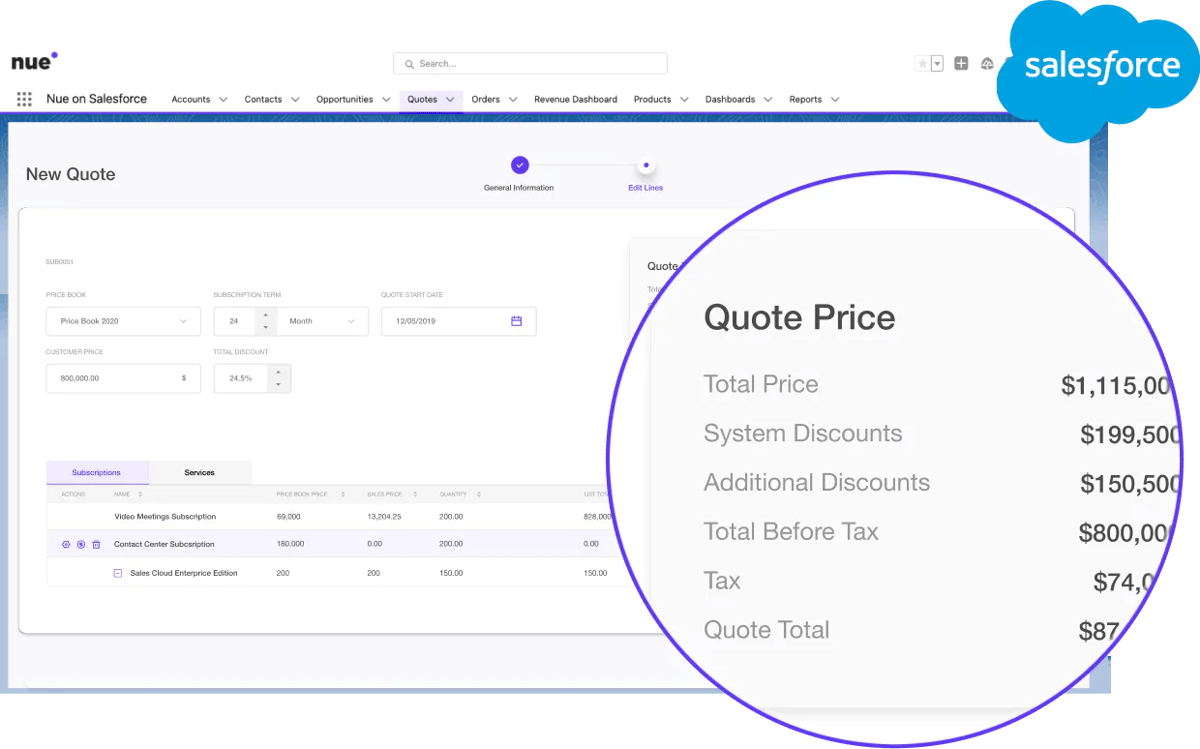
Its platform combines CPQ with pricing management, subscription lifecycle management, usage infrastructure, billing, and revenue analytics.
Source: G2
Nue CPQ operates within Salesforce to allow sales reps to manage quoting without leaving the CRM. Product and pricing logic can remain connected to the sales process while Nue manages additional revenue workflows.
The platform supports subscription pricing alongside newer structures such as usage- or credit-based models. That flexibility can help companies experiment with pricing without creating a large number of new SKUs every time the commercial model changes.
Best Features
Salesforce-native CPQ: Keeps configuration and quoting within Salesforce.
Flexible monetization: Supports subscription and usage-based models, including hybrid pricing models.
AI-powered pricing: Price Builder AI can translate natural-language instructions into pricing rules.
Approval controls: Helps sales operations govern discounts and pricing exceptions.
Subscription lifecycle management: Supports changes throughout the customer lifecycle.
Usage infrastructure: Handles metering and rating for consumption-based pricing.
Pros
Built with SaaS monetization in mind
Supports pricing experimentation
Works with advanced recurring revenue models
Handles usage-based pricing
Offers AI-powered pricing capabilities
Supports subscription lifecycle management
Runs natively inside Salesforce
Can be deployed in modules
Pricing
Nue does not currently publish standard subscription prices on its website.
5. Subskribe
Subskribe combines CPQ with subscription billing and revenue recognition.
Its CPQ is built around recurring revenue products, giving SaaS companies a way to handle the initial quote and later subscription changes through a connected platform.
Source: G2
The pricing engine supports recurring and usage-based charges. Sales reps can also manage contract changes after the original sale to help keep subscription information consistent as accounts evolve.
Subskribe connects natively with Salesforce and HubSpot and can connect quote data with downstream finance operations.
One thing to note is that DealHub acquired Subskribe in November 2025. The Subskribe product continues to be marketed with CPQ, Billing, and Revenue Recognition functionality under the broader DealHub organization.
Subscription changes: Supports amendments and other lifecycle events.
Approval workflows: Order approvals can be built directly into the sales process.
Unified pricing engine: Quote and billing workflows can use the same product and pricing information.
Revenue recognition: Quote-to-Revenue includes billing and RevRec functionality.
CRM integration: Native integrations are available for Salesforce and HubSpot.
Pros
Designed around recurring revenue products
Connects CPQ and subscription billing
Supports revenue recognition workflows
Supports usage-based pricing
Handles subscription changes after the initial sale
Includes native Salesforce and HubSpot integration
Can reduce reconciliation between sales and finance
Supports revenue recognition compliance workflows
Pricing
Subskribe does not disclose its pricing publicly.
6. Logik.io
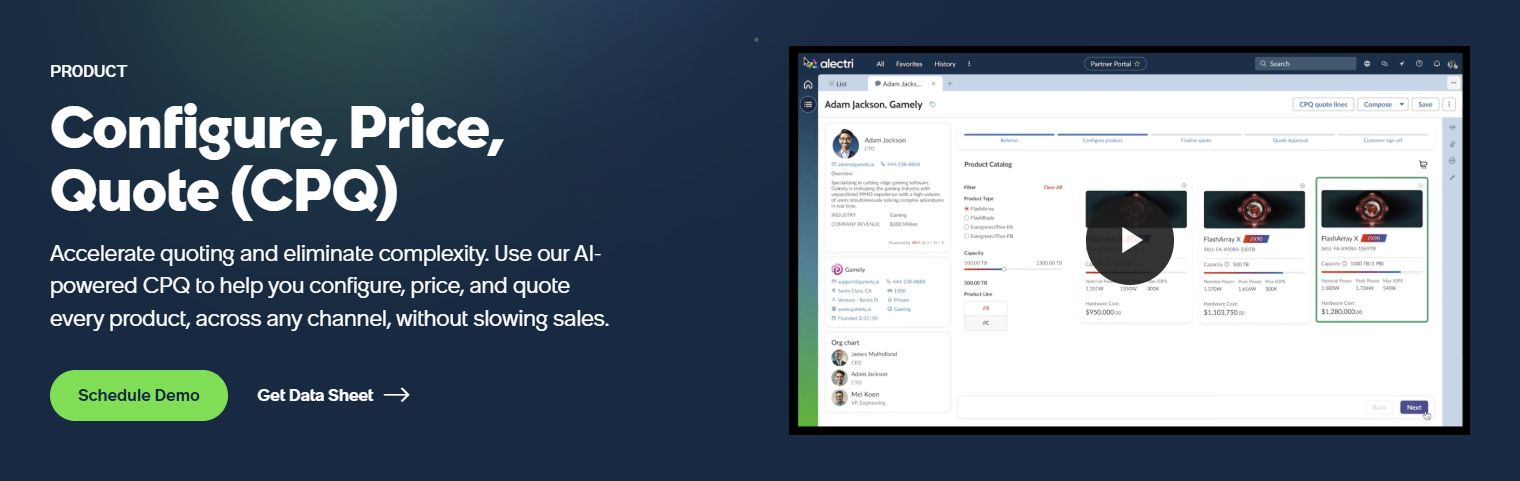
Logik.io is now part of ServiceNow following its acquisition in 2025. ServiceNow acquired the technology to strengthen its CRM capabilities with AI-powered CPQ, particularly for complex product configuration and guided selling.
Logik.io has historically focused heavily on the configuration side of CPQ. Its logic engine helps sales reps work through complex product configurations without manually navigating large product catalogs.
Source: ServiceNow.com
The platform can apply business rules as a quote is configured, helping your team determine which products can be sold together and produce valid configurations more efficiently. Logik.io was also built to work with Salesforce CPQ and Salesforce product data.
For SaaS companies, Logik.io is relevant when configuration complexity is a major part of the sales process. Since the acquisition, you should also consider how its capabilities fit into ServiceNow’s broader CRM and sales roadmap when evaluating it as a long-term CPQ solution.
Best Features
Advanced configuration engine: Guides sales reps through complex product configurations.
Rules-based selling: Applies business rules to control valid product combinations.
Dynamic pricing logic: Supports pricing based on configuration variables.
Guided selling: Helps reps navigate complex product catalogs more easily and quickly.
Salesforce support: Logik.io was designed to work alongside Salesforce CPQ and its existing product data.
AI-assisted administration: Cosmo FunctionAssist can translate plain-English instructions into rule functions for administrators.
Pros
Strong product configuration capabilities
Handles complex product catalogs
Applies business rules during configuration
Supports guided selling
Can improve quote accuracy
Helps reduce invalid configurations
Backed by ServiceNow following its 2025 acquisition
Can complement an existing CPQ architecture
Pricing
Logik.io does not publish its pricing publicly.
7. HubSpot CPQ
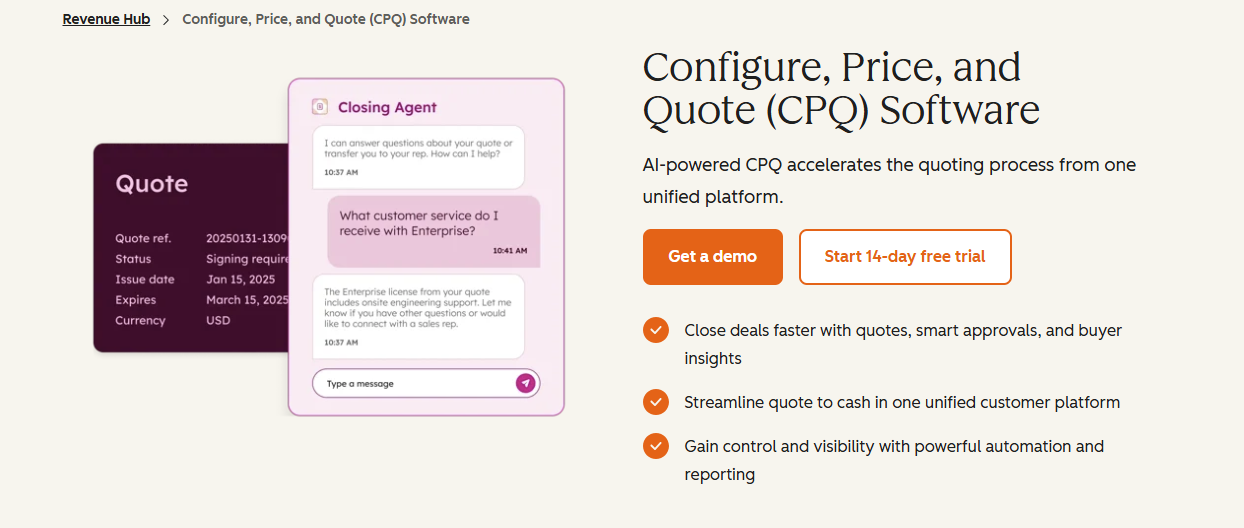
HubSpot CPQ is part of Revenue Hub, HubSpot’s current platform for CPQ, billing, and payments.
The CPQ tools let sales teams configure products and services, create quotes, manage approvals, and send those quotes to buyers from within HubSpot.
Source: HubSpot.com
Keeping the process inside HubSpot can be useful when your customer data and sales workflows already live there. Sales reps can work from CRM information instead of transferring details into a separate configure price quote platform.
HubSpot has also expanded the surrounding revenue workflow, bringing CPQ closer to contracts and billing activity.
Companies with more complex usage-based pricing should still look carefully at how their billing system connects with HubSpot after a quote is accepted.
Best Features
Native CRM integration: Uses HubSpot deal and customer data during quoting.
AI-powered quoting: Helps sales reps generate quotes using CRM context.
Product catalog: Standardizes the items available during the quoting process.
Approval workflows: Enterprise supports more advanced approval controls.
Buyer acceptance: Supports e-signature and quote acceptance workflows.
Revenue workflow: Connects quoting with other Revenue Hub functionality.
Pros
Built directly into HubSpot
Keeps quoting close to CRM data
Supports AI-powered quote creation
Includes approval workflows
Connects sales and revenue operations
Supports buyer acceptance workflows
Can reduce context switching for sales reps
Fits naturally into an existing HubSpot sales process
Pricing
HubSpot CPQ is available with Revenue Hub Professional and Enterprise.
Professional: $95 per seat per month when billed monthly. Includes CPQ, AI-powered quoting, product management, and standard revenue workflows.
Enterprise: Starts at $140 per seat per month. Adds more advanced approvals, business rules, and greater control over revenue workflows.
8. PandaDoc CPQ
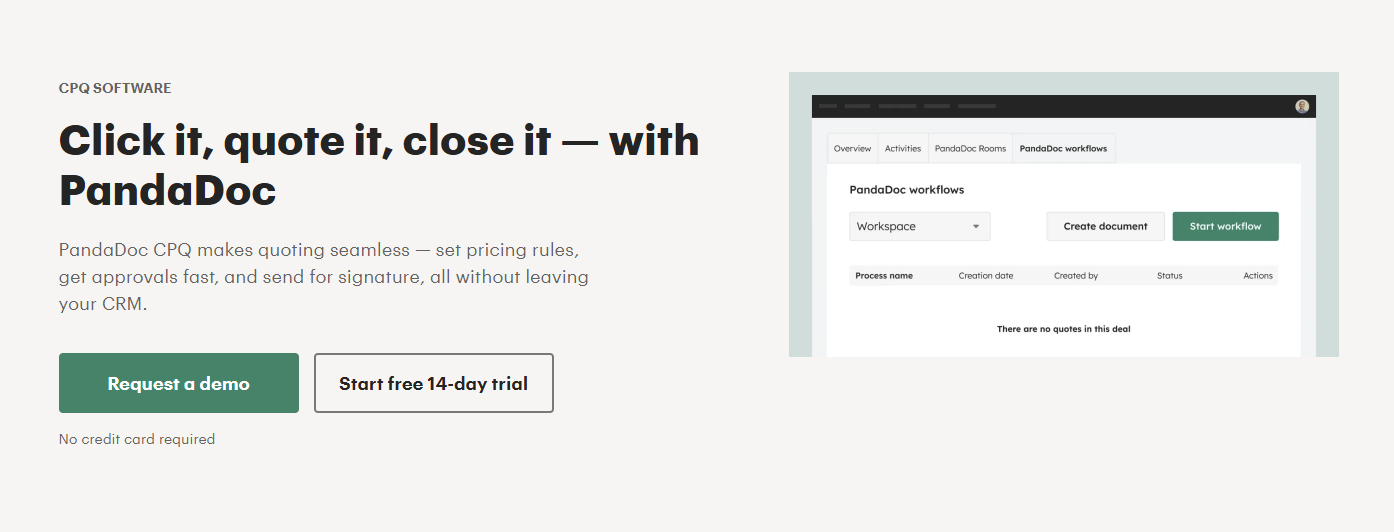
PandaDoc combines CPQ with document automation and e-signature workflows.
Its proposal background shapes the product experience. Sales reps can create customer-facing documents using reusable templates and connect those documents with CRM data.
Source: PandaDoc.com
Full CPQ functionality sits within PandaDoc Enterprise only. The platform can handle configuration and quoting while keeping proposals, agreements, approvals, and signatures connected.
PandaDoc can make sense when the document itself plays a major role in your sales cycle. SaaS companies with highly complex subscription models should still evaluate how signed deal information reaches the billing system after acceptance.
A separate billing platform may remain responsible for creating the subscription and managing usage or lifecycle changes.
Best Features
CPQ functionality: Available on the Enterprise plan only
Document automation: Generates sales documents from structured templates
Approval workflows: Routes quotes and agreements through internal approvals
CRM integration: Brings CRM data into quote and document creation
Smart content: Controls document content based on sales requirements
E-signature: Keeps contract acceptance inside the same workflow
Pros
Strong document automation capabilities
Combines CPQ and e-signature
Supports approval workflows
Connects with CRM systems
Useful for proposal-heavy sales processes
Helps standardize customer-facing documents
Includes configurable enterprise workflows
Can improve sales productivity around document creation
Pricing
Full CPQ is available through the Enterprise plan only, which offers custom pricing.
9. Qwilr
Qwilr approaches quoting through an interactive, buyer-facing sales experience.
Its Smart Proposal Engine can guide sales reps through proposal creation using CRM information and predefined business rules. Conditional content also allows the proposal to adapt to the context of the deal.
Source: Qwilr.com
Qwilr connects with CRM platforms such as HubSpot, Salesforce, and Microsoft Dynamics. Those integrations help sales teams bring existing customer data into the proposal workflow without rebuilding the same information manually.
The platform provides buyer engagement analytics, which allows reps to see how customers interact with proposals after they are sent.
Qwilr is worth considering when proposal experience plays a major role in the sales process and your pricing logic can be handled without a large enterprise CPQ deployment.
Best Features
Smart Proposal Engine: Guides sales reps through structured proposal creation.
AI Prefill: Pulls relevant information from existing sales material.
Conditional content: Changes proposal content according to deal context.
Interactive quoting: Supports pricing tables and buyer acceptance.
CRM integration: Connects with major CRM platforms.
Buyer engagement analytics: Tracks customer interaction with proposals.
Pros
Strong buyer-facing proposal experience
Includes document automation
Supports guided proposal creation
Connects with major CRM platforms
Provides buyer engagement analytics
Supports conditional content
Can streamline proposal workflow automation
Offers an alternative to heavier enterprise CPQ software
Pricing
Qwilr currently offers three plans:
Starter: Starts at $49/user/month: Includes unlimited Qwilr pages, e-signatures, basic analytics, and core integrations.
Growth: Starts at $275/month: Includes five users and adds workflow automation, custom branding, and more advanced sales features. Annual billing only.
Scale: Starts at $750/month: Includes ten users and adds Salesforce integration, conditional content, and the Smart Proposal Engine. Annual billing only.
How to Choose the Right CPQ Platform for Your SaaS Business
The best CPQ for SaaS should make your sales process easier to manage while keeping pricing and downstream revenue data consistent.
Your choice will usually come down to where the most friction sits today and how much of your existing stack you want to keep. Here are a few steps that might help:
Start With the Part of the Process Slowing You Down
Start with the part of your sales process that creates the most extra work.
If quoting takes too long, approvals keep piling up, or sales reps are rebuilding deal details manually, your CPQ should help simplify those steps.
The right platform should fit the way your team already works while making it easier to create accurate sales quotes and keep deals moving.
Finrite is a great example of this approach. Its CPQ works inside your CRM, so sales reps can use existing deal data and move signed information into billing without adding another disconnected workflow.
The more closely the software fits your current process, the easier it is to improve sales productivity without making the sales cycle heavier.
Consider What You Already Have
Your CRM and billing environment should carry a lot of weight in the decision.
Replacing core systems can introduce significant implementation investment, custom integrations, and ongoing maintenance.
If your CRM and billing systems already work well, a CPQ solution that connects with them may make more sense than moving everything to a larger enterprise platform.
Before you choose, look at what you already rely on:
CRM
Billing system
Subscription management
Product catalog
Approval workflows
Contract management
Revenue recognition
Also pay attention to what happens after the quote is signed. Pricing and contract data should move cleanly into downstream systems so finance can work from the same information without recreating the deal manually.
Keep the Bigger Revenue Workflow in Mind
Configure-price-quote software should make quoting easier, but it also helps to look at what happens after the deal is signed.
For example, many traditional CPQ systems focus heavily on configuration and quote creation. From there, your revenue workflow may still depend on ERP systems, billing tools, subscription management, and finance processes once sales hands the deal off.
So, pay close attention to how well the CPQ platform connects with those systems, particularly if you use hybrid monetization models or more complex recurring revenue structures.
Ultimately, your choice should support sales performance without creating extra manual work downstream. A more connected setup can also give you a competitive advantage by helping your team move from quote to billing with fewer delays and fewer data gaps.
Connect CPQ With Billing Without Rebuilding Your Stack
Already happy with your CRM and billing system?
Finrite gives you a way to improve the quoting and billing workflow around them.
Its CPQ operates inside your CRM, giving sales reps access to deal data as they create quotes. Finrite can then carry structured information into Stripe, which reduces the need for finance to recreate signed deals manually.
The same setup can support usage-based billing and other subscription workflows as your pricing strategy evolves.
You can also use Finrite’s AI Contract Parser when signed agreements need to be converted into structured billing information.
For a SaaS company trying to improve sales productivity without taking on a major systems migration, the approach can keep the project focused on the parts of the revenue workflow that actually need work.
The best CPQ software depends on how your company sells and how much pricing complexity your team manages. Look at your existing CRM and billing systems, the pricing models you support, approval requirements, and what needs to happen after signature. The right CPQ platform should help sales reps create accurate sales quotes while giving downstream teams structured data they can use without rebuilding every deal manually.
Is Salesforce still selling CPQ?
Salesforce now positions Agentforce Revenue Management, formerly Revenue Cloud, as its current revenue management and CPQ platform. The older Salesforce CPQ managed package is separate from Agentforce Revenue Management. Current editions include CPQ features such as configuration, pricing, quoting, subscriptions, and automated approvals.
What does CPQ software do for a SaaS company?
CPQ software gives your sales team a controlled process for configuring products, applying pricing rules, managing approvals, and generating quotes. For SaaS companies, the platform may also connect quoting with subscription management, usage-based pricing, CRM data, and billing systems. Strong workflow automation can shorten manual steps in the sales cycle and help finance receive cleaner data once the agreement is signed.
When does a SaaS company need CPQ?
CPQ becomes useful when manual quoting starts affecting sales efficiency or pricing consistency. Growing pricing complexity, custom approval requirements, larger product catalogs, and recurring revenue models can make spreadsheets difficult to manage. A structured CPQ process gives sales reps clearer business rules to follow and can reduce errors that lead to revenue leakage, billing corrections, or slower deal cycles.
About Finrite
Finrite streamlines sales-led revenue workflows, without any billing engine change. Sales reps can send out proposals in seconds, and our HubSpot to Stripe Connector creates subscriptions, customers, and billing objects in moments.
Automate quote-to-cash. Keep your billing stack.
Give sales a faster way to quote and finance a reliable way to bill. Finrite connects your CRM, contracts, and billing to automate the work from proposal to subscription.