7 Best Quoting Software Tools for Faster Quotes in 2026
7 Best Quoting Software Tools for Faster Quotes in 2026
By:
Kunal Mehta
,
October 9, 2026
Quoting software helps you turn pricing and deal terms into a customer-ready quote, usually with tools for approvals, signatures, tracking, and customer relationship management (CRM) data.
For your sales team, the main question is how far you need the platform to go. Some quoting tools are built around polished documents and simple line items, while others can handle pricing rules, product configuration, discount controls, and more complex approval workflows.
A strong quoting solution can also help reps move faster by cutting down on spreadsheet work, reducing pricing and billing errors, and making it easier to send a quote while you’re still speaking with the buyer.
You’ll also want to look at what happens after the buyer signs. If you sell subscriptions, usage-based plans, or negotiated contracts, a stronger connection between quoting and billing can make the wider process much easier to manage.
But which quoting software gives you the right mix of speed, control, and flexibility for the way your team sells? We’ll review the top seven options.
TL;DR
Here are the seven best quoting software options to consider in 2026:
Quoting software helps your sales team create, approve, send, and track quotes using a more structured process for pricing and deal information.
A strong quoting process can also bring pricing rules, approval workflows, CRM data, and automation into the same workflow. Modern quoting platforms are often built specifically to reduce human error, improve pricing consistency, and help reps respond to customer requests faster.
Key features can include:
Quote creation: Turn customer data and product selections into accurate quotes using reusable templates and clear, plain language.
Pricing rules: Apply preset pricing rules, tiered pricing, discounts, or special pricing without relying on manual calculations.
Product configuration: Control which products, services, and add-ons can appear together.
Approval workflows: Manage approvals for non-standard pricing or contract terms through automated routing.
CRM integration: Pull data from existing deal records and keep quote activity tied to the buyer.
Document management: Store templates, signed documents, and related sales records in one organized location.
Tracking: Follow quote views, signatures, and buyer activity so your team can respond at the right time.
Automation: Reduce manual work as information moves between sales systems.
Top 7 Quoting Platforms for Teams Looking for Better Processes in 2026
Quoting platforms range from streamlined proposal tools to full configure-price-quote (CPQ) systems built for complicated pricing.
The best tools below take different approaches, so pay close attention to product configuration, approval logic, billing support, and how each option fits your existing stack.
1. Finrite
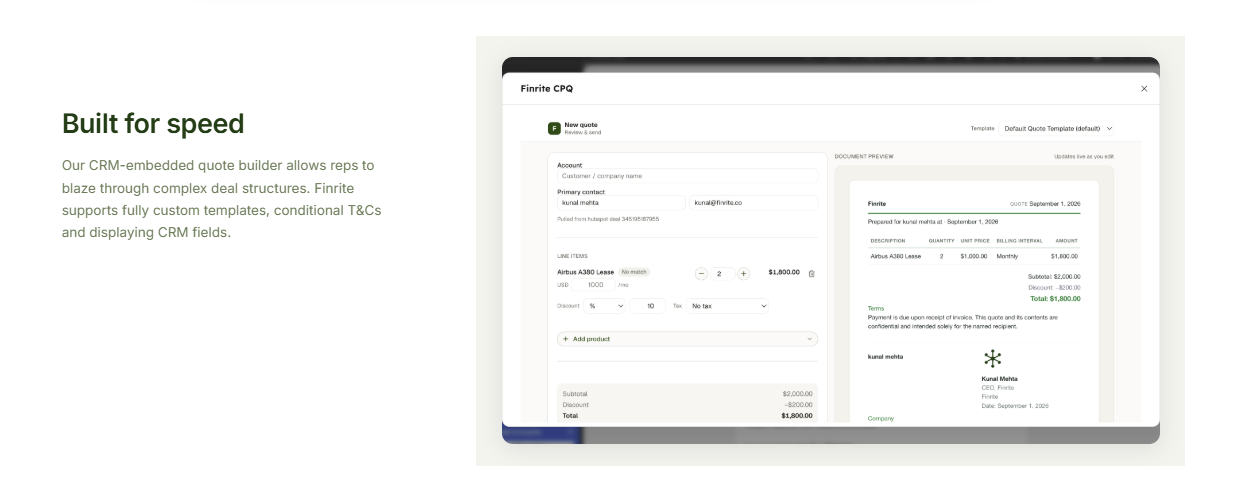
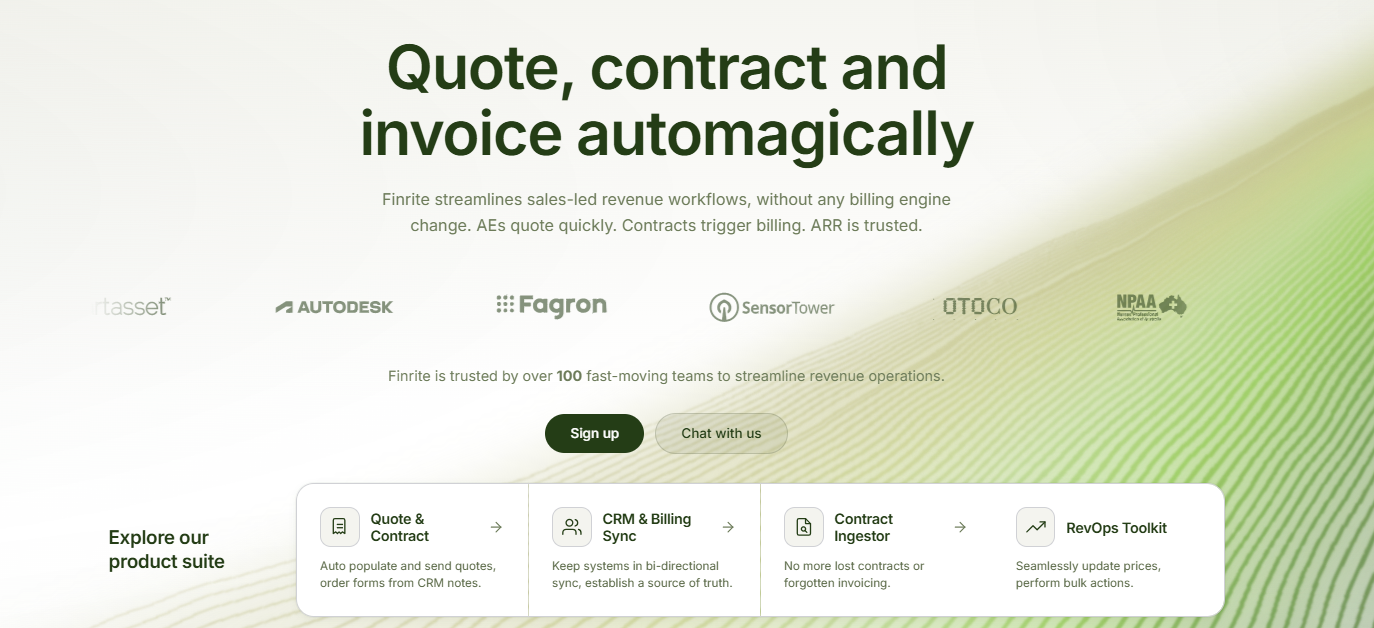
Finrite is built for teams that want quoting connected directly to the CRM and billing systems they already use.
If your sales process already runs through tools like HubSpot, Salesforce, and Stripe Billing, Finrite lets you add CPQ without rebuilding the rest of your revenue stack.
That means sales reps can create quotes from CRM deal data, work from fully custom templates, add conditional terms, collect signatures, and carry structured pricing into Stripe Billing.
You can also capture custom fields needed for billing or onboarding, which helps keep downstream teams working from the same deal information. Renewals and upsells update existing billing records, so you avoid creating a separate process every time a contract changes.
Additionally, Finrite supports more complex Stripe Billing scenarios, including usage-based pricing, ramp deals, amendments, prorations, and custom payment terms.
As deals move forward, quote status and billing data can sync back to the CRM, which gives your sales and finance teams a clearer view of what was agreed and what happens next.
Best Features
CRM-embedded quoting: Build quotes from existing deal and customer data, reducing repeated data entry and helping reps work from information already maintained in the CRM.
Pricing controls: Structure quote pricing around approved commercial terms while reducing the risk of manual pricing errors.
Customizable templates: Create sales documents around your company’s contract structure, branding, and quote requirements.
Payment method collection: Collect card details or another payment method during the quote signature process, helping improve collections and reduce downstream billing mistakes.
Stripe Billing connection: Turn signed pricing terms into Stripe Billing workflows without requiring a separate billing migration.
Subscription support: Carry recurring, negotiated, or usage-based pricing into the billing system already handling the customer.
Renewals and upsells: Update existing customer billing when the commercial agreement changes after the original sale.
Quote tracking: Follow signatures and document activity as the deal moves toward completion.
CRM synchronization: Keep quote and billing activity tied to the underlying sales record after signature.
Pros
Works with existing Stripe Billing infrastructure
No billing migration required
Supports sales-led and product-led billing models
Reduces manual quote-to-billing work
Keeps CRM and billing data connected
Pricing
Finrite offers three plans based on how much of your quoting and billing workflow you want to automate:
Starter: $200/month. Covers CRM-to-billing automation for teams looking to reduce manual handoffs between sales and finance.
Core: $400/month. Adds broader workflow support for teams that need more automation around quoting, customer data, and billing.
Pro: $1,000/month. Supports more advanced revenue operations with more complex workflows, custom requirements, and deeper automation.
A free trial is available for the CRM-to-billing connector, while CPQ and more customized workflows typically involve onboarding and configuration.
If you want to keep Stripe Billing in place while improving your quoting process, book a demo today.
2. PandaDoc
PandaDoc combines quoting with proposal creation, document management, and e-signatures.
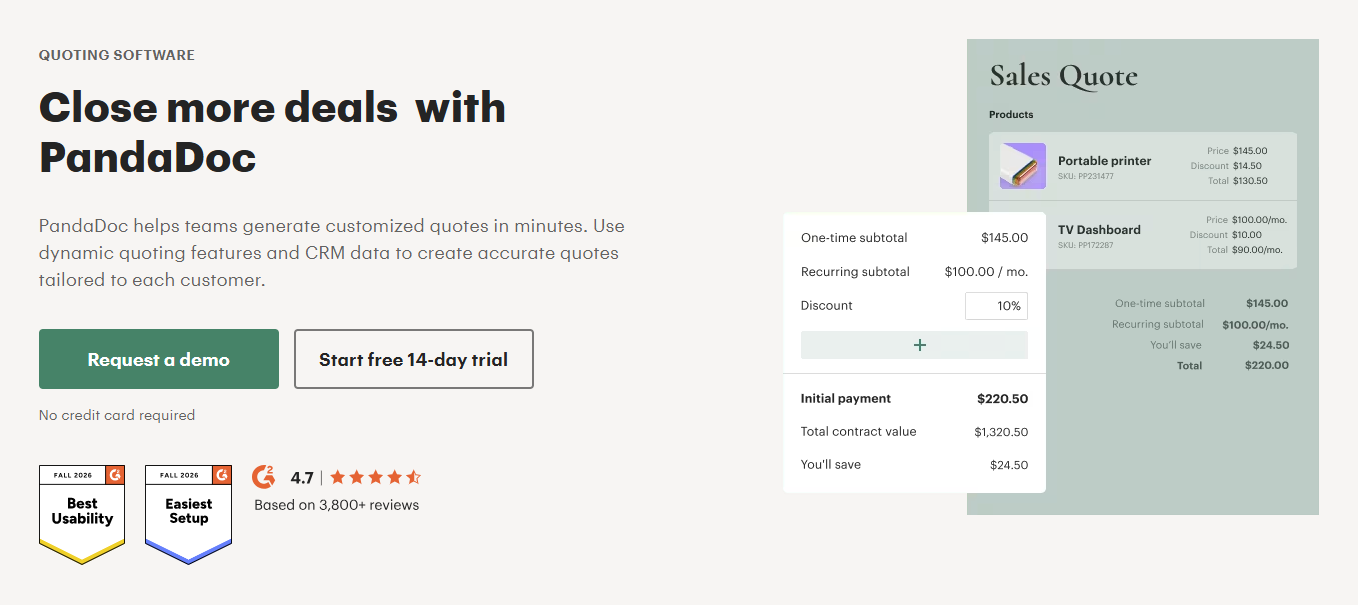
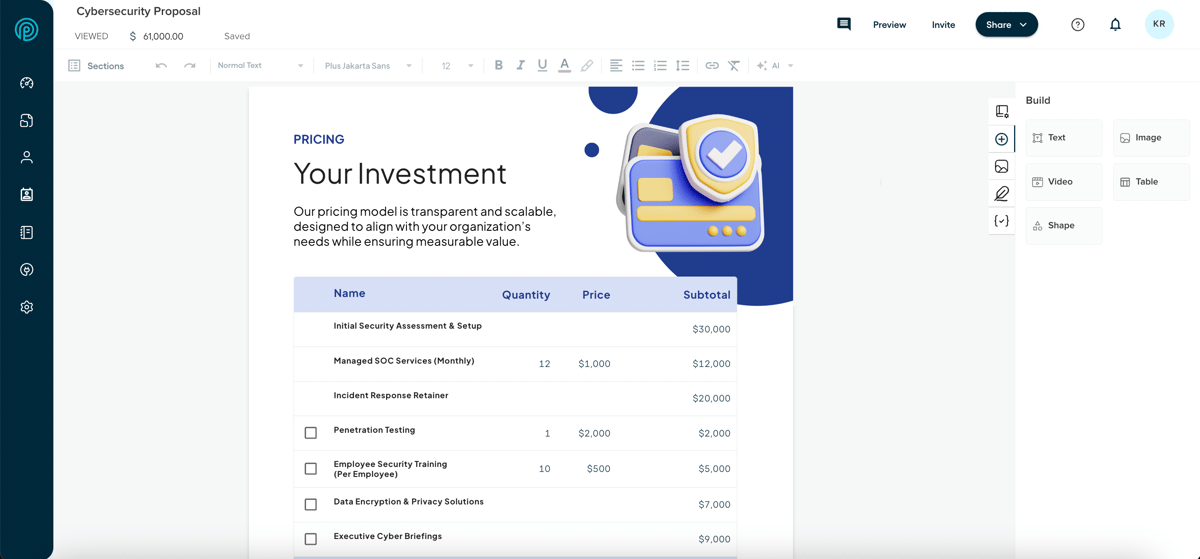
Its Quote Builder gives sales teams a structured way to add products, quantities, discounts, taxes, fees, and totals to customer-facing documents. PandaDoc has been moving users from traditional pricing tables toward Quote Builder as its main quoting experience.
Source: PandaDoc.com
The platform is particularly relevant when the sales document itself plays a major role in the buyer experience. Teams can manage templates, branding, approvals, signatures, and document tracking from one platform.
However, billing is less central to PandaDoc's product. Recurring fees can appear in quotes, and supported workflows can collect payments, but companies with complex subscription management or usage-based billing may still need a dedicated billing platform after signature.
Best Features
Quote builder: Create structured quotes with products, quantities, discounts, taxes, fees, and totals rather than calculating pricing manually.
Product catalog: Reuse approved products and pricing data to speed up quote creation and reduce errors.
Customizable templates: Build reusable sales documents that keep branding and common content consistent.
Document management: Store proposals, agreements, and signed documents within the same software.
Approval workflows: Route documents for internal review before a rep sends them to the buyer.
E-signatures: Collect legally binding signatures without moving customers into a separate signing tool.
Audit trails and tracking: Record document activity while giving the sales team visibility into recipient engagement.
CRM integrations: Bring customer data into sales documents and connect quoting activity back to existing CRM systems.
Pros
Strong document creation tools
Built-in e-signatures
Flexible templates and content controls
Quote tracking and audit trails
Free tier available
Pricing
PandaDoc offers quoting on these plans:
Business: $65/user/month when billed monthly, with custom quotes, CRM integrations, approval workflows, and broader automation.
Enterprise: Custom pricing for teams that need full CPQ functionality, advanced integrations, and more complex document workflows.
3. Qwilr
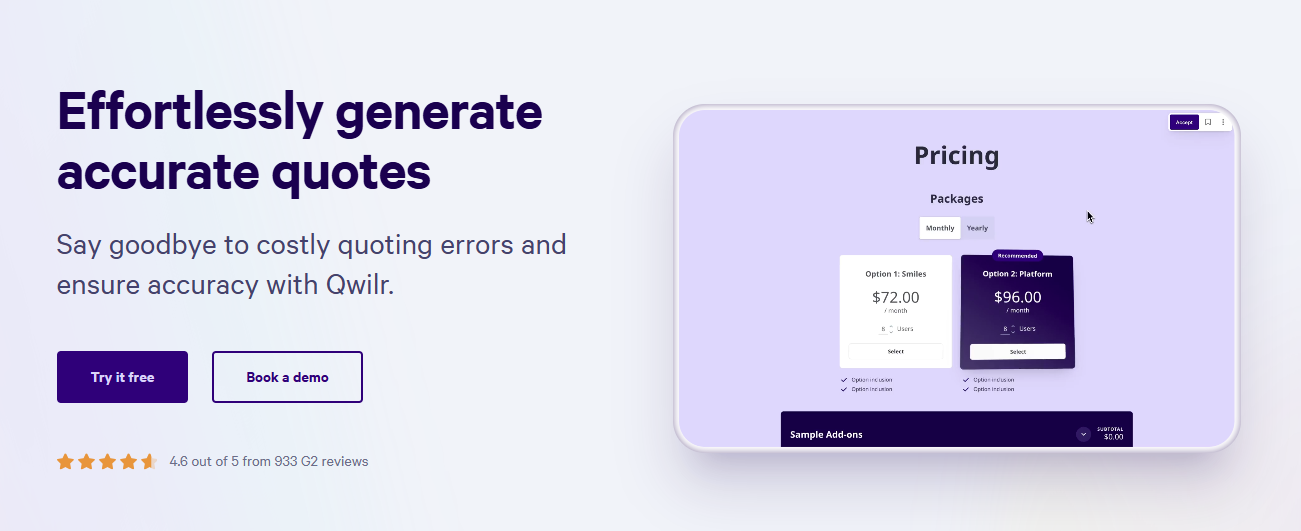
Qwilr takes a more interactive approach to quoting. Sales proposals are delivered as responsive web pages rather than standard static documents.
Buyers can review packages, select options, accept terms, sign, and make supported payments inside the proposal experience. Its quote block supports standard quote tables and tiered pricing, giving teams more flexibility in how they present packages to customers.
Source: Qwilr.com
Qwilr can be a strong fit for teams that care heavily about presentation and buyer engagement. But it is less focused on complex billing operations after the sale, so SaaS companies with advanced recurring or usage-based requirements may still need another system downstream.
Best Features
Interactive quote blocks: Let customers review pricing and make available selections directly inside the proposal.
Tiered pricing: Present different pricing levels or packages without creating separate documents for each option.
ROI calculator: Give buyers an interactive way to explore the potential value behind the proposed price.
E-signatures: Allow one or multiple clients to sign without leaving the proposal.
Payments: Collect partial, full, or recurring payments through supported Qwilr workflows.
Audit trails: Maintain a detailed record of proposal activity for later reference.
Proposal analytics: Track how customers engage with the document and use those signals in follow-up.
CRM integrations: Connect proposal data to the tools already supporting your sales process.
Pros
Polished buyer-facing experience
Flexible tiered pricing presentation
Built-in e-signatures
Interactive proposal tools
Detailed document tracking
Pricing
Qwilr offers three plans with quoting features:
Starter: $49/user/month, with core proposal creation, quoting, e-signatures, and analytics.
Growth: $275/month for five users, annual billing only, adding workflow automation, custom branding, and more advanced team controls.
Scale: $750/month for ten users, annual billing only, with Salesforce integration, the Smart Proposal Engine, and broader functionality for larger sales teams.
4. DealHub
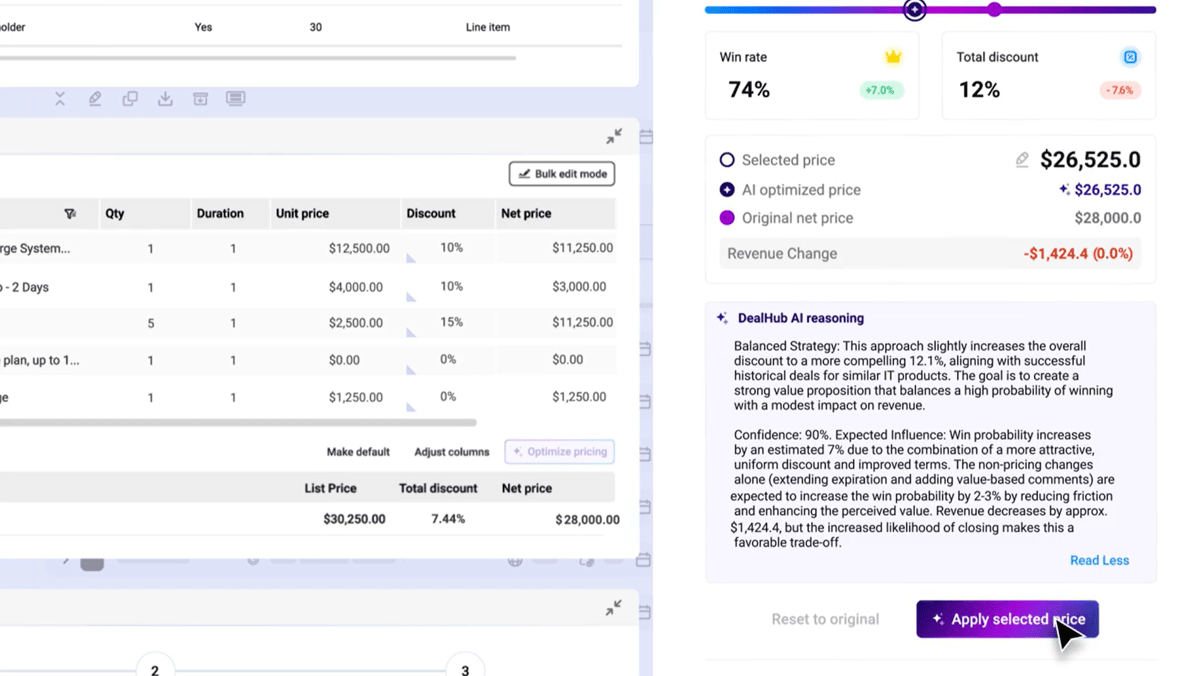
DealHub AI is a broader quote-to-revenue platform built for companies that need stronger controls around configuration, pricing, and approvals.
Source: G2
Its CPQ software supports guided quote configuration, adaptive pricebooks, configurable bundles, discount controls, and approval-aware pricing.
Those capabilities can help a mid-market or enterprise sales team handle situations where reps cannot simply choose a product and enter a price manually.
DealHub also offers subscription management and billing. Using the wider platform can centralize more of the revenue process, although companies already running a mature billing system should consider the cost and operational work involved in moving subscription workflows.
Product-led billing is another area to examine. A SaaS company expanding beyond sales-led contracts may need to determine how its self-service and sales-assisted billing models will coexist.
Best Features
Guided selling: Lead reps through product and pricing decisions using structured configuration logic.
Adaptive pricebooks: Control which pricing data is available based on the context of the deal.
Product configuration: Set product rules that help prevent incompatible products or services from appearing together.
Configurable bundles: Package related products while keeping quote configuration aligned with approved combinations.
Discount controls: Apply governance around discounts and special pricing before a quote reaches the buyer.
Approval-aware pricing: Trigger approval workflows when a quote moves outside predefined commercial rules.
Subscription management: Manage amendments, renewals, co-terminations, and related lifecycle events.
Billing capabilities: Extend DealHub beyond CPQ into downstream billing processes.
Pros
Strong product configuration
Detailed pricing controls
Supports complex sales processes
Subscription lifecycle functionality
Built for governed quoting workflows
Pricing
DealHub does not disclose its pricing publicly.
5. HubSpot CPQ
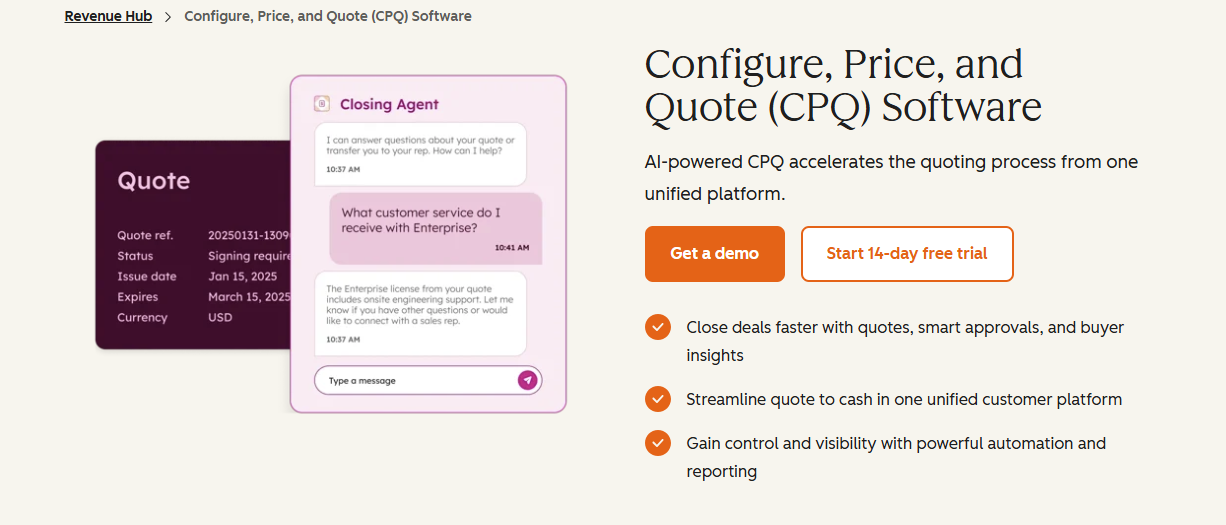
HubSpot CPQ is part of Revenue Hub and gives teams already using HubSpot a quoting workflow built directly around CRM data.
Sales reps can configure products and services, create quotes, send them for buyer acceptance, and collect payments from HubSpot.
Source: HubSpot.com
Quotes support product line items along with flat-rate, tiered, and ramp pricing. Revenue Hub Professional and Enterprise also bring quoting into the wider HubSpot revenue environment.
The native CRM connection can remove a lot of switching between tools. However, HubSpot's billing suite is less mature than specialist billing platforms. Its connected CPQ, billing, and payments workflow was still described as a beta in September 2026.
Companies already using another billing platform should compare both migration effort and long-term billing requirements before moving the wider revenue process into HubSpot.
Best Features
CRM-connected quoting: Pull customer data and deal information directly into the quote without maintaining a separate quoting database.
Product library: Give reps access to predefined products and services while keeping commercial information tied to HubSpot.
Flexible pricing: Support flat-rate, tiered, and ramp pricing within quotes for different selling models.
Quote approvals: Manage approvals around quotes and business rules, with advanced approval capabilities available on Enterprise.
Line item management: Add products and pricing directly to quotes from the underlying deal.
E-signature and acceptance: Give customers options to accept and sign quote documents electronically.
Billing and payment connections: Link quotes with invoicing and payment workflows available elsewhere in Revenue Hub.
Revenue visibility: Keep sales activity, customer data, and revenue information connected inside HubSpot.
Pros
Native HubSpot CRM workflow
Strong connection to deal data
Tiered and ramp pricing support
Built-in quote acceptance
Advanced approvals available
Pricing
HubSpot offers quoting through two Revenue Hub plans:
Revenue Hub Professional: Starts at $100/seat/month, with quoting, contracts, e-signatures, and core revenue management tools.
Revenue Hub Enterprise: Starts at $175/seat/month, which adds more advanced quote approvals, permissions, and controls for larger teams.
6. Proposify
Proposify is built primarily for teams that send proposals regularly and want tighter control over how those documents are created, approved, and tracked.
Sales reps can work from reusable templates and a pricing catalog, then add interactive pricing options for customers. Document tracking provides visibility after the proposal is sent, while e-signatures keep acceptance inside the same workflow.
Source: G2
The platform can fit agencies, consultants, service businesses, and other teams where the quote is closely connected to a broader sales proposal. Proposify itself notes that organizations with complex CPQ requirements may need a more specialized system.
Billing is also outside its main area of focus. Companies with complicated subscriptions, product-led billing, or frequent amendments will generally need another billing platform once the document is signed.
Best Features
Pricing catalog: Store commonly used products and prices so reps can build quotes without re-entering every line item.
Interactive quoting: Give customers selectable pricing options within a proposal and support a more flexible buying experience.
Reusable templates: Standardize frequently used proposal structures while still allowing client-specific changes.
Content library: Give sales reps approved content they can reuse instead of recreating common sections.
Approval workflows: Add internal review steps before documents are sent to customers.
E-signatures: Handle proposal acceptance without sending the buyer to separate signature software.
Document tracking: See when proposals are opened and monitor engagement after delivery.
CRM integrations: Connect quote and proposal activity with supported CRM platforms.
Pros
Strong proposal creation experience
Easy-to-reuse sales content
Built-in signature functionality
Interactive quoting options
Approval workflows on higher plans
Pricing
Proposify offers three plans with quoting and proposal features:
Basic: $29/user/month, with core proposal creation, e-signatures, templates, and basic tracking.
Team: $49/user/month, billed quarterly, adding more collaboration, approval, and sales workflow features.
Business: Custom pricing starting at $3,900/year, with advanced controls, integrations, and support for larger teams.
Monthly send limits apply, and overage charges can apply if your team exceeds its allowance.
7. Salesforce Revenue Management
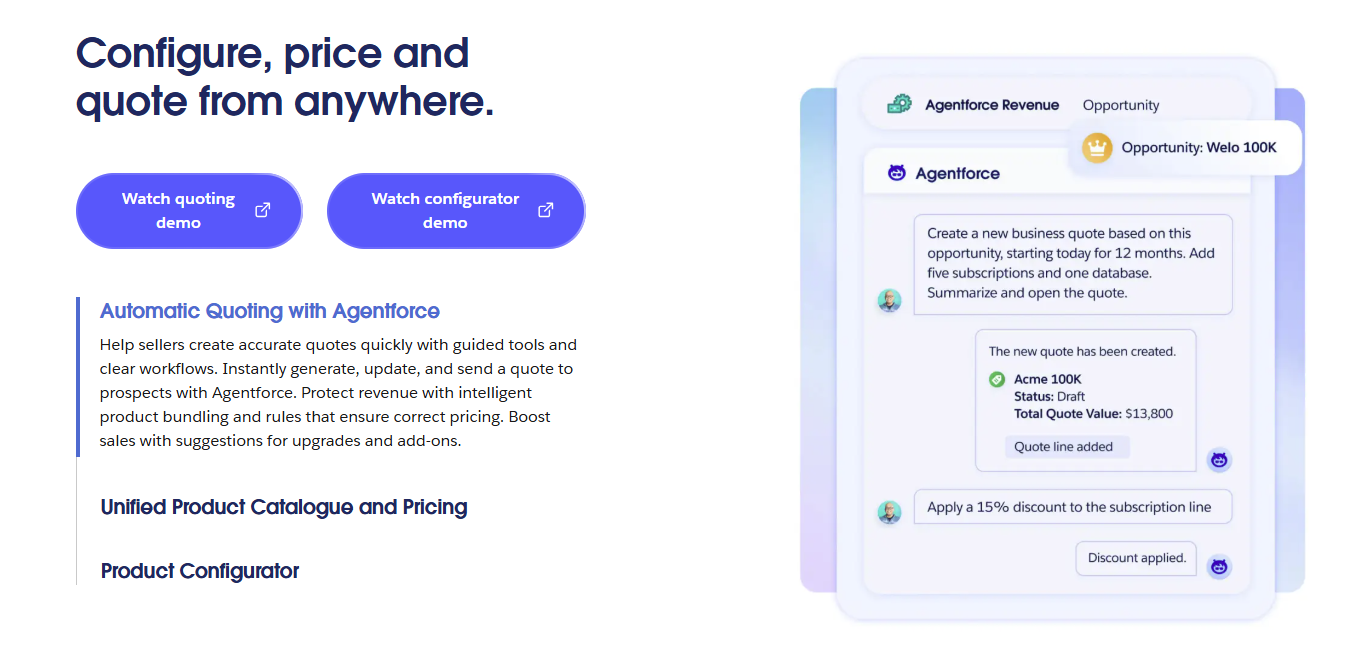
Salesforce Revenue Management or Agentforce Revenue Management is designed for companies that need much deeper revenue functionality than a basic quoting tool.
Growth includes quoting, configuration, order capture, and subscription management. Advanced adds capabilities for contracts, orders, consumption, and invoicing. Revenue Cloud Billing is offered separately for businesses that want broader billing functionality.
Source: Salesforce.com
The platform can support complicated product configuration and pricing rules, but the broader scope introduces more implementation overhead.
Salesforce environments often require detailed configuration around products, data, permissions, workflows, and integrations. Larger implementations may also involve consultants or implementation partners.
For a sales team mainly trying to save time on straightforward quotes, the wider platform and its more complex UI may be heavier than needed. Companies considering Salesforce for billing should also account for the separate billing product and migration work.
Best Features
Advanced product configuration: Model complicated offerings and control which products can be sold together.
Pricing management: Apply sophisticated pricing rules to support negotiated deals and different commercial structures.
Quote generation: Create quotes from Salesforce data while keeping the selling process connected to CRM records.
Subscription management: Handle subscription-based offerings alongside the sales process.
Contracts and orders: Carry deal information into additional revenue stages after a quote has been accepted.
Consumption support: Advanced includes capabilities for consumption-based revenue models.
Invoicing: Extend workflows into invoicing when using the relevant Revenue Cloud functionality.
Enterprise controls: Build detailed approval workflows, product rules, and processes around Salesforce data.
Pros
Deep Salesforce integration
Extensive product configuration
Supports sophisticated pricing rules
Broad revenue management capabilities
Designed for complex enterprise processes
Pricing
Salesforce currently offers two main Revenue Cloud editions:
Revenue Cloud Growth: $150/user/month, billed annually, with product configuration, quoting, order capture, and subscription management.
Revenue Cloud Advanced: $200/user/month, billed annually, adding contracts and orders, consumption and invoicing, plus AI and analytics.
A Better Quote Should Lead to a Better Handoff
Choosing quoting software gets easier once you look at the full process around the quote, not only the document itself.
A good platform should help your sales team move from pricing to approval, signature, and the next revenue step with less manual work.
It also helps to look closely at how quote data reaches billing and how future changes such as renewals, upsells, or usage-based pricing are handled.
Finrite is built around that connection. You can add structured quoting, approvals, signatures, and CRM automation while keeping Stripe Billing as your existing billing foundation.
You get a stronger quoting workflow without forcing your team into a separate billing migration or a disconnected post-sale process.
What is the best software for creating quotations?
The best software for creating quotations depends on the complexity of your sales process. Simple quoting tools may be enough when you mainly need templates, line items, signatures, and tracking. SaaS and mid-market teams may need pricing rules, product configuration, approval workflows, and stronger billing connections. Finrite is built for teams using CRM and Stripe Billing that want sales quoting connected directly to downstream billing without migrating billing systems.
What is the best free quoting software?
PandaDoc offers a free plan that can work for small businesses with basic document and e-signature needs. Its current Free plan allows up to 60 documents per year, while more advanced quote features sit on paid tiers. Free tiers can save money at low volume, but compare limits around automation, CRM access, pricing rules, and approvals before choosing a tool.
What is the best quick quoting tool?
A quick quoting tool should reduce manual work from the moment a buyer requests pricing through approval and signature. Look for reusable templates, existing customer data, preset pricing rules, automated routing, and easy line item management. Finrite can be a strong fit for teams using CRM and Stripe Billing because quotes can start from structured deal data and move into billing after signature, reducing repeated data entry.
What is the best quoting app?
The best quoting app depends on where your team already works and how complex your pricing is. Proposal-oriented tools such as Qwilr and PandaDoc focus heavily on the buyer-facing document, while CPQ platforms add capabilities like guided selling, product rules, discount controls, and approval workflows. Companies using Stripe Billing can consider Finrite when they want those quoting capabilities without replacing their existing billing system.
About Finrite
Finrite streamlines sales-led revenue workflows, without any billing engine change. Sales reps can send out proposals in seconds, and our HubSpot to Stripe Connector creates subscriptions, customers, and billing objects in moments.
Automate quote-to-cash. Keep your billing stack.
Give sales a faster way to quote and finance a reliable way to bill. Finrite connects your CRM, contracts, and billing to automate the work from proposal to subscription.