If you're considering Qwilr alternatives, you probably already have a few things you'd like to improve about your current proposal process.
Qwilr makes it easy to create interactive proposals with customizable designs and pricing options. It's a useful tool, but depending on how your sales team operates, you might need more flexibility with quoting, contract management, or billing.
Pricing is another consideration, particularly as your team grows and more people need access to the platform.
So, what other options are available? We've put together the top nine Qwilr alternatives to help you compare their features, pricing, and suitability for different sales processes.
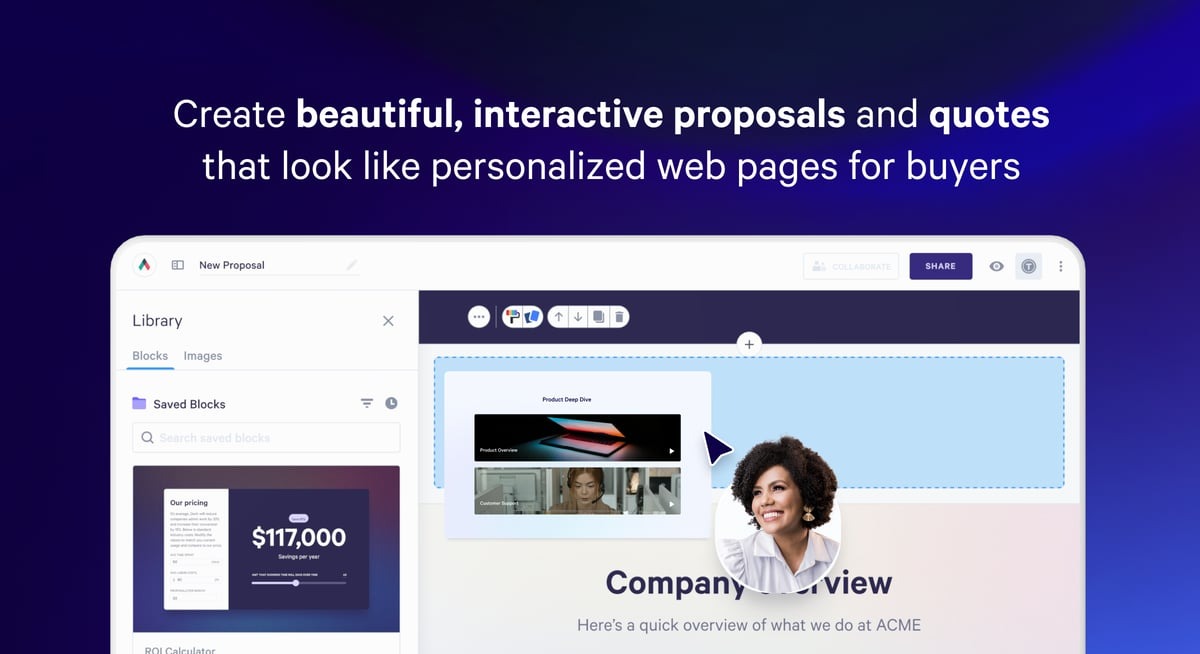
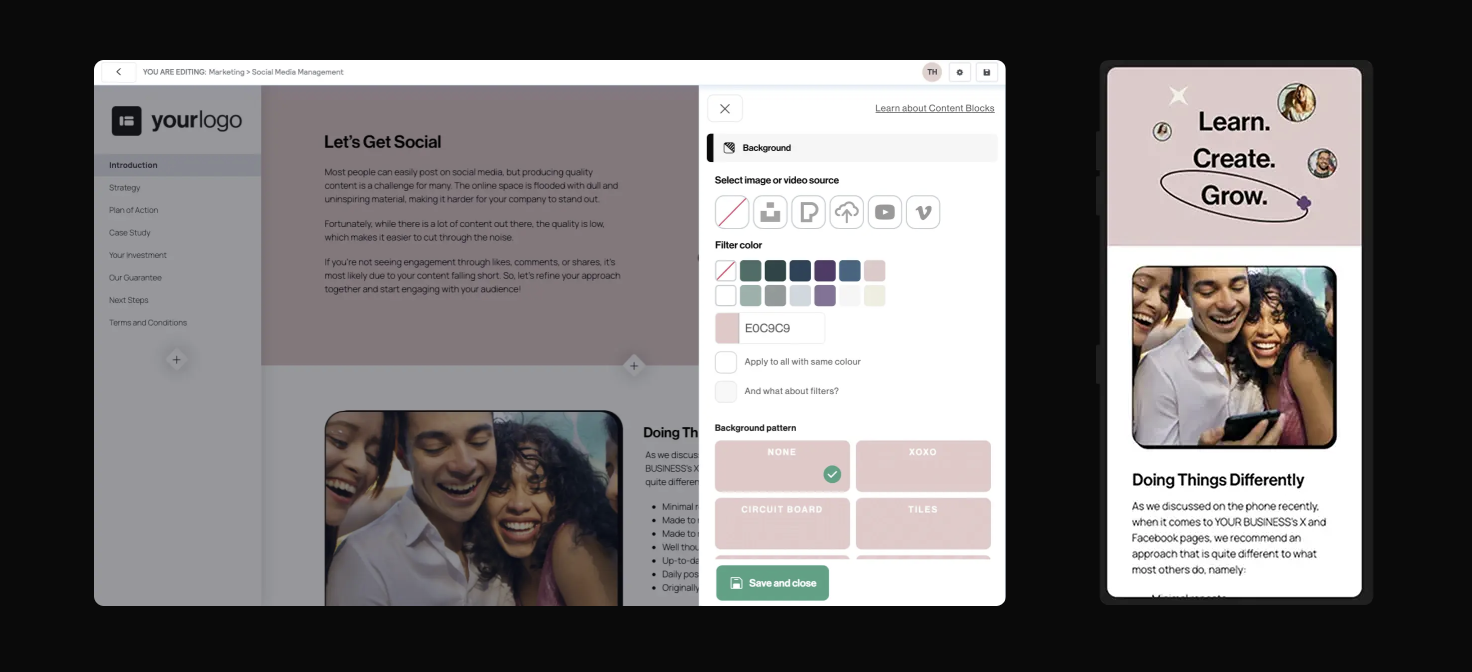
Qwilr helps sales teams turn their proposals and quotes into interactive web pages. Potential customers can explore offers, review pricing, and make purchasing decisions through a more engaging experience.
Source: G2
Unlike traditional PDF-based proposals, Qwilr allows you to build interactive web pages where potential customers can review pricing, explore your services, and accept an offer.
Its main features include:
Proposal templates: Create professional-looking proposals using ready-to-use templates that you can customize with your branding and sales content.
Interactive pricing: Add pricing tables that allow buyers to explore options and select the products or services they want.
Digital signatures: Let clients approve and electronically sign proposals directly from the document.
Payment collection: Accept payments through QwilrPay after customers agree to your proposal.
Proposal tracking: Monitor buyer engagement to see when prospects open documents and interact with your content.
CRM integrations: Connect Qwilr with platforms like HubSpot to use existing customer information during proposal creation.
Why You Might Want an Alternative to Qwilr
Qwilr has plenty going for it, particularly its design flexibility and interactive proposals. Still, a polished document might be only one part of what your team needs.
Here are a few reasons to explore Qwilr alternatives:
More advanced quoting requirements: If your business sells subscriptions or customized packages, you may need stronger pricing rules and approval workflows than standard interactive pricing tables provide.
Subscription billing automation: Qwilr supports payment collection, but businesses managing complex recurring billing may need additional systems to handle subscription changes and invoicing.
Pricing considerations: Qwilr's higher-tier plans come with larger financial commitments, which may be difficult to justify for smaller sales teams.
CRM-centered workflows: Your sales reps may prefer generating quotes directly from deal data rather than spending time creating documents in another platform.
Contract management needs: Businesses that regularly negotiate agreements may want more comprehensive tools for legal review and ongoing contract administration.
Different document preferences: A dedicated proposal tool with a simpler editor may be sufficient if your team rarely uses interactive content.
Top 9 Qwilr Alternatives in 2026
The best Qwilr alternative depends on what you want to improve.
We've selected nine platforms based on their proposal creation capabilities, pricing flexibility, CRM integrations, and support for the broader sales process:
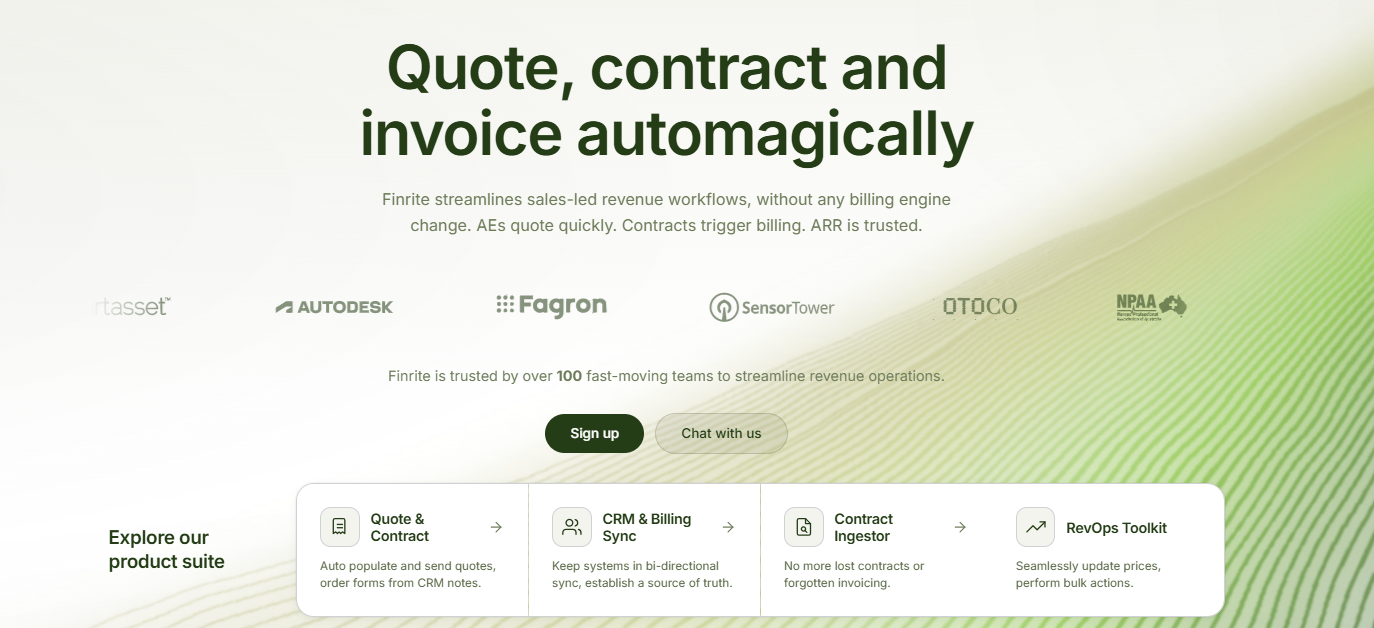
1. Finrite
Finrite is ideal if your sales team needs more control over quoting, particularly when deals involve complex pricing or recurring billing.
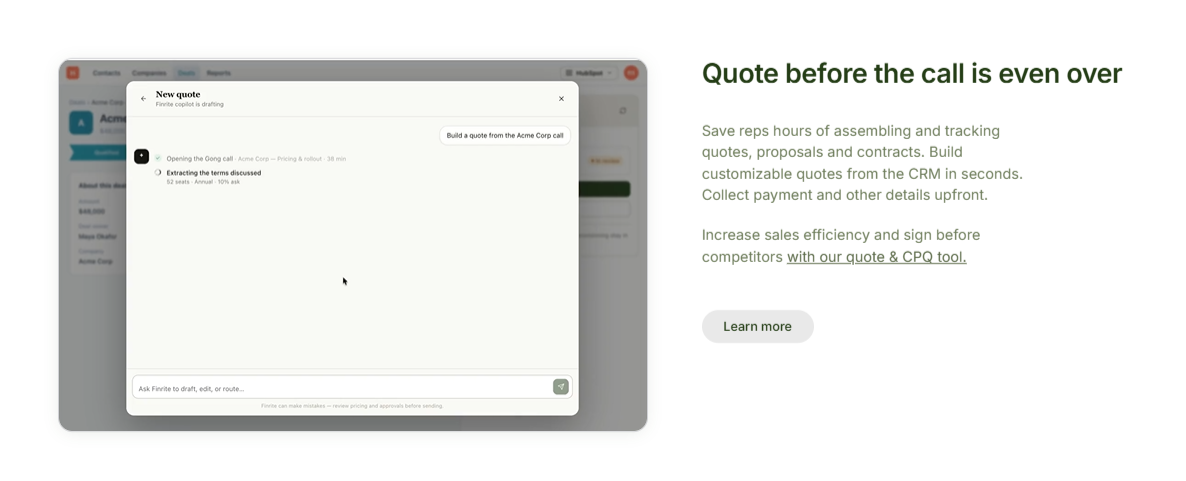
Rather than building proposals separately and transferring the details into your billing system later, you can create quotes directly from existing HubSpot deal data.
Your reps can configure pricing, apply discounts, manage approvals, and send agreements for signature while keeping everything connected to the customer relationship management (CRM) system.
Finrite also handles pricing structures that standard proposal software may struggle with, such as usage-based charges, subscription ramps, and negotiated contracts. Customers can provide their payment details during quote signing, so your team has what it needs to move forward with billing.
Once an agreement is signed, Finrite can automatically create or update subscriptions in Stripe Billing. Renewals, upsells, and contract amendments can follow the same process.
If you're already using HubSpot and Stripe Billing, Finrite lets you introduce advanced CPQ while keeping your existing systems in place.
Usage-based billing, pricing ramps, and complex subscription changes are handled through Stripe, so there's no need to migrate your billing operations or maintain a separate subscription platform.
Best Features
CRM-embedded CPQ: Generate quotes from HubSpot deal records and keep customer information connected to the sales process.
Flexible pricing: Support recurring charges, usage-based billing, pricing ramps, and negotiated agreements.
Approval workflows: Apply pricing controls and route quotes for approval before they're sent.
Customizable templates: Build branded quotes using your company's preferred document structure.
Digital signatures and payment collection: Collect signatures and capture a payment method during quote acceptance.
Stripe Billing integration: Automatically translate signed agreements into subscriptions or billing actions.
Subscription management: Handle renewals, upsells, proration, and amendments to existing Stripe subscriptions.
AI contract parser: Extract commercial terms from contracts and purchase orders to support downstream workflows.
Starter: $200/month. Supports up to 10 contracts per month, with automated HubSpot-to-Stripe subscription creation, usage-based billing support, standard field mapping, and email support. Includes a 14-day free trial.
Core: $400/month. Includes everything in Starter, with a higher limit of 50 contracts per month and priority support for businesses managing more sales agreements.
Pro: $1,000/month. Includes unlimited contracts, a HubSpot-embedded quoting engine, AI Contract Parser, custom workflow mapping, and data auditing for teams with more complex billing requirements.
PandaDoc offers a flexible environment for creating proposals and managing documents throughout the sales process.
Source: G2
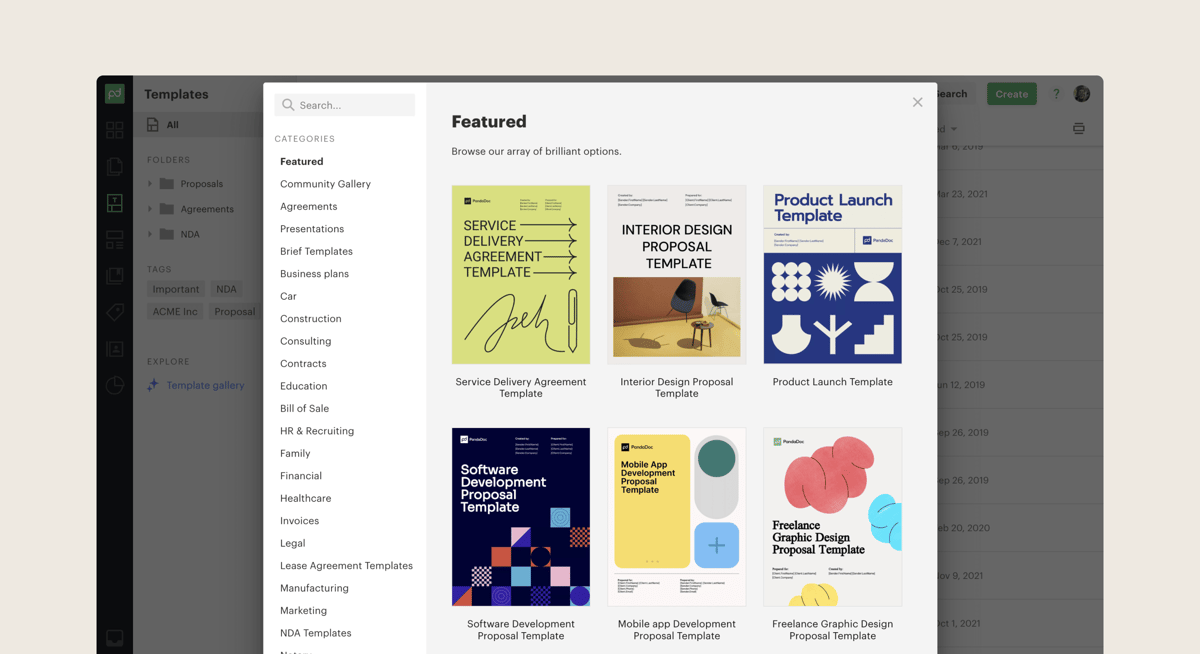
You can build personalized proposals using a drag-and-drop editor, add pricing information, and send documents for electronic signature.
PandaDoc also offers CRM integrations and approval workflows for sales managers who need greater visibility into document activity.
PandaDoc's strength lies in document creation and collaboration, although advanced CPQ capabilities and some automation features require higher-tier plans or additional fees.
Its Stripe integration can create recurring subscriptions, but managing changes to those agreements is more complicated.
For example, updating a document with recurring payments requires manually deleting the existing Stripe subscription before creating a new one. Teams handling frequent upgrades, renewals, or usage-based billing may need additional automation.
Best Features
Document editor: Create professional proposals using customizable layouts and rich media.
Template library: Reuse existing templates and approved content to speed up proposal creation.
Pricing tables: Add product information and calculate proposal totals.
Proposal tracking: Receive notifications when clients open or interact with sales documents.
Approval workflows: Route documents through internal review before they're shared externally.
Digital signatures: Collect legally binding signatures within the platform.
CRM integrations: Connect sales documents to customer records, with availability depending on your plan.
Pros
User-friendly document editor
Reusable proposal templates
Electronic signatures
Document analytics
Collaboration features
CRM connectivity
Free plan available
Pricing
PandaDoc offers four pricing plans:
Free: Includes up to 60 documents per year, electronic signatures, a drag-and-drop editor, and basic document tracking.
Starter: $35/user/month. Includes unlimited document uploads and e-signatures, document templates, real-time tracking, and 24/7 email and chat support.
Business: $65/user/month. Adds custom quotes, CRM integrations, advanced branding, a content library, deal rooms, and approval workflows.
Enterprise: Custom pricing. Includes advanced CPQ capabilities, workflow automation, smart content, single sign-on, and team workspaces.
3. Proposify
Proposify suits teams that frequently send client-facing proposals and want more control over their appearance.
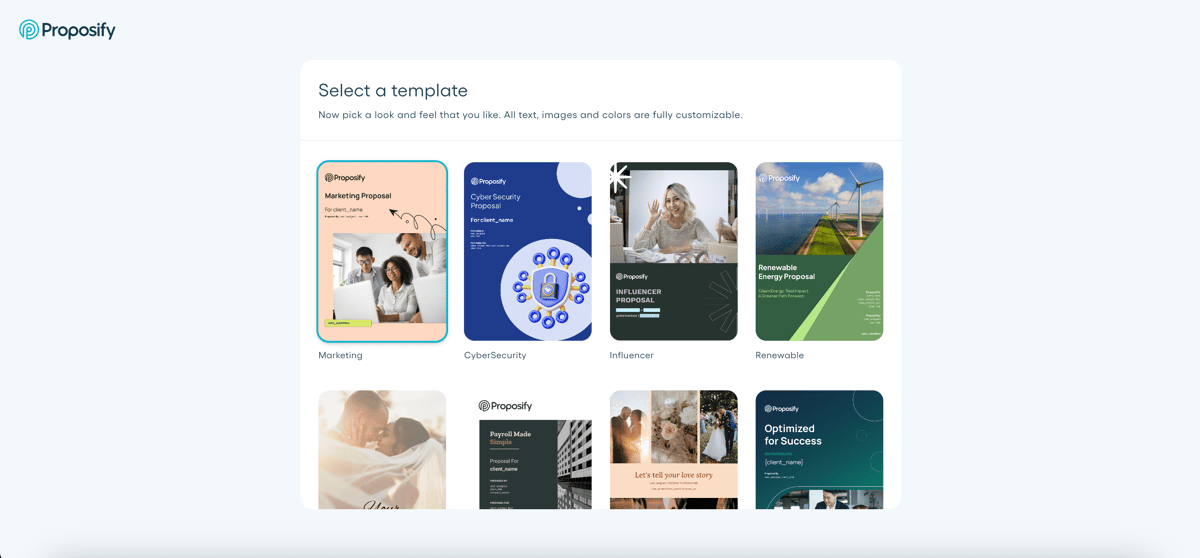
Its document editor lets you create branded sales proposals using a collection of reusable layouts and content.
Source: G2
Sales managers can also track proposal performance and manage approval workflows, depending on the subscription.
Proposify also integrates with Stripe to collect payments when customers sign proposals. However, its payment integration is primarily designed for collecting upfront charges.
Businesses selling subscriptions or usage-based services will need additional processes to create recurring billing arrangements, manage contract changes, and keep their Stripe Billing records accurate.
Best Features
Proposal editor: Customize document layouts with text, images, and other branded content.
Content library: Store approved sections so employees can reuse consistent messaging.
Interactive pricing: Let prospects adjust quantities or choose optional services.
Proposal tracking: See when documents are opened and monitor proposal activity.
Approval workflows: Set internal review requirements for certain pricing or deal conditions.
Digital signatures: Allow clients to accept proposals electronically.
CRM integrations: Connect proposal activity with supported sales platforms.
Build: $49/user/month. Includes unlimited documents and electronic signatures, a content library, interactive quoting, proposal tracking, CRM integrations, and AI writing tools.
Grow: $325/month, billed annually. Includes five users and everything in Build, plus approval workflows, user permissions, account-level analytics, custom fields, and API access.
Scale: $1,066/month, billed annually. Includes ten users and everything in Grow, plus multiple workspaces, premium integrations, custom reporting, single sign-on, and dedicated onboarding support.
4. Better Proposals
Better Proposals offers a relatively straightforward approach to proposal creation. For agencies and service businesses that regularly prepare client proposals, its ready-to-use templates can reduce the time spent designing each document.
Source: BetterProposals.io
You can customize your proposals, include interactive pricing tables, and allow clients to sign and pay through supported integrations.
The software also provides proposal tracking and notifications, making it easier to identify interested prospects.
For larger revenue teams, the limitations become more noticeable. Better Proposals can accept payments through Stripe and lets you start subscriptions after a customer pays, but subscription setup still requires an additional step.
Companies selling complex packages, usage-based services, or contracts with changing billing terms may need more advanced CPQ and billing automation to manage those agreements efficiently.
Best Features
Professionally designed templates: Start proposals using prebuilt layouts for different business needs.
Interactive pricing tables: Let prospects review selected services and associated costs.
Content library: Save reusable proposal sections for future documents.
Payment integrations: Collect payments through supported payment providers.
Engagement tracking: Monitor proposal opens and receive activity notifications.
Custom domain: Present proposals under your company's domain on eligible plans.
Manager approvals: Review documents before sending them on the Enterprise plan.
Pros
Simple proposal builder
Affordable entry-level pricing
Responsive proposal templates
Built-in digital signatures
Payment integrations
Unlimited templates
Live chat support
Pricing
Better Proposals offers three pricing plans:
Starter: $19/user/month. Includes 10 document sends per month, unlimited templates, interactive pricing tables, digital signatures, payment integrations, and proposal tracking.
Premium: $29/user/month. Includes everything in Starter, plus 50 document sends per month, CRM integrations, a custom domain, advanced branding, and API access.
Enterprise: $49/user/month. Includes everything in Premium, plus unlimited document sends, manager approvals, advanced user permissions, content locking, and real-time document collaboration.
5. DealHub
DealHub takes a broader approach than standard proposal software.
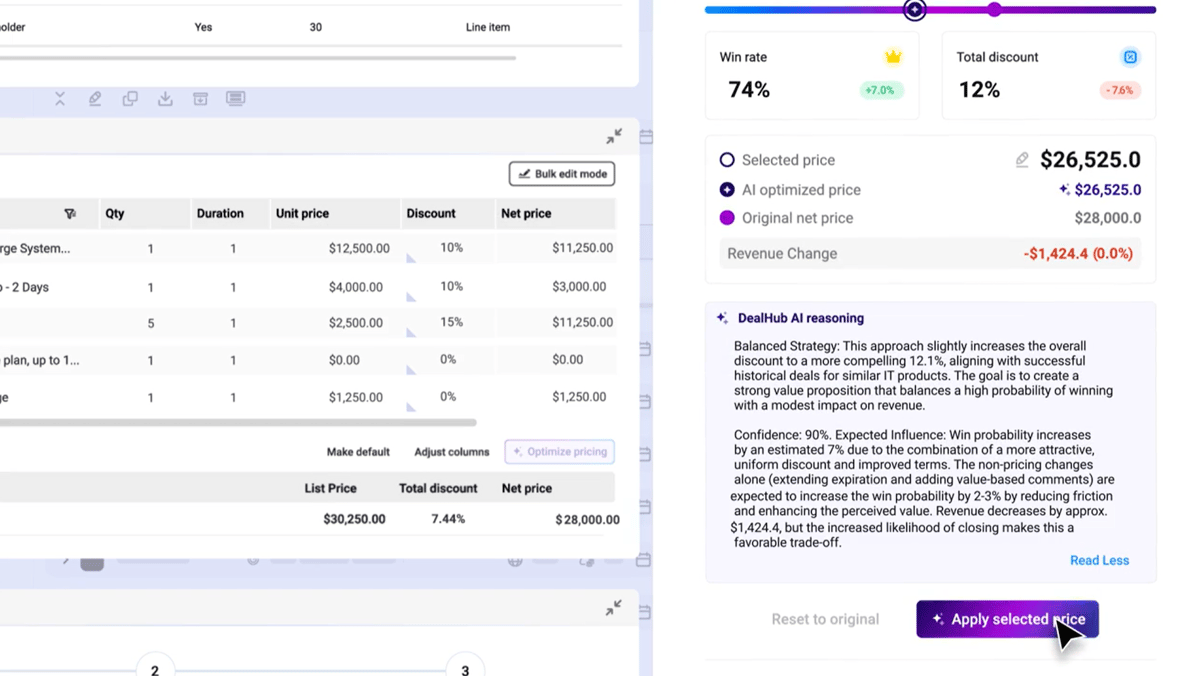
The platform combines CPQ with sales documents and subscription lifecycle management, making it relevant for businesses handling complicated deals.
Source: G2
Your sales team can configure products, apply pricing rules, and manage approvals before sharing agreements through a digital deal room. DealHub also provides billing capabilities for businesses seeking a more unified revenue platform.
DealHub's extensive functionality can also make implementation more complicated, particularly for smaller teams. Its broader platform includes subscription management and a billing engine, which may overlap with your existing financial systems.
Although DealHub integrates with Stripe for payment processing, companies that want to keep Stripe Billing as their primary billing platform should evaluate how subscription creation, usage-based charges, and contract amendments will transfer between the two systems.
Adopting DealHub's native billing capabilities may also require migrating existing billing workflows.
Best Features
Advanced CPQ: Configure products and generate quotes using predefined business rules.
Guided selling: Help representatives select suitable products and pricing structures.
Approval workflows: Route quotes through required commercial or legal approvals.
Digital sales room: Share proposals and supporting materials in a collaborative buyer environment.
Contract management: Generate agreements from templates and maintain contract records.
Subscription management: Support renewals and amendments as customer agreements change.
Billing functionality: Manage recurring and usage-based billing through the platform's revenue capabilities.
Pros
Advanced pricing configuration
Guided selling functionality
Digital deal rooms
Subscription lifecycle support
Built-in approval workflows
Strong revenue management capabilities
Pricing
DealHub does not disclose pricing publicly.
6. HubSpot CPQ
HubSpot CPQ is a practical Qwilr alternative for businesses that want quoting directly inside their CRM.
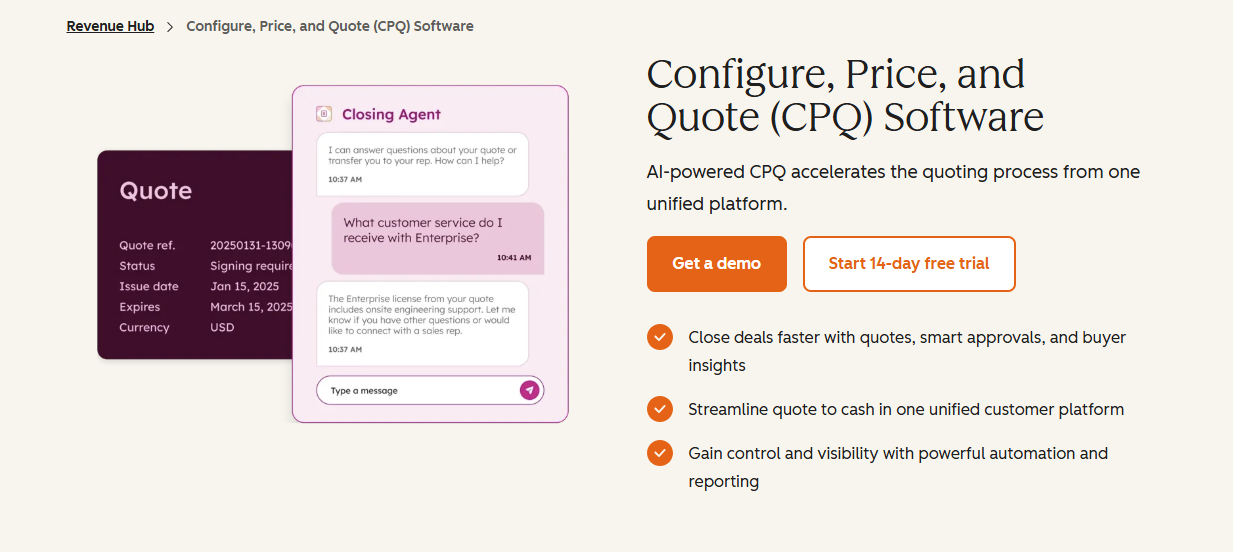
Available through HubSpot Revenue Hub, the platform lets you generate quotes from deal records and keep related activity connected to your sales pipeline. Reps can also manage quote templates and collect digital signatures.
Source: HubSpot.com
For businesses with straightforward pricing, HubSpot's native quoting experience can be convenient. The limitations become more apparent when your company already relies on Stripe Billing.
Although you can connect Stripe to accept payments, subscriptions and invoices created in HubSpot won't appear in Stripe Billing. Your existing Stripe subscriptions remain separate, potentially leaving finance teams managing two billing workflows.
Companies using usage-based pricing, subscription ramps, or self-service billing through Stripe will need additional integration capabilities to keep everything connected.
HubSpot also charges a 0.75% platform fee on payments processed through its connected Stripe payment option, in addition to Stripe's processing fees.
Best Features
CRM-native quoting: Build quotes using information already stored in HubSpot deal records.
Product library: Add approved products and pricing information to sales documents.
Quote templates: Standardize quote presentation and reduce repetitive document creation.
Pricing rules: Apply product compatibility or discount restrictions on Enterprise.
Approval workflows: Route quotes for internal review before customer acceptance.
Electronic signatures: Collect signatures from buyers within supported plan limits.
Payment collection: Accept payments through supported HubSpot or Stripe payment processing options.
Pros
Native HubSpot integration
Centralized customer data
Quote automation
Approval controls
Electronic signatures
Familiar CRM interface
Pricing
HubSpot CPQ is available through Revenue Hub, with three plans:
Free: Includes invoices, payment links, and subscriptions.
Professional: Starts at $100/seat/month. Includes AI-powered quote creation, customizable quote templates, standard approval workflows, contract management, 25 electronic signatures per user per month, and revenue analytics.
Enterprise: Starts at $175/seat/month. Includes everything in Professional, plus advanced quote approvals, product compatibility rules, pricing and discount controls, and 50 electronic signatures per user per month.
7. GetAccept
GetAccept is an interesting choice for businesses that want more interaction with prospects during the proposal process.
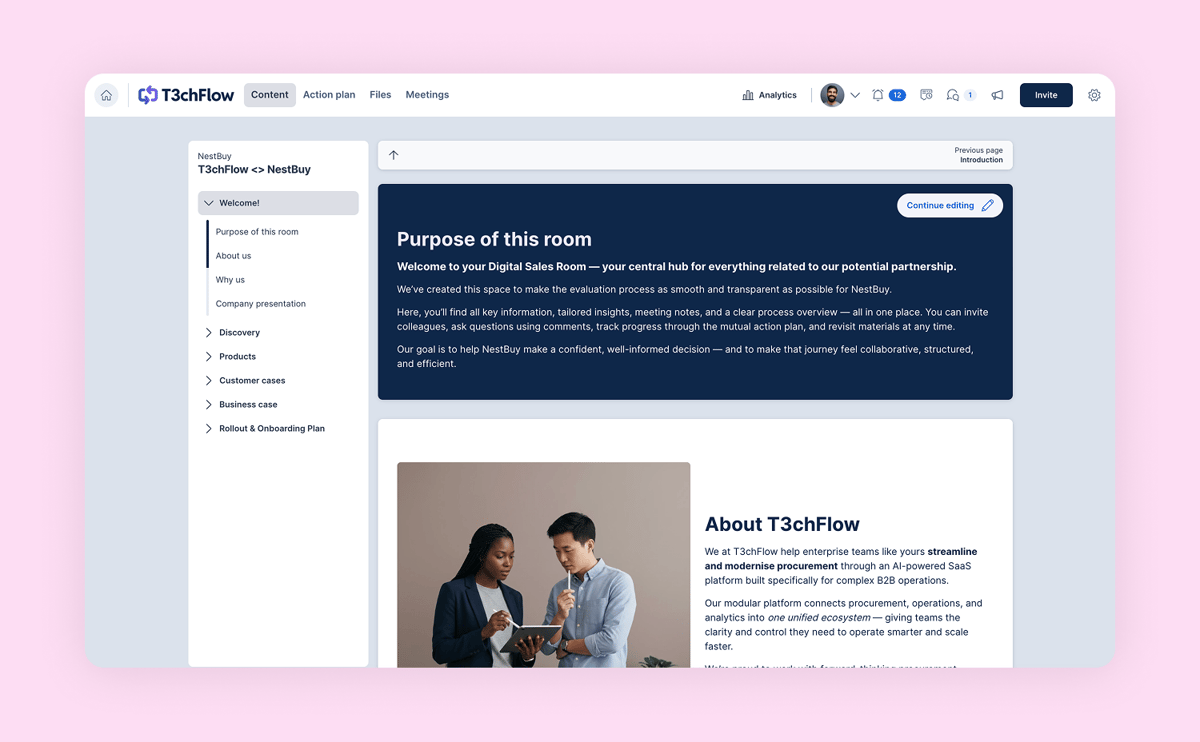
Its digital sales room platform brings sales documents and buyer communication into a shared environment.
Source: G2
Sales reps can exchange information, answer questions, and guide customers through important deal milestones.
GetAccept also includes engagement tracking and mutual action plans, which can be helpful when multiple stakeholders participate in a purchasing decision.
GetAccept's more advanced CPQ and integration capabilities may require an Enterprise subscription or paid add-ons.
Although it integrates with Stripe for payment collection after signing, the integration focuses on processing payments rather than managing the full subscription lifecycle.
Businesses handling recurring contracts, usage-based pricing, or frequent amendments may need additional tools to translate signed agreements into accurate Stripe Billing records.
Best Features
Digital sales rooms: Organize sales content in a shared space for buyers and sellers.
Buyer engagement: Communicate with prospects using chat and personalized video.
Mutual action plans: Set shared milestones for completing a deal.
Interactive pricing tables: Present quote information with calculated totals and discounts.
Engagement tracking: Monitor document activity and buyer interactions.
Electronic signatures: Finalize agreements using built-in digital signing.
CRM integrations: Connect supported CRM platforms, with certain integrations available as add-ons.
Pros
Interactive buyer experience
Digital deal rooms
Personalized video messaging
Mutual action plans
Document engagement analytics
Built-in e-signatures
Pricing
GetAccept offers three pricing plans:
eSign: $25/user/month. Includes unlimited electronic signatures, document templates, basic branding, contract management, automated reminders, video messaging, and chat functionality.
Professional: $49/user/month. Requires at least five users and includes everything in eSign, plus digital sales rooms, AI-powered content tools, advanced branding, mutual action plans, interactive pricing tables, and CRM integrations.
Enterprise: Custom pricing. Includes everything in Professional, plus advanced CPQ, an unlimited product library, conditional content, single sign-on, payment integrations, and additional contract management capabilities.
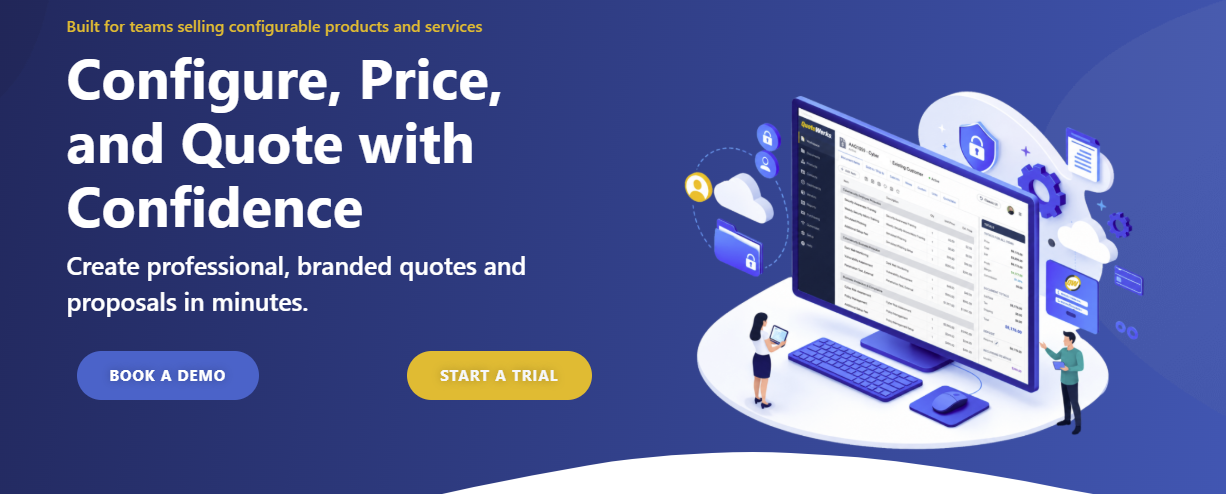
8. QuoteWerks
QuoteWerks helps businesses prepare accurate quotes using product information and pricing data.
It can be useful for companies selling technical products or equipment, where each quote may require several line items and calculations.
Source: QuoteWerks.com
Unlike Qwilr's web-based proposal experience, QuoteWerks emphasizes product configuration, purchasing workflows, and detailed pricing calculations. Its interface and setup can feel more involved for businesses primarily interested in streamlined proposal creation.
QuoteWerks also supports Stripe payment collection through QuoteValet, but connecting accepted quotes to complex subscription billing may require additional configuration.
So, companies managing usage-based charges, renewals, or subscription amendments in Stripe should evaluate how those workflows will be automated.
Best Features
Product configuration: Build quotes using catalog items and configurable product bundles.
Pricing calculations: Apply product pricing and calculate quote totals.
CRM integrations: Connect quoting activity with supported CRM systems.
Vendor sourcing: Access supplier information and support procurement-related tasks.
Approval workflows: Let managers review quotes before they're finalized.
Quote tracking: Monitor customer acceptance and document activity on eligible plans.
Payment collection: Accept credit card and ACH payments through supported quoting workflows.
Pros
Detailed quote configuration
Product catalog support
Vendor and procurement features
CRM integrations
Quote approval processes
Digital acceptance options
Pricing
QuoteWerks Web offers three pricing plans:
Essential: $50/concurrent user/month. Includes unlimited quotes, product bundles, CRM integrations, approval workflows, quote revisions, document audit trails, and single sign-on.
Balanced: $78/concurrent user/month. Includes everything in Essential, plus QuoteValet, proposal tracking, electronic signatures, online quote acceptance, and built-in credit card and ACH payment collection.
Pinnacle: $102/concurrent user/month. Includes everything in Balanced, plus automated sales tax calculations, distributor product content, Amazon Business integration, and procurement tracking.
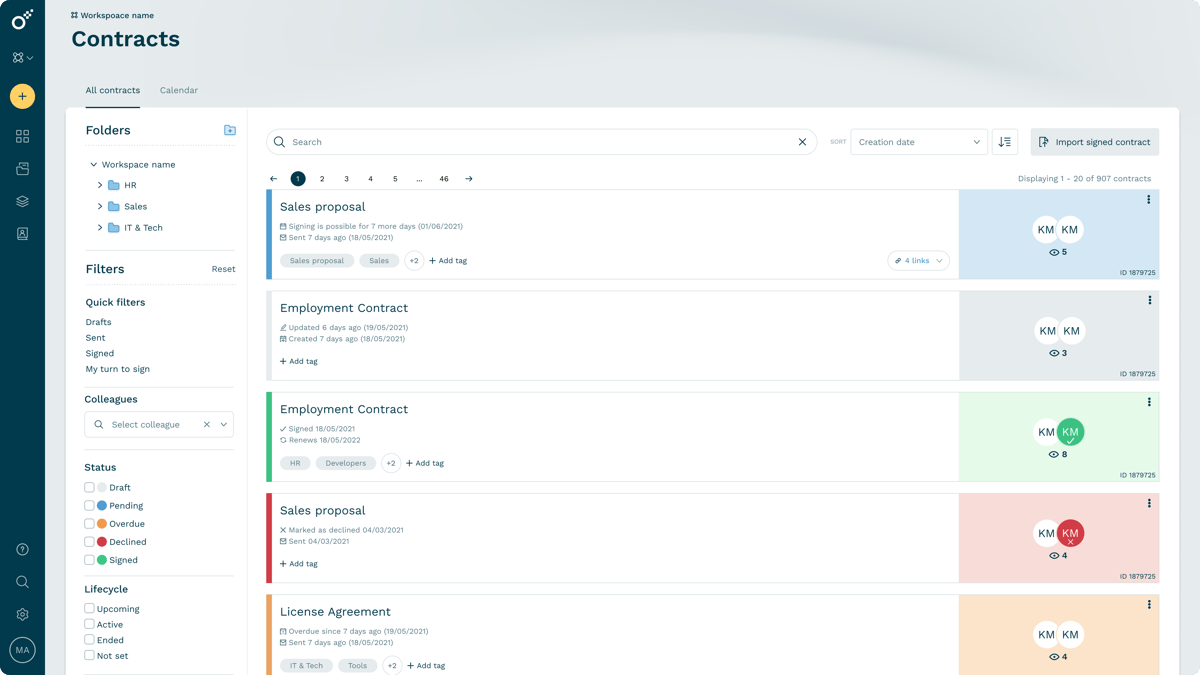
9. Oneflow
Oneflow is worth exploring if contract management plays a significant role in your sales process. The platform helps teams create digital agreements that can be edited and signed electronically.
You can also manage contract workflows after signing, which may appeal to businesses handling renewals or ongoing customer agreements.
Source: G2
Oneflow places greater emphasis on contract lifecycle management than Qwilr's interactive proposal presentation. Its integrations can also help transfer contract information into CRM and financial workflows.
However, businesses that rely on Stripe Billing should consider how signed agreements will translate into subscriptions, invoices, and future billing changes.
Oneflow supports integration-driven workflows, but automating complex pricing structures or usage-based subscriptions may require additional configuration or development.
Best Features
Digital contract editor: Create editable, interactive agreements using reusable content.
Contract templates: Standardize document creation using existing templates.
Electronic signatures: Collect legally binding signatures directly within contracts.
Real-time collaboration: Allow relevant stakeholders to comment on agreement content.
Approval workflows: Review agreements internally before sending them for signature.
Contract lifecycle management: Organize active agreements and receive relevant contract notifications.
CRM integrations: Connect contract workflows with supported business applications.
Pros
Interactive digital contracts
Electronic signatures
Contract lifecycle management
Internal collaboration
Reusable templates
CRM connectivity
Strong contract administration features
Pricing
Oneflow offers two paid plans:
Business: Starting at $292/month, billed annually. Includes five users, customizable contract templates, approval workflows, workspace branding, contract lifecycle management, AI-powered contract tools, and automated notifications.
Enterprise: Custom pricing. Includes ten users and everything in Business, plus single sign-on, shared templates, user groups, advanced access controls, conditional contract sections, and account audit logs.
Bring Your Quotes and Billing Together With Finrite
Choosing from the available Qwilr alternatives comes down to what your sales team needs beyond proposal creation.
PandaDoc and Proposify are useful for producing professional sales documents. Better Proposals offers an approachable option for smaller businesses, while DealHub and HubSpot CPQ provide more advanced quoting capabilities.
But if you're already using HubSpot and Stripe, consider how much work happens after a customer accepts your quote.
Finrite helps you manage the entire quoting-to-billing process while keeping your existing systems in place.
Your reps can generate quotes directly from CRM data, configure complex pricing, collect signatures and payment details, and automatically send finalized billing information to Stripe.
You can also manage subscription renewals and upsells while keeping commercial information connected to the original deal.
Your sales team spends less time transferring information between systems, and finance gets more reliable billing data from the start.
Book a Finrite demo to see how you can simplify quoting and automate the steps that follow a signed agreement.
FAQs About Qwilr Alternatives
How much does Qwilr cost?
Qwilr offers three paid plans: Starter at $49/user/month, Growth at $275/month for five users, and Scale at $750/month for ten users. Growth and Scale require annual billing, and additional charges may apply for extra users or API-based document automation.
What is the best Qwilr alternative for small businesses?
Better Proposals and PandaDoc are good options for small businesses that want affordable proposal software. Better Proposals offers mobile-responsive templates and simple proposal management, while PandaDoc provides more advanced document automation. Finrite is worth considering if you also need CRM-based quoting and recurring billing automation.
Which Qwilr alternatives support advanced quoting and billing?
Finrite and DealHub offer advanced quoting and subscription management. Finrite connects CRM-based quotes to Stripe Billing, while DealHub provides CPQ and billing capabilities within the same platform. HubSpot CPQ is another option for teams that prefer managing quotes directly from their CRM.
Which Qwilr alternative is best for growing sales teams?
PandaDoc, Proposify, and GetAccept are worth exploring for scaling teams. PandaDoc supports document automation, Proposify helps manage proposals with approval workflows, and GetAccept offers buyer engagement tracking. For mid-sized businesses needing complex pricing and automated billing, Finrite can support a more connected proposal workflow.
About Finrite
Finrite streamlines sales-led revenue workflows, without any billing engine change. Sales reps can send out proposals in seconds, and our HubSpot to Stripe Connector creates subscriptions, customers, and billing objects in moments.
Automate quote-to-cash. Keep your billing stack.
Give sales a faster way to quote and finance a reliable way to bill. Finrite connects your CRM, contracts, and billing to automate the work from proposal to subscription.