7 Best Revenue Operations Software for Your Tech Stack
7 Best Revenue Operations Software for Your Tech Stack
By:
Kunal Mehta
,
November 25, 2026
A deal can look complete in your CRM while finance still needs an hour to make it billable. Elsewhere, a detailed forecast may depend on opportunity records nobody has updated.
Revenue operations software covers both problems, which makes comparing platforms less straightforward than the category suggests.
So, which part of your revenue process actually needs better support?
The best revenue operations software should address that need and work well with the systems you already trust. Buying broader functionality won’t help much if the original bottleneck remains.
Below, we’ll compare the top seven platforms through the work they handle best, with a closer look at their features and the limitations you’ll want to weigh before choosing.
TL;DR
The seven best revenue operations software platforms of 2026 are:
Revenue operations software connects the information and workflows your teams use to generate revenue and retain customers. It helps sales and marketing teams coordinate their work, while giving customer success and finance access to the information they need.
In practice, several types of software contribute to that process. A CRM organizes customer records, while revenue intelligence software analyzes deal activity. Automation tools then handle the handoffs between systems, such as turning approved contract terms into billing instructions.
For example, consider a customer who adds more seats midway through a contract. Sales needs to record the agreement, and finance needs to update the subscription.
Meanwhile, the account manager needs those details for the next renewal conversation. Connected systems help everyone work from the same terms without repeatedly asking for clarification.
Because those responsibilities span different systems, most revenue teams use a combination of tools to support the entire revenue lifecycle.
Making that setup work takes clear decisions about which system owns each record and how updates move between applications. Clear ownership, in turn, makes consistent and accurate data easier to maintain.
What Should You Look for in a Revenue Operations Platform?
A useful shortlist starts with the work you need to improve. The following criteria help separate relevant functionality from features you may never use:
Workflow fit: Match the platform to a specific bottleneck, such as unreliable sales forecasting or manual billing setup. Broader coverage only helps if people use it.
Integration depth: Look beyond an integration logo. Check which records move between systems, the sync direction, and how failed updates are handled.
Data quality controls: Field validation and duplicate management support data hygiene. Clear ownership prevents conflicting updates from undermining otherwise reliable automation.
Revenue visibility: Reporting should answer operational questions. Useful key metrics might include sales cycle length or the time between signature and billing activation.
Post-sale continuity: Customer success teams need usable account information after the deal closes. Renewal workflows should reflect changes to the existing customer relationship.
Administrative effort: Consider who maintains rules and handles exceptions. A platform that needs specialist intervention for routine changes can create an ongoing dependency.
Total cost: Include required modules and implementation work in the comparison. A low entry price may cover only a small portion of your intended workflow.
Top 7 Revenue Operations Software Options for 2026
The best revenue operations software for your team depends on where you need stronger support in your current tech stack and workflow. Here’s how seven of the best platforms compare:
1. Finrite
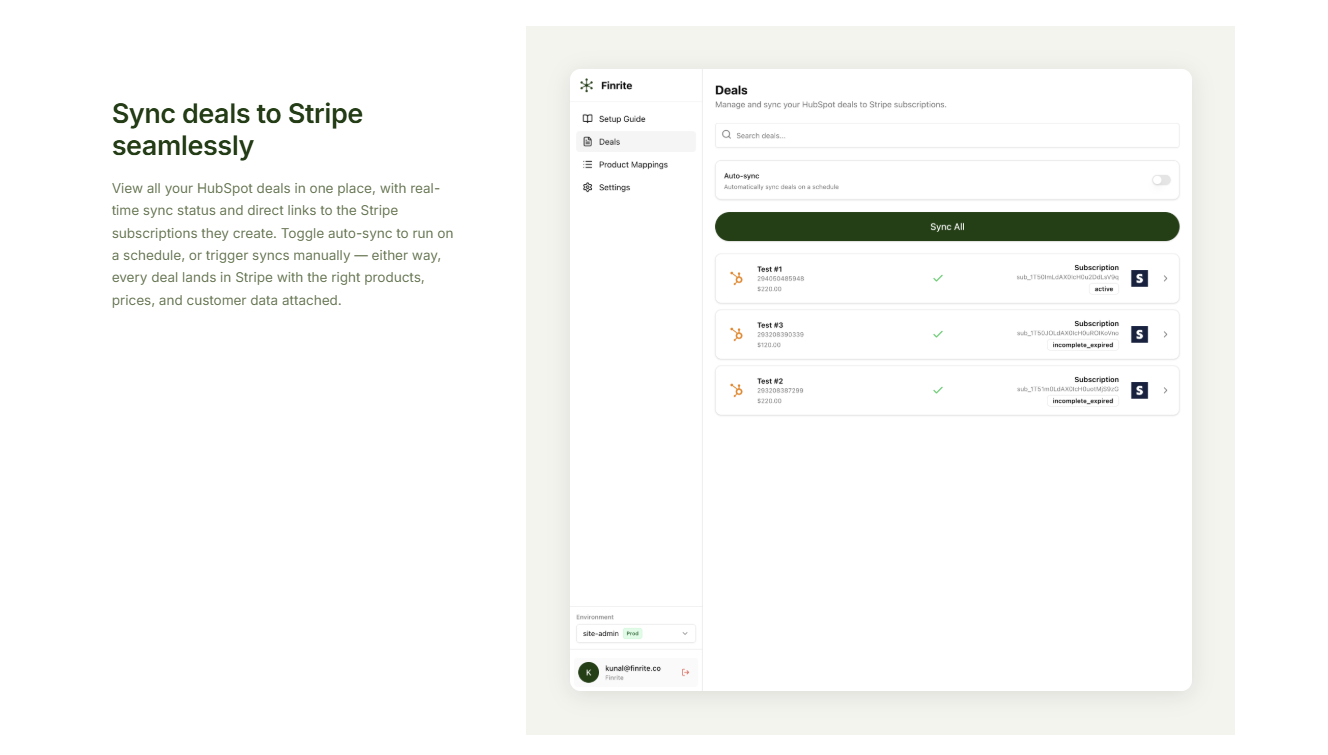
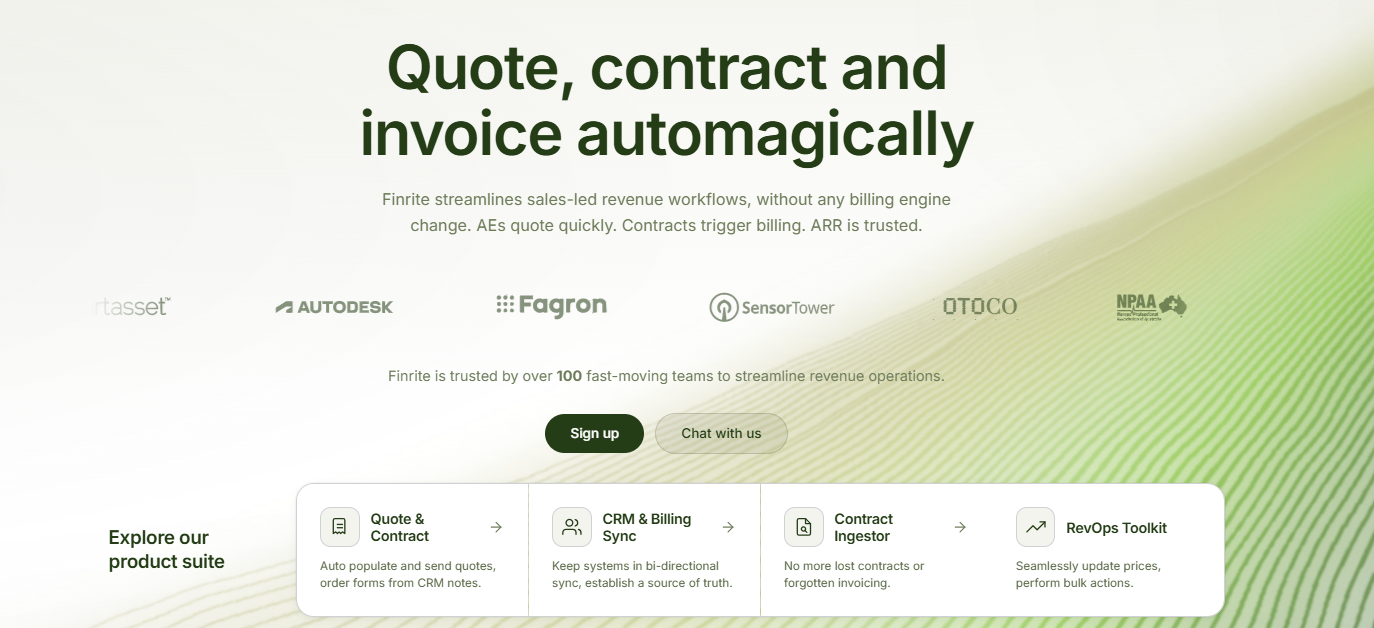
An opportunity reaching closed-won should give finance usable billing instructions. Too often, someone still has to read the contract and rebuild the agreement in Stripe. Negotiated terms, such as a scheduled price increase, make the handoff even more demanding.
Finrite connects that commercial workflow to your existing billing system.
Its CRM-embedded quoting module lets sales reps prepare agreements using deal information, then move signed terms into billing. The HubSpot-to-Stripe connector also supports deals whose terms already live in structured CRM fields.
Keeping Stripe Billing is a central advantage of the platform. You can improve sales-led revenue operations while leaving established subscriptions in place. If customers also buy through self-service checkout, negotiated agreements can use the same billing foundation.
The connection continues after the initial sale. Renewal and upsell quotes can amend existing subscriptions, while linked billing records and statuses help keep the CRM current. Finrite also supports complex arrangements, including usage-based charges and ramp pricing.
Plus, you can choose the capabilities that match your workflow. A reliable deal record may need a connector; a quote preparation bottleneck may call for CPQ.
Signed third-party PDFs can follow a separate path through Finrite’s AI contract parser, with extracted terms reviewed before billing creation.
Best Features
CRM-embedded quoting: Create quotes using existing deal data, with custom templates and conditional terms that reflect the agreement.
Payment collection at signing: Collect payment details during the signing process to reduce the follow-up needed before automatic collection can begin.
Product and price mapping: Connect HubSpot products to Stripe prices and accommodate negotiated overrides without rebuilding every line item manually.
Complex billing support: Carry supported commercial structures into Stripe Billing, including usage-based pricing and scheduled ramps, with settings for custom payment terms.
Renewals and amendments: Issue quotes that update existing subscriptions, which keeps expansions connected to the customer’s established billing relationship.
Bidirectional visibility: Sync relevant CRM and billing information, with linked records and status tracking to help teams follow the handoff.
AI contract extraction: Extract billing terms from signed PDFs and review the information before creating the corresponding billing records.
Signature tracking: Monitor outstanding quotes and configure reminders, with downstream CRM actions triggered after signing.
RevOps bulk actions: Apply changes such as annual price increases to existing Stripe subscriptions without editing every subscription individually.
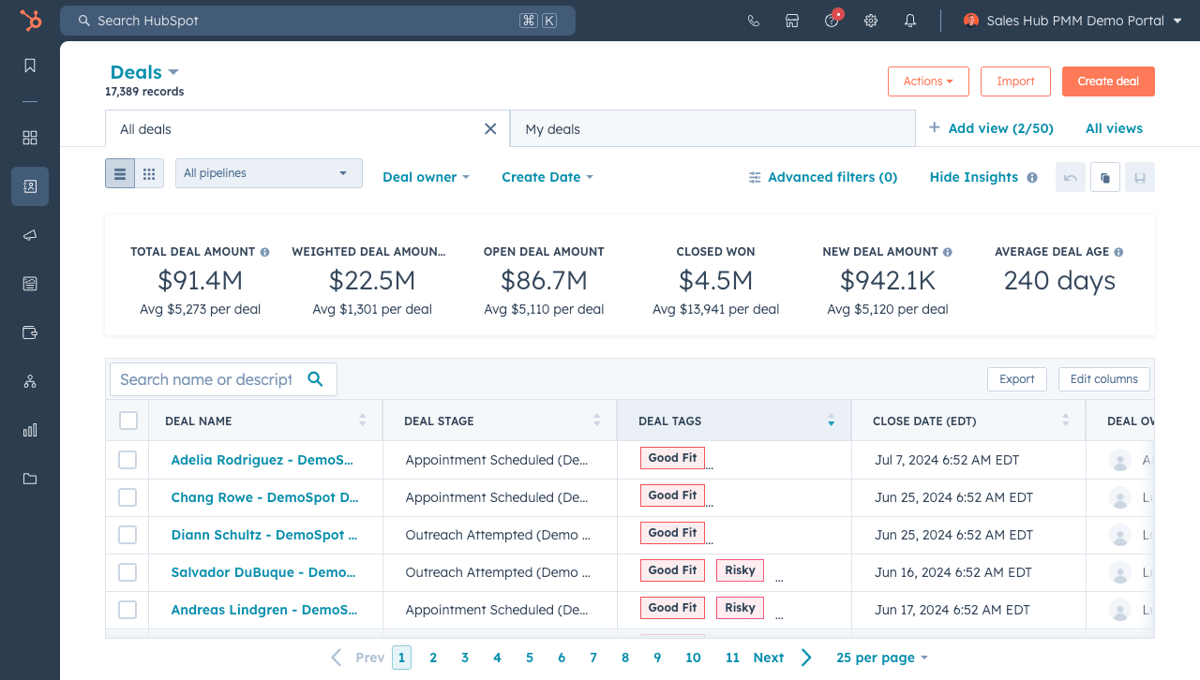
HubSpot becomes appealing when the main problem is fragmented customer information. Sales may have the latest conversation, while marketing teams see campaign activity and service teams hold the support history. A shared CRM foundation helps connect those perspectives.
HubSpot Sales Hub supports sales execution and pipeline management. Data Hub adds capabilities for connecting applications and improving data quality. Broader customer lifecycle coverage depends on the other HubSpot products you adopt.
Source: G2
The limitation for you might be packaging. “HubSpot” describes a platform with several products, so a Sales Hub subscription won’t necessarily include the automation or data management functionality you saw in a broader demonstration.
Advanced requirements can increase the number of paid products involved.
Billing architecture deserves a separate evaluation, too. If Stripe Billing already handles your subscriptions, check how HubSpot workflows will interact with those records. Shared CRM data alone doesn’t establish the process for amending an existing billing agreement.
Best Features
Shared customer records: Connected records give users access to account history and relevant activity to reduce the need to ask another department for basic context.
Sales workspace: HubSpot Sales Hub brings selling activities into a dedicated workspace, helping reps manage follow-up alongside the opportunities they’re responsible for.
Workflow automation: Eligible subscriptions support automated actions based on record changes. A practical application is assigning follow-up work after a deal reaches a defined stage.
Application data sync: Data Hub connects supported applications and synchronizes records. Field mapping and supported objects determine how closely the integration matches your process.
Data quality tools: Available capabilities help teams identify and address issues in CRM data, which can support more dependable reporting and reduce avoidable record maintenance.
Sales reporting and forecasting: Managers can examine pipeline progress and performance management through reporting tools, with forecasting available in eligible editions to support regular revenue reviews.
Pros
Gives sales and service teams a shared CRM foundation
Connects customer activity to account and deal records
Supports gradual adoption of additional platform capabilities
Reduces repetitive work through configurable workflows
Offers a broad ecosystem of connected applications
3. Salesforce
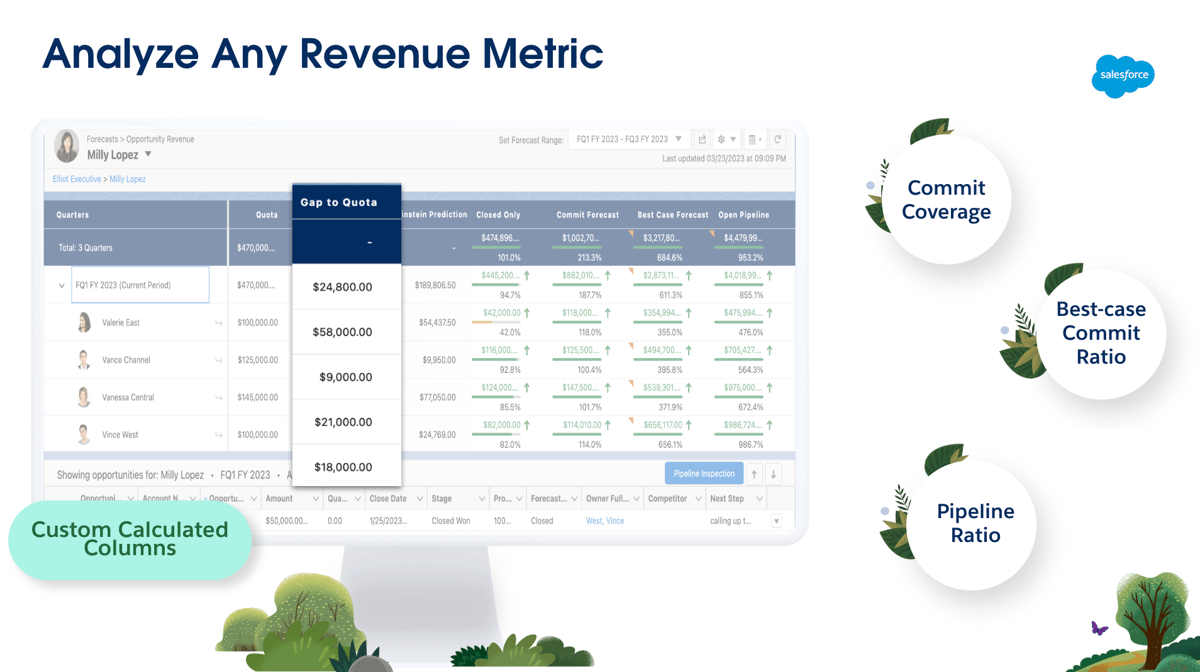
Salesforce’s appeal is the depth of control available around a complex sales process. If your organization needs detailed access rules or a heavily customized account structure, the platform gives administrators considerable flexibility.
Its revenue offering extends beyond the CRM. Salesforce Revenue Cloud is now called Agentforce Revenue Management, with functionality for commercial processes such as quoting and subscription management.
Exact capabilities depend on the edition and additional products involved.
Source: G2
The potential tradeoff is the work required to design and maintain that environment. More configuration options create more decisions about how records should relate and how changes should flow.
Your implementation scope needs to reflect the administrative resources available after launch.
Keeping an external billing engine also requires deliberate planning. Salesforce’s commercial functionality doesn’t automatically establish a complete Stripe Billing workflow.
The implementation needs to account for existing subscriptions and explain how future amendments will reach the system that sends invoices.
Best Features
Configurable CRM foundation: Model customer relationships and opportunity processes around your operating requirements, with access controls suited to different roles and responsibilities.
Product catalog and pricing: Agentforce Revenue Management supports catalog and price management, giving commercial teams a governed basis for the offers they prepare.
Quote configuration: CPQ capabilities help translate product choices into quotes. Configured rules provide structure when a sales agreement involves dependencies or pricing exceptions.
Subscription lifecycle management: Subscription and asset capabilities support changes after the original transaction to help customer agreements remain connected to subsequent commercial activity.
Order workflows: Available order management functionality coordinates downstream execution. The implementation can define how order events initiate work in connected systems.
Revenue analytics: Available analytics cover areas such as pricing performance and recurring revenue. Licensing needs careful review because the wider product portfolio includes separately packaged capabilities.
Pros
Supports detailed customization of revenue processes
Provides granular control over records and access
Connects CRM activity with broader commercial workflows
Offers extensive implementation and integration resources
Can accommodate complex organizational structures
4. Clari
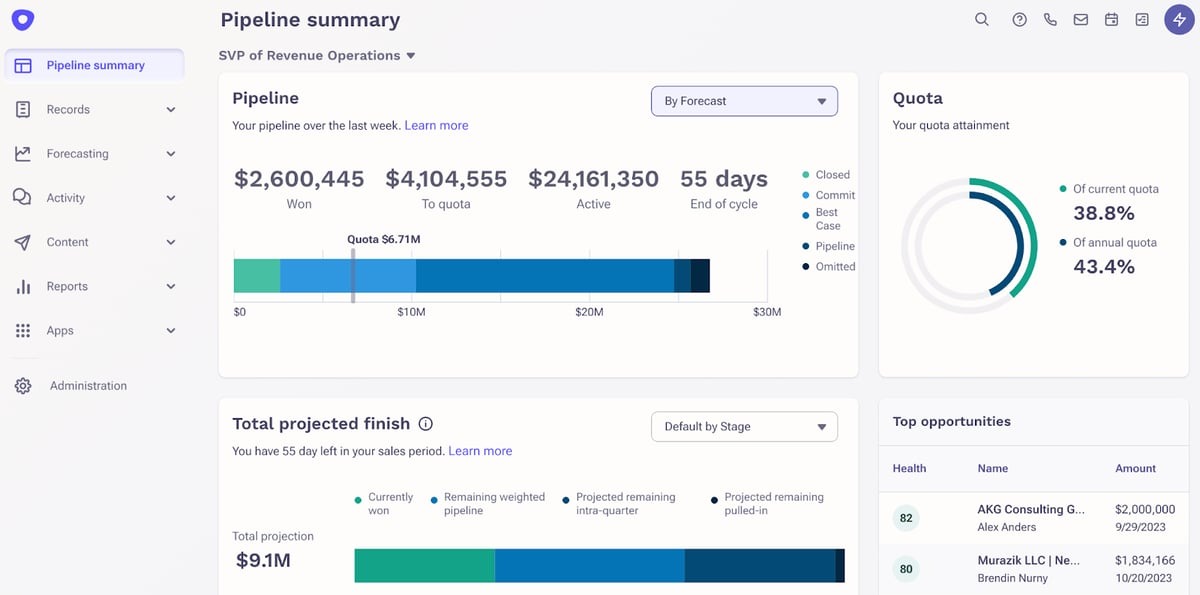
A forecast review is more productive if everyone can explain what changed since the previous meeting. Clari addresses that need through pipeline inspection and revenue forecasting, which helps leaders examine the evidence behind a sales number.
There’s an important naming update: Clari and Salesloft have combined under the Salesloft brand. Clari Forecast remains part of the offering, alongside capabilities that connect pipeline analysis with sales execution.
Source: Salesloft.com
Its strongest use case is an established sales organization that needs a more disciplined view of pipeline health. Managers can investigate movements and deal risks instead of relying entirely on a rep’s latest forecast category.
However, forecasting software still depends on usable underlying data. Inconsistent opportunity stages can weaken the analysis, and the platform won’t independently repair your billing process.
In addition, existing customers and new buyers should confirm the current package, particularly if they already pay for overlapping engagement or conversation intelligence tools.
Best Features
Clari Forecast: Combine forecasting workflows with pipeline evidence so managers can examine how the expected outcome compares with the opportunities currently supporting it.
Pipeline inspection: Inspect helps users investigate accounts and opportunities in greater detail, making it easier to discuss specific deal risks during revenue reviews.
Change visibility: Pipeline movement analysis helps explain shifts in the forecast. A changing close date, for example, becomes a discussion point rather than a quarter-end surprise.
Revenue activity context: Connected signals provide additional context for assessing deal progress to help managers compare recorded activity with the expectations attached to an opportunity.
Conversation intelligence: The broader Salesloft offering includes conversation capabilities that support deal reviews and coaching, subject to the products included in your agreement.
Execution tools: Salesloft’s wider platform links forecasting with sales workflows. Teams can evaluate those capabilities alongside existing tools to identify useful consolidation opportunities.
Pros
Supports a more structured forecasting process
Helps managers investigate changes in pipeline expectations
Provides shared context for revenue reviews
Connects opportunity inspection with broader sales execution
Helps focus attention on deals that need intervention
5. Gong
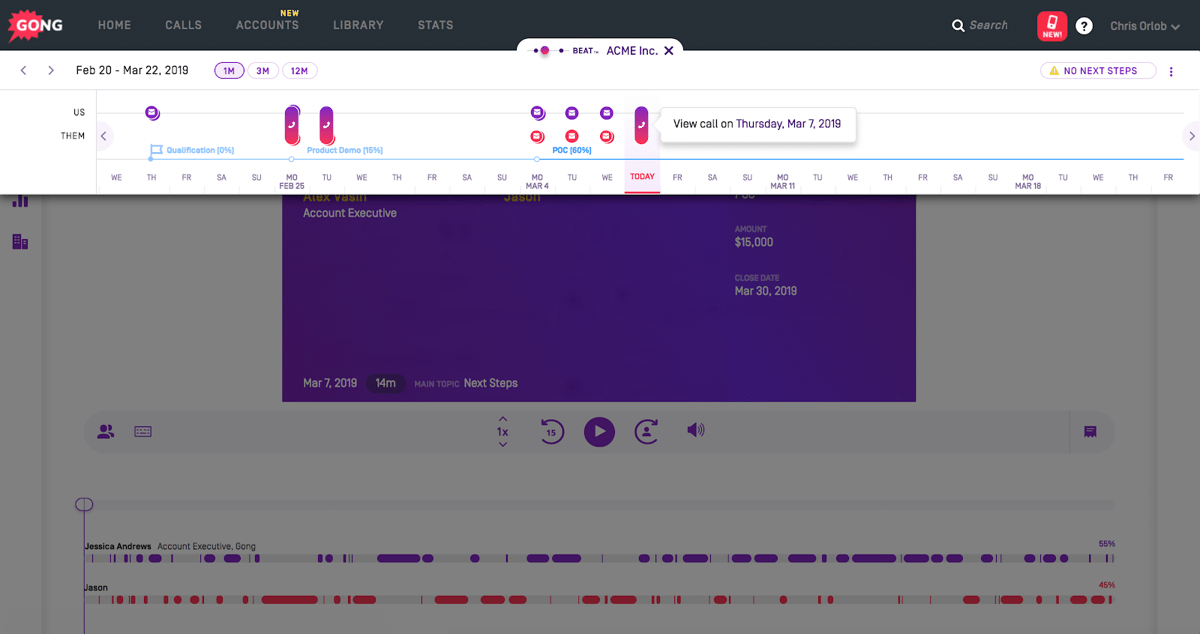
CRM fields rarely capture the full substance of a sales conversation. A buyer may express concern about implementation during a call, yet the opportunity record still shows a confident close date. Gong brings those customer interactions into the analysis.
Its revenue intelligence platform captures and analyzes conversations, connecting the information to deal and account context. Managers can review what customers actually said, while reps can use summaries to prepare for the next interaction.
Source: G2
Gong’s offering also includes forecasting and sales engagement applications. That broader scope makes it relevant beyond call review, although the capabilities included in a proposed package need checking.
The main consideration is what you expect the insight to accomplish. Better visibility into buyer concerns can support coaching and deal decisions, but someone still needs to act on it.
Gong also doesn’t replace the quoting-to-billing workflow. Subscription setup and subsequent amendments require their own connected systems.
Best Features
Conversation capture: Record and transcribe supported customer conversations so account teams can revisit important discussions without relying entirely on manually written notes.
AI summaries: Condense lengthy interactions into usable context, helping reps prepare for follow-up and reducing the time managers spend locating relevant parts of a call.
Deal health analysis: Combine customer interaction data with CRM context to surface potential concerns. Managers can use those signals to investigate opportunities needing closer attention.
Coaching workflows: Review real sales conversations to give specific feedback. Examples drawn from actual customer discussions can make coaching more concrete than general performance advice.
Gong Forecast: Support pipeline review and forecasting through a dedicated application that incorporates interaction signals into the revenue team’s assessment of open opportunities.
Gong Engage: Add sales engagement workflows for prioritizing outreach and coordinating follow-up, allowing teams to evaluate conversation insight and selling activity within the same vendor ecosystem.
Pros
Adds customer conversation context to deal reviews
Helps managers deliver more specific sales coaching
Reduces reliance on manually recorded meeting notes
Makes account handoffs easier to understand
Offers related engagement and forecasting applications
6. DealHub
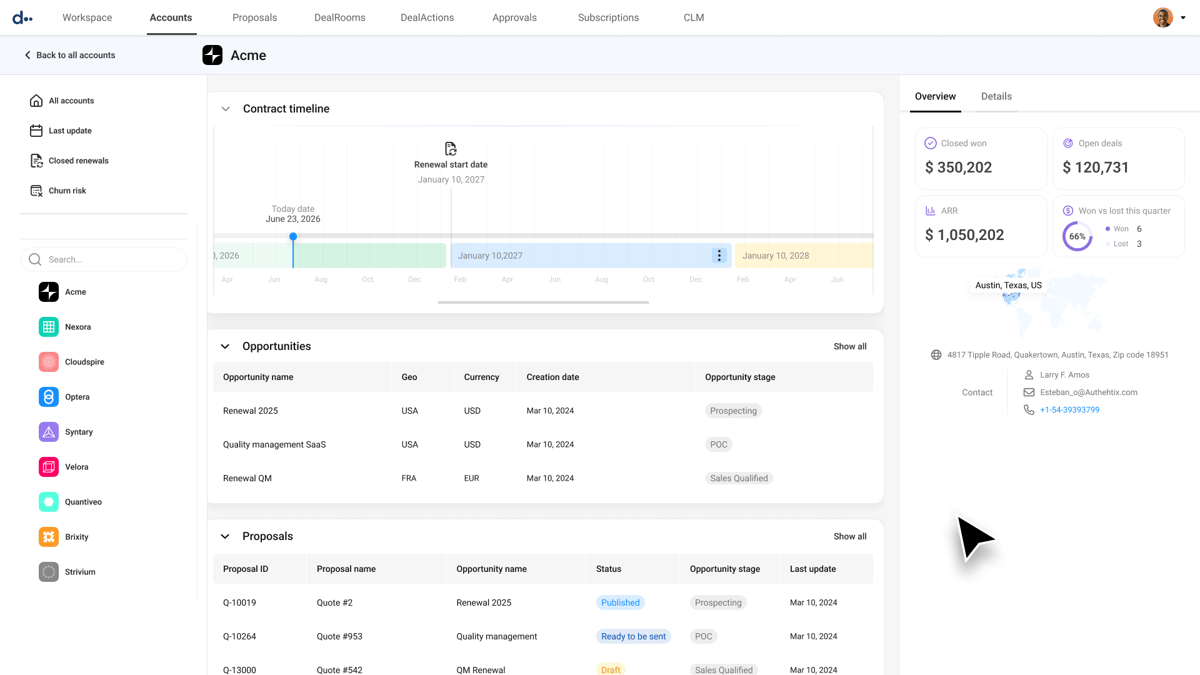
DealHub puts the commercial agreement at the center of revenue operations. Its CPQ functionality helps sales teams configure offers, while the broader platform connects quoting with subscription management and billing.
The approach suits a revenue process that needs tighter control over what gets sold and how the agreement changes later. Instead of treating each renewal as a fresh document, the subscription workflow can maintain a relationship with the existing commercial record.
Source: G2
Adopting that broader model needs careful scoping, though. If Stripe already supports your self-service subscriptions, moving negotiated contracts into another billing engine could divide your operating process.
An integration with Stripe also needs closer examination: payment connectivity and management of existing Stripe Billing subscriptions are different capabilities.
Your evaluation should cover the rep experience as well. Guided configuration can help with complex offers, but your actual quote should demonstrate how much navigation and administration the proposed setup requires.
Best Features
Guided quote configuration: Lead reps through product selection using configured commercial rules, helping keep offers aligned with the catalog and supported product combinations.
Pricing and approval controls: Apply discount guardrails and route exceptions for review, which gives sales operations a way to govern negotiated terms within the quoting workflow.
DealRoom: Provide a customer-facing space for the proposal and related deal content, helping buyers engage with the commercial offer during the purchasing process.
Subscription amendments: Handle lifecycle events such as expansions and co-terming, keeping changes related to the subscription instead of treating every adjustment as an unrelated sale.
Connected billing: DealHub’s billing offering supports recurring and usage-based models, with signed commercial terms feeding the invoicing process through its shared data model.
CRM and finance integrations: Connect supported systems to exchange account and transaction information. The proposed integration design should specify ownership of subscriptions and billing records.
Pros
Connects quoting with subscription lifecycle management
Supports governed pricing and commercial approvals
Gives buyers a dedicated space for deal content
Accommodates recurring and usage-based billing models
Links commercial changes to downstream billing execution
7. Outreach
Outreach is a strong candidate if your biggest operational gap is inconsistent sales follow-up. A rep may know the next action but still spend too much time coordinating it between separate tools. Outreach organizes that execution through a sales engagement platform.
Sequences and task workflows help sellers maintain contact with prospects. The wider offering adds deal management and sales forecasting, which can give managers more visibility into how activity relates to pipeline progress.
Source: G2
The caveat is that greater activity doesn’t automatically mean better selling. Poor targeting can produce a larger volume of irrelevant messages, so a rollout still needs clear audience selection and useful content.
Engagement reporting should be judged against qualified opportunities, not email volume alone.
You’ll also want to review overlap with existing systems. If your CRM already provides the sequences your team needs, the extra investment should solve a demonstrable execution problem. Outreach doesn’t remove the need for a separate commercial and billing workflow.
Best Features
Sales sequences: Organize repeatable outreach steps and follow-up timing, giving reps a consistent process while allowing messages to reflect the account and buying context.
Task prioritization: Bring selling activities into a structured workflow so reps can focus on the next relevant action instead of maintaining a separate personal tracking system.
Engagement analytics: Examine sequence performance and test alternative messages, helping teams understand which approaches contribute to meetings and qualified pipeline rather than activity alone.
Deal management: Use an editable deal view and opportunity health information to inspect progress, with supported updates flowing back to the CRM under its validation rules.
Conversation intelligence: Available capabilities support call guidance and analysis, giving managers additional material for coaching and helping sellers review important customer discussions.
Sales forecasting: Forecast projections and scenario planning help leaders examine possible outcomes, including how different assumptions about pipeline performance could change the expected result.
Pros
Gives sales reps a repeatable follow-up process
Reduces manual coordination of prospecting activities
Supports testing and improvement of outreach messages
Connects sales engagement with opportunity inspection
Your revenue process can look well organized until a customer signs. Then finance receives a PDF and manually reconstructs the agreement. Now what?
Finrite helps close that gap while preserving the billing system you already use. Quotes can start inside the CRM, and approved commercial terms can flow into Stripe Billing.
Future changes, such as an expansion during a price ramp, can stay connected to the existing subscription.
You don’t have to redesign your entire revenue operation to address a specific handoff.
Finrite’s connector can work with structured deal information, while its CPQ module supports the quoting process around it. AI contract extraction provides another route for signed PDFs that need review before billing setup.
Bring a representative agreement to the conversation, including a renewal or amendment. Book a Finrite demo to see how the workflow could fit your existing systems and reduce the manual work between signature and collection.
FAQs About Best Revenue Operations Software
Which revenue management software is best?
The best choice depends on the workflow you need to improve. Finrite connects CRM agreements to existing Stripe Billing workflows, while Salesforce offers broader revenue management capabilities and DealHub connects quoting with subscription execution. Look for revenue operations software built to address your operational gaps, such as manual billing setup or disconnected revenue data, while fitting the systems you already use.
What are some effective tools for revenue operations?
Effective tools include HubSpot for CRM, Gong for revenue intelligence, and Outreach for sales engagement. Finrite connects commercial terms to billing, while Clari Forecast supports sales forecasting accuracy. Together, complementary tools can reduce data silos and give sales, marketing, and customer success teams useful information throughout the entire customer journey. Each application should have a clear responsibility, helping reduce manual tasks without duplicating functionality.
What are the top revenue software companies?
Vendors worth evaluating include Finrite, HubSpot, Salesforce, Gong, DealHub, and Outreach. Salesloft also belongs on the list, with Clari’s products now part of its offering. Their strengths range from organizing customer data to providing actionable insights into sales performance. The right combination supports a unified revenue strategy, connecting information such as customer success data with the workflows needed to drive revenue growth.
How do you measure the impact of revenue operations software?
Before implementing revenue operations software, establish a baseline for the process you’re changing. Track forecasting accuracy for a forecasting project or billing activation time for an integration. Broader indicators, such as customer acquisition cost and customer lifetime value, add context but reflect factors beyond software. Pair those measures with operational improvements to assess how your revops software helps improve sales performance and supports sustained revenue growth.
About Finrite
Finrite streamlines sales-led revenue workflows, without any billing engine change. Sales reps can send out proposals in seconds, and our HubSpot to Stripe Connector creates subscriptions, customers, and billing objects in moments.
Automate quote-to-cash. Keep your billing stack.
Give sales a faster way to quote and finance a reliable way to bill. Finrite connects your CRM, contracts, and billing to automate the work from proposal to subscription.