7 Best Quotation Generator Software Options in 2026
7 Best Quotation Generator Software Options in 2026
By:
Kunal Mehta
,
November 3, 2026
How much time does your sales team spend putting together quotes that should take only a few minutes?
Between gathering the necessary information and finalizing the quote, the entire process can take longer than expected.
Sales reps already have plenty on their plates. According to Salesforce's 2026 State of Sales report, they spend only 40% of their workweek actually selling. The rest goes toward administrative work and other responsibilities.
Quotation generator software can help free up some of that time. You can create professional quotes using ready-made templates, automate pricing calculations, and send them to customers in just a few clicks. More advanced tools can also handle approvals, signatures, and billing.
We've picked the seven best quotation generator software options for 2026 to help you find one that fits your sales process.
Quotation generator software helps businesses create, customize, and send professional price quotes to potential customers.
Rather than preparing each quotation manually, you can use quote templates, automated calculations, and existing client details to speed up the quote creation process.
Customizable templates: Create professional-looking quotes using branded layouts and reusable content.
Automated calculations: Calculate prices, discounts, and taxes to reduce errors.
CRM integrations: Pull customer data from your sales pipeline to avoid repetitive data entry.
Pricing rules: Apply predefined discounts and conditions for complex pricing structures.
Approval workflows: Give managers control over quotes requiring special authorization.
Proposal tracking: See when clients open or accept your sales proposals.
Electronic signatures: Let customers sign documents online.
Payment collection: Allow customers to pay online or provide payment details.
Quotation generators also have limitations. Many focus primarily on document creation, offering limited support for complex subscription pricing, usage-based charges, or contract amendments. Others require separate tools for approvals and contract management.
Billing integration is another consideration. Many quotation generators have limited connections to existing billing systems, which can mean additional manual work or even a billing migration to manage signed agreements and subscription changes.
For more advanced requirements, consider CPQ software that connects quoting, contracts, and billing.
Top 7 Quotation Generator Tools in 2026
Ready to simplify your quotation process? Here are the top seven quoting software options.
1. Finrite
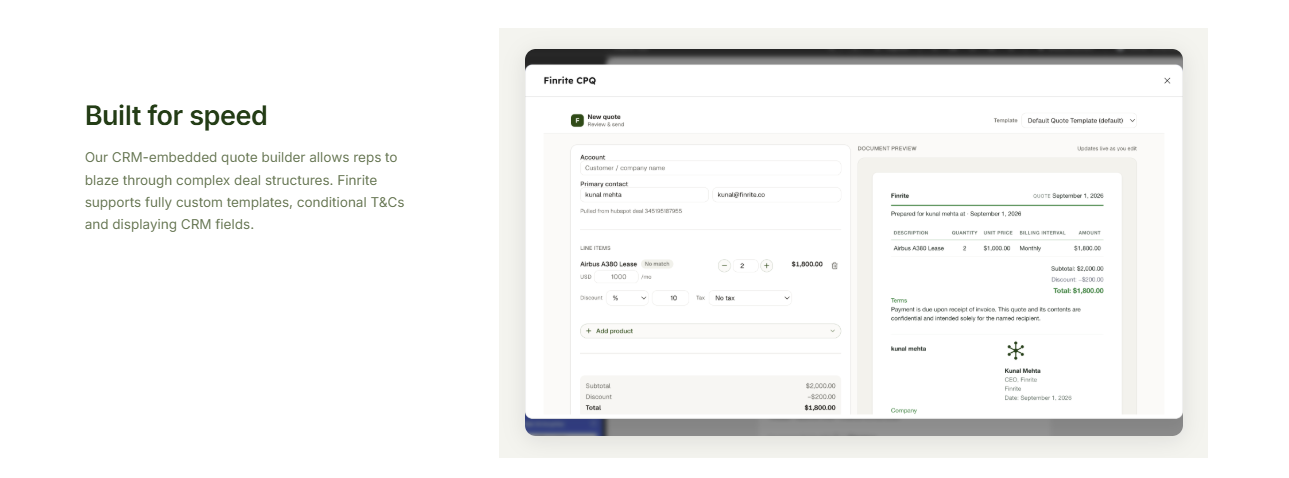
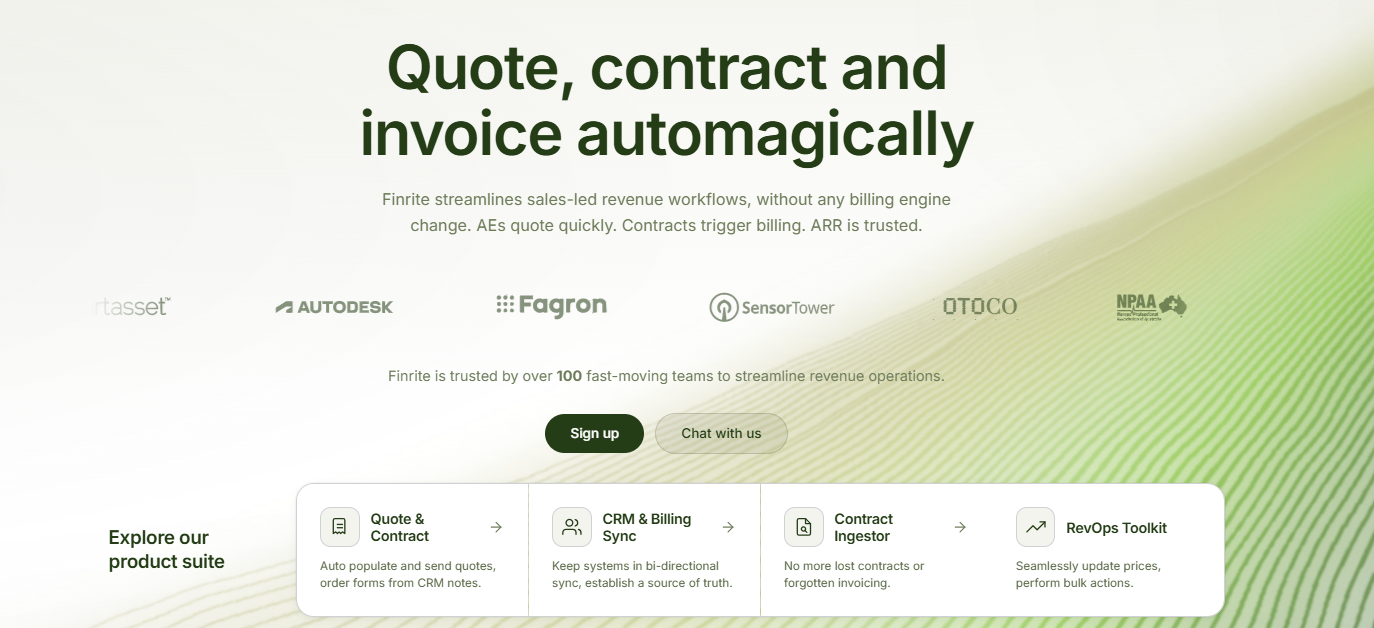
Finrite is a CRM-native CPQ platform designed to help sales teams create professional quotations and connect signed agreements directly to billing.
If your business uses HubSpot and Stripe Billing, Finrite streamlines quote, contract, and subscription-change management while keeping your existing systems.
Sales reps can generate quotes using customer data already stored in HubSpot, which reduces manual data entry and keeps the quotation process connected to the sales pipeline.
Finrite also supports complex pricing structures, including recurring subscriptions, usage-based charges, and multi-year pricing ramps. You can configure pricing rules, customize quote templates, and manage approval workflows for deals that require additional review.
Once a customer approves the quote, Finrite supports electronic signatures and payment collection during signing. The agreed pricing and contract terms can then flow into Stripe Billing to automate subscription creation or updates.
Your sales and finance teams can work from consistent information, helping reduce errors between quote acceptance and invoicing.
Best Features
CRM-native quote creation: Generate professional quotes directly from HubSpot deals using existing customer information and negotiated terms.
Complex pricing support: Configure different pricing models, including one-time charges, recurring fees, usage-based pricing, and subscription ramps.
Custom pricing rules: Apply discounts and approval conditions based on your company's sales requirements.
Customizable quote templates: Create branded professional documents with configurable pricing tables and contract language.
Automated approval workflows: Route quotes requiring special discounts or contract terms to the appropriate managers.
Electronic signatures and payment collection: Let customers sign quotations and provide payment details during acceptance.
Stripe Billing integration: Turn accepted quotes into billing actions, including new subscriptions and amendments.
Subscription management: Manage renewals, upgrades, prorations, and other changes to existing subscriptions.
AI contract parser: Extract relevant pricing and contractual information from existing agreements or purchase orders.
Pros
CRM-native quoting through HubSpot
Supports advanced pricing models
No Stripe Billing migration required
Automated quote-to-billing workflows
Electronic signatures and payment collection
Configurable templates and approval workflows
Supports subscription renewals and amendments
Reduces manual data entry between sales and finance
Pricing
Finrite offers three pricing plans based on your monthly contract volume and billing requirements:
Starter: $200/month: Supports up to 10 contracts per month, with HubSpot-to-Stripe syncing, automated subscription creation, usage-based billing support, standard field mapping, and email support. Includes a 14-day free trial with no credit card required.
Core: $400/month: Supports up to 50 contracts per month and includes everything in Starter, plus higher contract volume and priority support.
Pro: $1,000/month: Includes everything in Core, plus unlimited contracts, a HubSpot-embedded quoting engine, AI Contract Parser, custom workflow mapping, and data auditing to identify inconsistencies between systems.
Finrite also handles onboarding, field mapping, and testing, so you don't need engineering resources to get started.
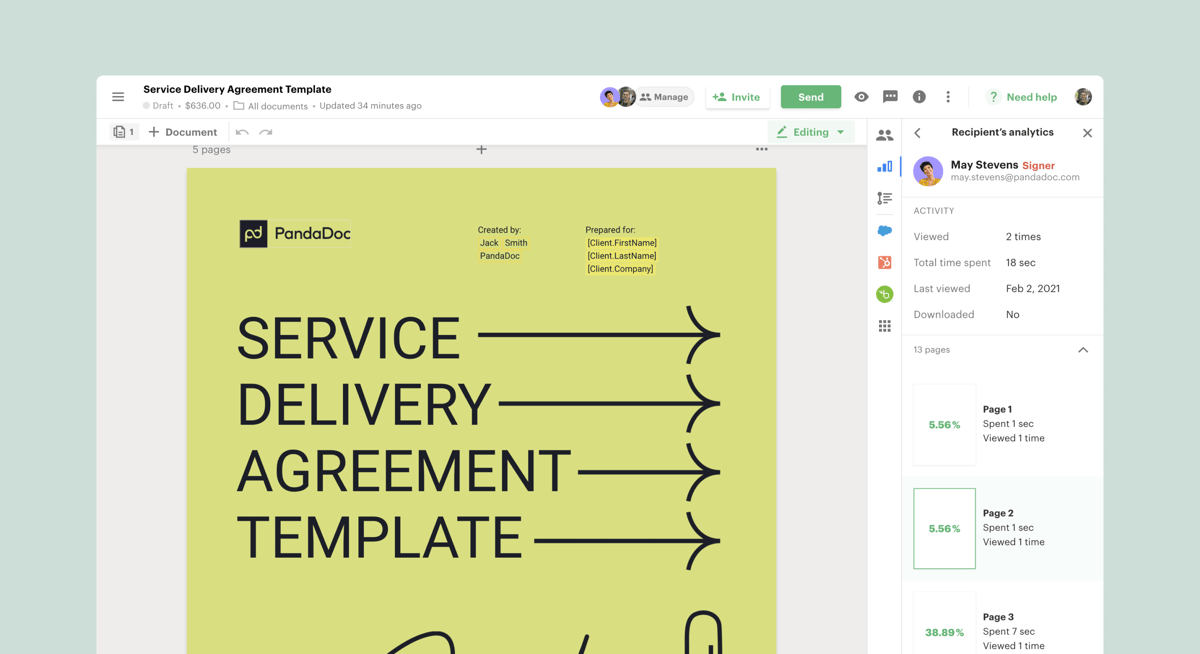
PandaDoc is a document automation and quotation generator that helps businesses create professional quotes, sales proposals, and contracts.
Its user-friendly interface includes a drag-and-drop editor, allowing you to customize templates and add product information to your documents. You can also build interactive pricing tables so customers can review options before accepting an offer.
Source: G2
For sales teams that frequently prepare professional proposals, PandaDoc can simplify document creation and proposal tracking.
However, advanced CPQ features require its Enterprise offering. Businesses managing complex subscription pricing or recurring invoices may also need additional billing integrations.
Best Features
Drag-and-drop editor: Create professional-looking quotes using customizable templates and reusable content.
Interactive pricing tables: Add product options and pricing details to sales proposals.
Document analytics: Track when clients open and interact with quotations.
Enterprise: Custom pricing. Includes advanced CPQ capabilities, workflow automation, and smart content.
3. Qwilr
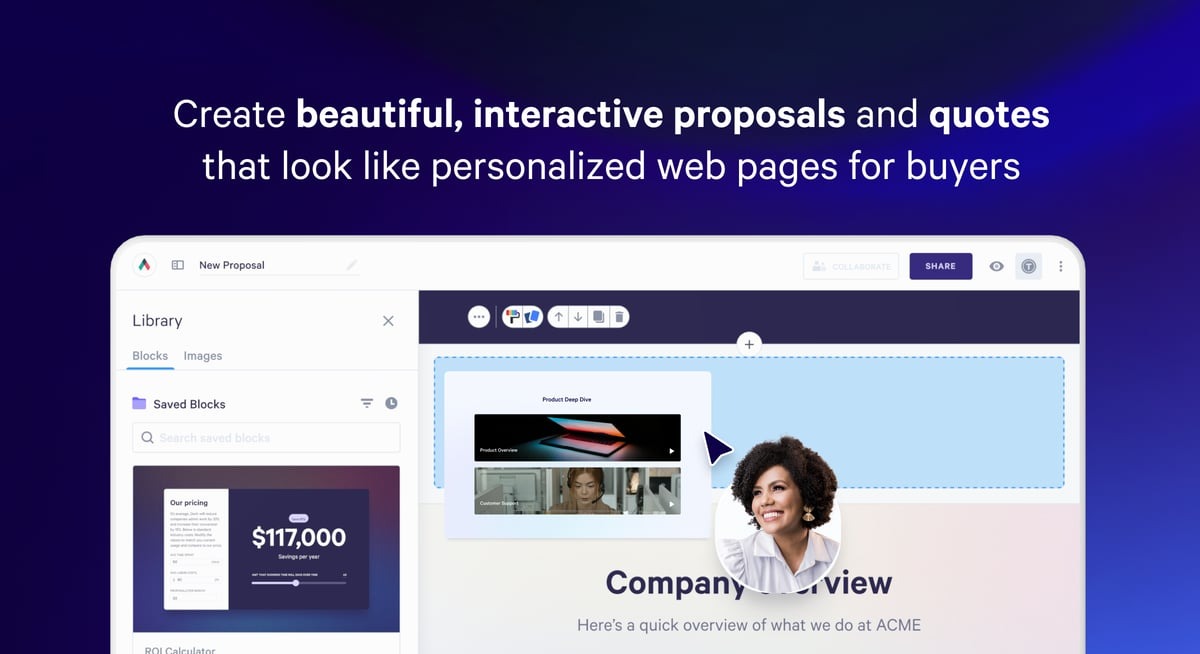
Qwilr is an online quoting software platform that helps businesses turn traditional quotations into interactive web-based proposals.
Its proposal creation tools let you combine professional layouts with pricing tables and branded content. Customers can review your service offerings, adjust certain pricing options, and accept proposals directly from their browsers.
Source: G2
Qwilr supports online payment collection and detailed analytics to give sales reps visibility into how prospects engage with their documents.
The platform suits agencies and service businesses that want polished sales proposals. Still, companies with complex product configurations or advanced subscription billing requirements may find its capabilities more limited than those of dedicated CPQ software.
Best Features
Interactive pricing: Let customers adjust optional services and quantities within quotations.
Web-based proposal creation: Generate professional proposals that customers can access through shareable links.
Customizable templates: Create branded quotes using reusable page layouts.
Proposal tracking: Monitor how customers interact with sales documents.
CRM integration: Connect quotation workflows with supported CRM platforms.
Online acceptance: Support electronic signatures and payment collection.
Pros
Interactive sales proposals
Professional visual presentation
Customizable proposal templates
Built-in document analytics
Electronic signatures and online payments
Pricing
Qwilr offers three paid plans:
Starter: $49/user/month with monthly billing. Includes interactive quotes, e-signatures, analytics, and payment collection.
Growth: $55/user/month with a five-user minimum, billed annually. Adds workflow automation, custom branding, and enhanced reporting.
Scale: $75/user/month with a ten-user minimum, billed annually. Includes Salesforce integration, conditional content, and advanced proposal automation.
4. HubSpot CPQ
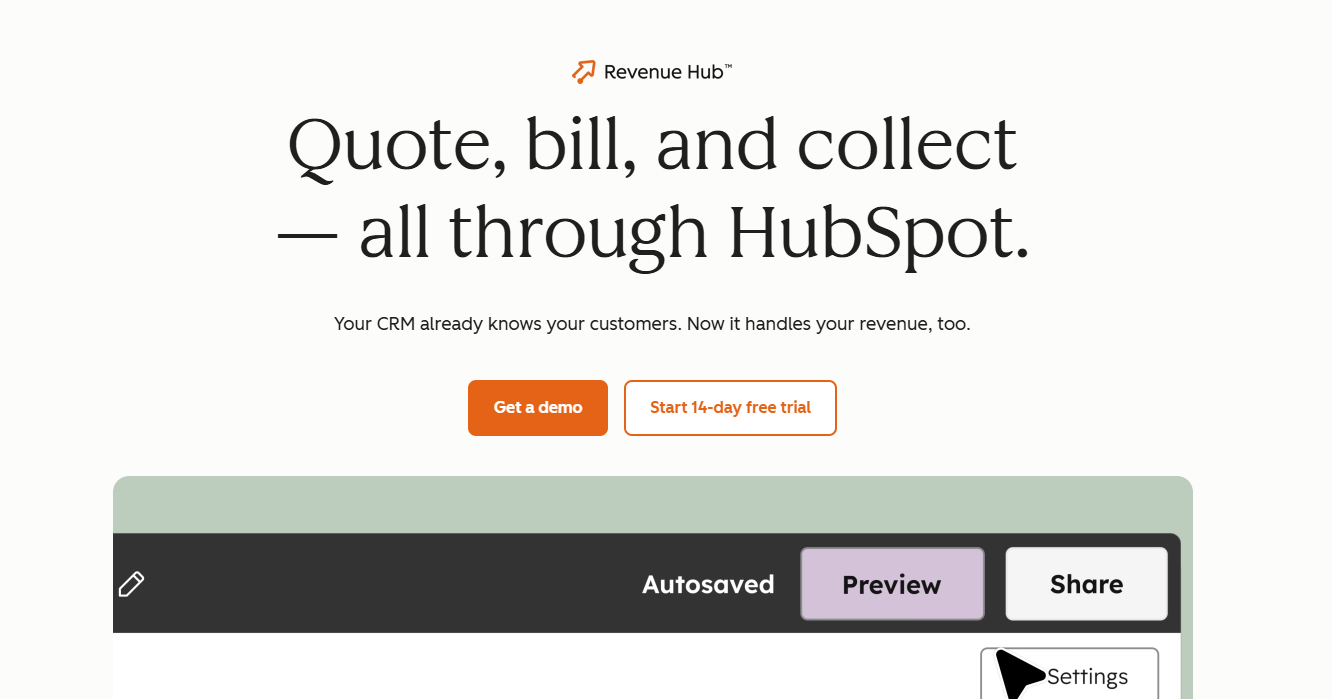
HubSpot CPQ is part of HubSpot Revenue Hub, offering a convenient way to create professional quotations directly from your CRM. You can generate quotes using existing deal records, customer information, and product details.
The platform also supports customizable templates, electronic signatures, and approval workflows. Revenue Hub Enterprise adds more advanced pricing controls and product compatibility rules.
Source: HubSpot.com
If you're comfortable managing your entire sales and billing process within HubSpot, it's a solid option.
Still, a few limitations are worth considering. HubSpot's native billing capabilities aren't as sophisticated as Stripe Billing, particularly for complex subscription pricing.
You may also need to move more of your billing operations into HubSpot to take full advantage of its integrated quote-to-cash workflows.
Geographic availability is another consideration. HubSpot Payments is currently available only to businesses in the U.S., U.K., and Canada. Companies elsewhere can connect a Stripe account to process payments, although additional platform fees apply.
Best Features
CRM-based quote generation: Create quotations using existing customer and deal information.
Quote templates: Customize professional sales documents.
AI-powered quoting: Assist sales reps with quote creation.
Pricing rules: Manage product compatibility and discount restrictions.
Approval workflows: Review quotations before customer delivery.
HubSpot CPQ’s quoting features are available through its paid Revenue Hub plans:
Professional: Starts at $100/seat/month. Includes AI-powered quotes, customizable templates, standard approval workflows, and 25 e-signatures per user per month.
Enterprise: Starts at $175/seat/month. Adds advanced approval workflows, pricing rules, product compatibility controls, and 50 e-signatures per user per month.
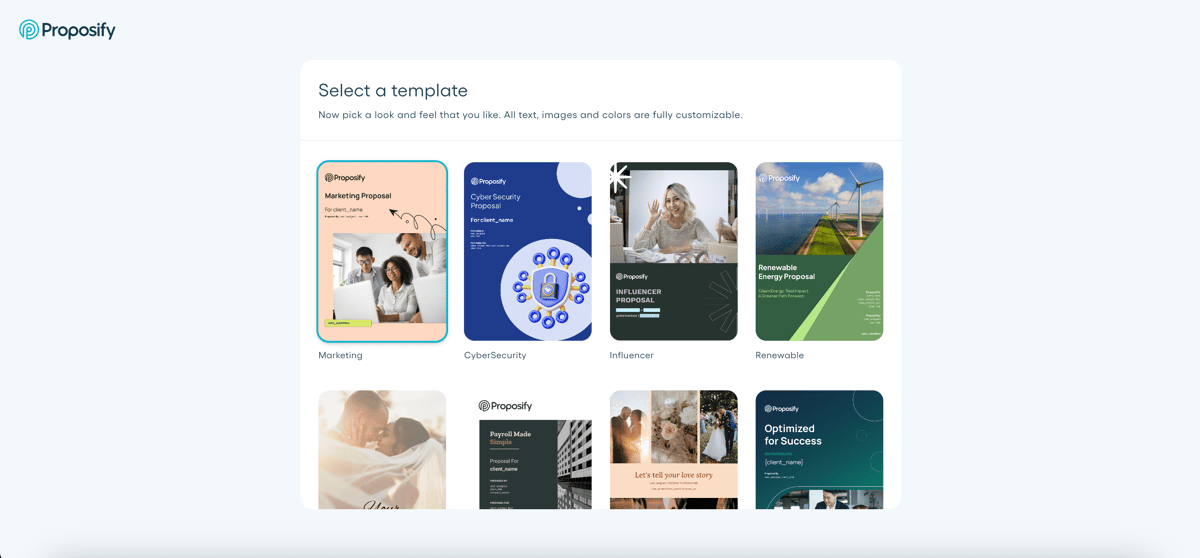
5. Proposify
Proposify is proposal software designed for businesses that want greater control over their sales documents and quotation process.
Its drag-and-drop editor lets you create professional proposals using customizable templates. You can also save approved content, helping sales teams prepare consistent quotations without rebuilding each document.
Source: G2
Proposify offers interactive pricing, proposal tracking, and approval workflows to help businesses manage client-facing offers. For small business owners and agencies, these features can make the proposal process more organized.
One limitation worth considering is what happens after a customer accepts your proposal.
While Proposify supports electronic signatures and payment collection, it doesn't offer the same depth of subscription management and billing automation as dedicated revenue platforms. Your team may still need to manually transfer agreed pricing and contract terms into its billing system.
Best Features
Drag-and-drop editor: Customize professional quotations using visual design tools.
Content library: Reuse approved content in sales proposals.
Interactive pricing: Let buyers select optional services and adjust quantities.
Approval workflows: Control which proposals require manager approval.
Proposal tracking: Monitor customer interactions with documents.
Electronic signatures: Let clients approve offers digitally.
Pros
Customizable proposal templates
Reusable content library
Interactive pricing tables
Built-in approval workflows
Detailed proposal analytics
Pricing
Proposify offers three paid plans:
Build: $49/user/month. Includes unlimited documents and e-signatures, a content library, proposal tracking, and integrations.
Grow: $325/month for five users, billed annually. Adds approval workflows, user permissions, account analytics, and API access.
Scale: $1,066/month for ten users, billed annually. Includes Salesforce integration, custom reporting, multiple workspaces, and premium support.
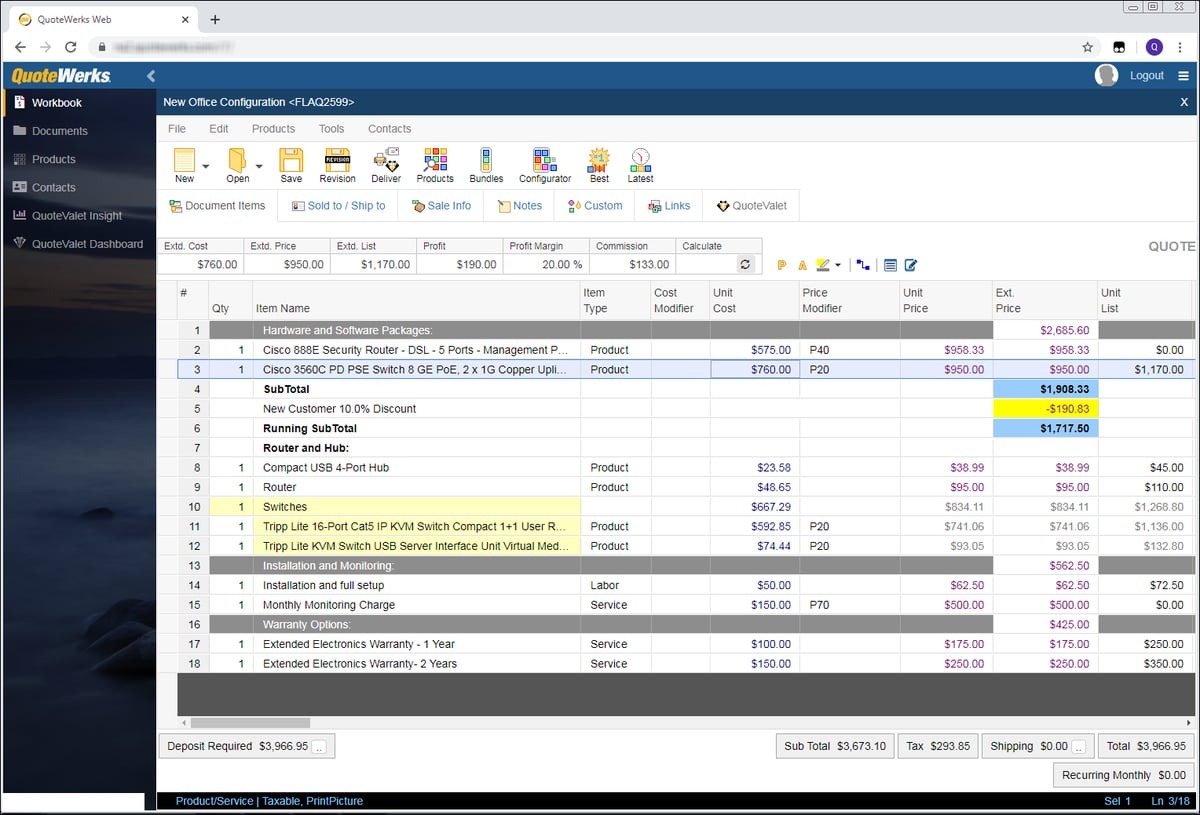
6. QuoteWerks
QuoteWerks is quotation-generator software for businesses that manage detailed product catalogs and pricing from multiple vendors.
It's useful for IT service providers, managed service providers, and technology resellers that need accurate price quotes for different products.
Source: G2
The platform supports product configuration, automated calculations, vendor pricing information, and integrations with CRM and accounting software.
You can also use QuoteWerks to manage quote approvals and purchasing-related activities, giving product-focused sales teams more control over their quotation process.
However, its interface and configuration requirements may take more time to learn than simpler online quoting software. Companies primarily selling complex subscriptions may also need additional billing functionality.
Best Features
Product configuration: Build accurate quotes using configurable products and bundles.
Vendor pricing: Work with product information from supported distributors.
Automated calculations: Calculate prices, margins, and discounts.
CRM integration: Connect quotation records with customer information.
Approval workflows: Review pricing and quotations internally.
Online quote acceptance: Let customers approve offers through QuoteValet.
Pros
Detailed product quotation capabilities
Useful for IT service providers
Multiple vendor integrations
Automated pricing calculations
Purchasing and procurement features
Pricing
QuoteWerks Web offers three monthly plans with concurrent-user licensing:
Essential: $50/concurrent user/month. Includes unlimited quotes, product configuration, CRM integrations, and approval workflows.
Pinnacle: $102/concurrent user/month. Includes automated sales tax calculations, distributor content, and procurement tracking.
7. DealHub
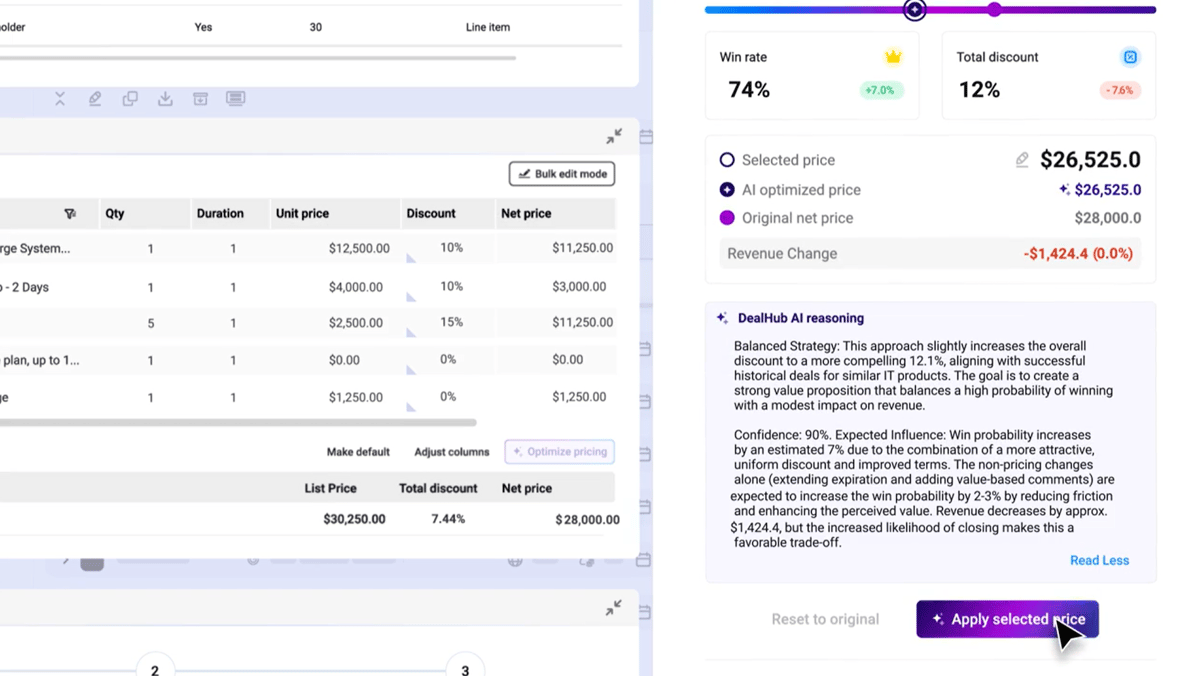
DealHub is an advanced CPQ and revenue management platform designed for sales teams dealing with complex product configurations and pricing requirements.
Its guided selling tools help sales reps select appropriate products and generate accurate quotes using predefined business rules.
Source: G2
DealHub also includes approval workflows, contract management, and subscription-related capabilities that support more structured sales processes.
For growing businesses, these features can help standardize the quoting process and give managers greater control over pricing decisions.
However, DealHub's broad functionality can mean additional implementation work and administrative complexity. If you already use a billing platform, you'll also want to evaluate how its billing capabilities fit your existing infrastructure.
Best Features
Guided selling: Help sales reps configure products based on customer requirements.
Advanced pricing rules: Apply custom pricing conditions and discount controls.
Automated quote creation: Generate professional quotations from configured deals.
Approval workflows: Route complex sales quotes for review.
Contract management: Manage commercial agreements and related documents.
Subscription management: Support subscription changes and renewal workflows.
Pros
Advanced CPQ functionality
Supports complex pricing scenarios
Guided product configuration
Flexible approval workflows
Broader revenue management capabilities
Pricing
DealHub does not list its pricing publicly.
Stop Recreating Deals in Your Billing System
Your sales team has worked hard to close the deal. Why make them spend more time transferring pricing details, updating subscriptions, or fixing billing errors afterward?
PandaDoc, Qwilr, and Proposify can help you create impressive sales proposals. QuoteWerks handles detailed product quotations, while HubSpot CPQ and DealHub offer more advanced pricing controls.
But if you're using HubSpot and Stripe Billing, Finrite lets you connect your entire quoting process to the systems you already rely on.
Create quotes directly from HubSpot deals, configure complex pricing models, and collect signatures and payment details in one workflow.
Once the customer signs, Finrite automatically translates the agreed terms into Stripe Billing, so your team can move forward with accurate subscriptions and invoices.
You can also manage renewals, upsells, and contract amendments while keeping your existing billing infrastructure. No billing migration required.
Book a Finrite demo to see how you can simplify quoting, speed up payment collection, and connect your sales process to billing.
FAQs About Quotation Generator Software
What is the best software for creating quotations?
The best quotation generator software depends on your pricing requirements and sales process. Finrite is a strong choice for CRM-native quoting and Stripe Billing automation. PandaDoc, Qwilr, and Proposify work well for professional proposals, while QuoteWerks suits product-focused businesses. HubSpot CPQ and DealHub are also worth considering if you need advanced quoting capabilities.
Is there free quotation generator software?
Yes, some quotation generators offer free plans or free trials. PandaDoc has a free plan for basic document creation, while platforms like Qwilr offer trial access. Free quoting software can be useful for small businesses with straightforward pricing requirements, although advanced features like CRM integrations, approval workflows, and custom pricing typically require paid plans.
What features should I look for in quotation generator software?
Look for key features that support your quotation process, including customizable templates, automated calculations, CRM integrations, and proposal tracking. If your sales team handles complex pricing structures, consider software with pricing rules and approval workflows. Electronic signatures, payment collection, and accounting integration can also help reduce manual work after customers accept their quotes.
Can quotation generator software integrate with CRM and accounting tools?
Yes, many quotation generator platforms integrate with CRM systems, accounting software, and payment systems. These integrations can help businesses reuse customer data, create accurate quotes, and improve client management. However, integration capabilities vary. Some tools focus on importing client details, while advanced CPQ software can connect accepted quotations to invoicing, subscriptions, and recurring billing.
About Finrite
Finrite streamlines sales-led revenue workflows, without any billing engine change. Sales reps can send out proposals in seconds, and our HubSpot to Stripe Connector creates subscriptions, customers, and billing objects in moments.
Automate quote-to-cash. Keep your billing stack.
Give sales a faster way to quote and finance a reliable way to bill. Finrite connects your CRM, contracts, and billing to automate the work from proposal to subscription.