7 Best HubSpot Integrations to Connect Your Tech Stack in 2026
7 Best HubSpot Integrations to Connect Your Tech Stack in 2026
By:
Kunal Mehta
,
October 30, 2026
How much of your work actually happens inside HubSpot?
You might manage leads and deals there, while billing, meetings, support, and contracts happen in separate applications.
Moving information between those platforms can take up a surprising amount of time, particularly when someone has to copy customer details, update records, or recreate agreements manually.
HubSpot integrations can help connect those activities. But choosing an integration requires more than checking which applications it supports. You also need to understand what information it transfers and which tasks it can automate.
So, which integrations deserve a place in your tech stack?
We've selected the top seven HubSpot integrations that address common sales, marketing, customer service, and revenue operations needs.
How often does your team leave HubSpot to finish work somewhere else?
Using several applications is common, but the gaps between them can create unnecessary work.
For example, your sales team might finalize a deal in HubSpot, only for finance to manually recreate the customer's billing details in another platform.
Integrations can help your systems exchange information and automate activities that would otherwise require manual intervention.
You may need HubSpot integrations when:
Manual work keeps piling up: Employees repeatedly enter customer information, update records, or transfer data between applications.
Customer data is scattered: Sales, marketing, and support teams struggle to find current information about the same customer.
Repetitive tasks follow predictable steps: Activities such as sending notifications or updating records could happen automatically.
Reporting takes too much effort: Important information lives in separate platforms, making performance analysis more difficult.
Your tech stack keeps expanding: New applications need to communicate with your existing CRM and business systems.
Teams need better visibility: Sales, finance, marketing, and customer service depend on information maintained by different departments.
Before choosing an integration, identify the specific activity you want to improve.
What Should You Look for in a HubSpot Integration?
Two applications might both advertise HubSpot integration capabilities while supporting very different workflows.
For example, connecting Stripe to HubSpot for payment processing is different from creating Stripe Billing subscriptions using negotiated terms from HubSpot deals.
The distinction becomes important when your business needs more advanced automation.
Here are things to evaluate:
Data synchronization: Check which records the integration supports, including contacts, deals, invoices, products, subscriptions, and customer activity.
Sync direction: Determine if information needs to flow into HubSpot, out of HubSpot, or in both directions.
Workflow automation: Look for specific actions the integration can perform, such as creating invoices, updating records, or triggering follow-ups.
Historical data: Find out if the software can import existing information or only synchronize activity after installation.
Billing and subscription support: Companies using recurring or usage-based pricing should check if the integration can manage relevant billing activities.
HubSpot compatibility: Confirm that your HubSpot subscription includes the features, permissions, and CRM objects required.
For subscription businesses, it's also worth considering how the integration handles changes after the initial sale. A connector that imports customer information might not support subscription upgrades, pricing amendments, or renewals.
Understanding these limitations early can save your team from implementing a connection that doesn't support the work you need it to perform.
Top 7 HubSpot Integrations You Should Consider in 2026
The strongest HubSpot integrations solve specific workflow problems and help your existing applications work together.
Here are the top seven options worth considering.
1. Finrite
HubSpot and Stripe are a popular combination for businesses managing sales and subscriptions. But connecting the platforms doesn't automatically mean your billing process is automated.
HubSpot's native Stripe connections support payment processing and certain data synchronization activities. However, creating Stripe subscriptions from negotiated deals and managing complex contract terms may require additional software.
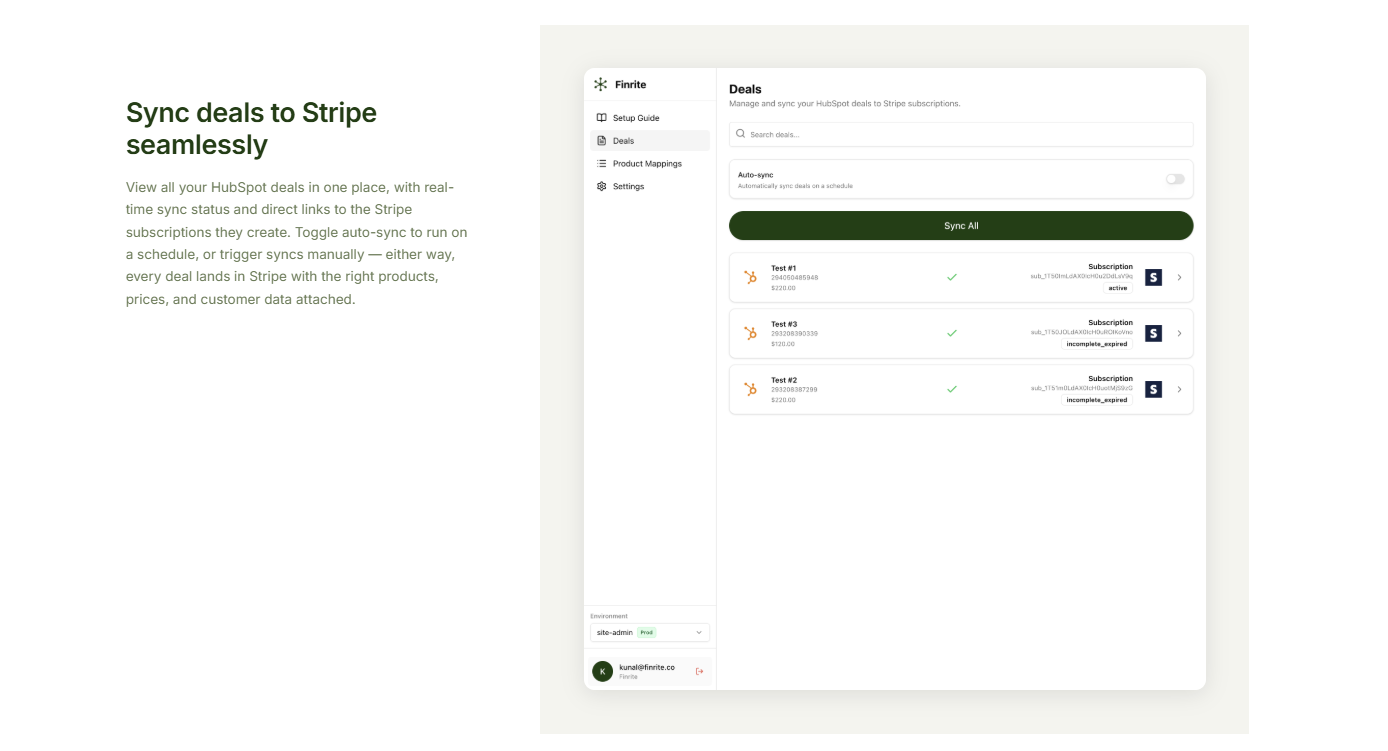
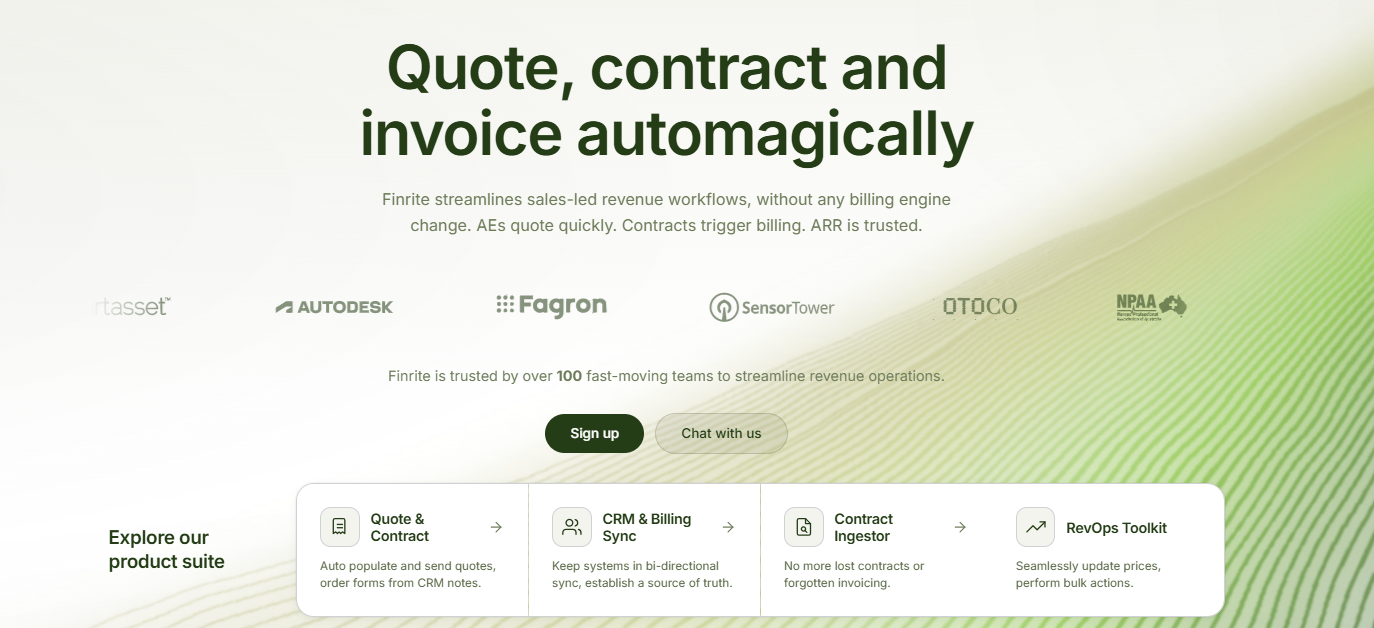
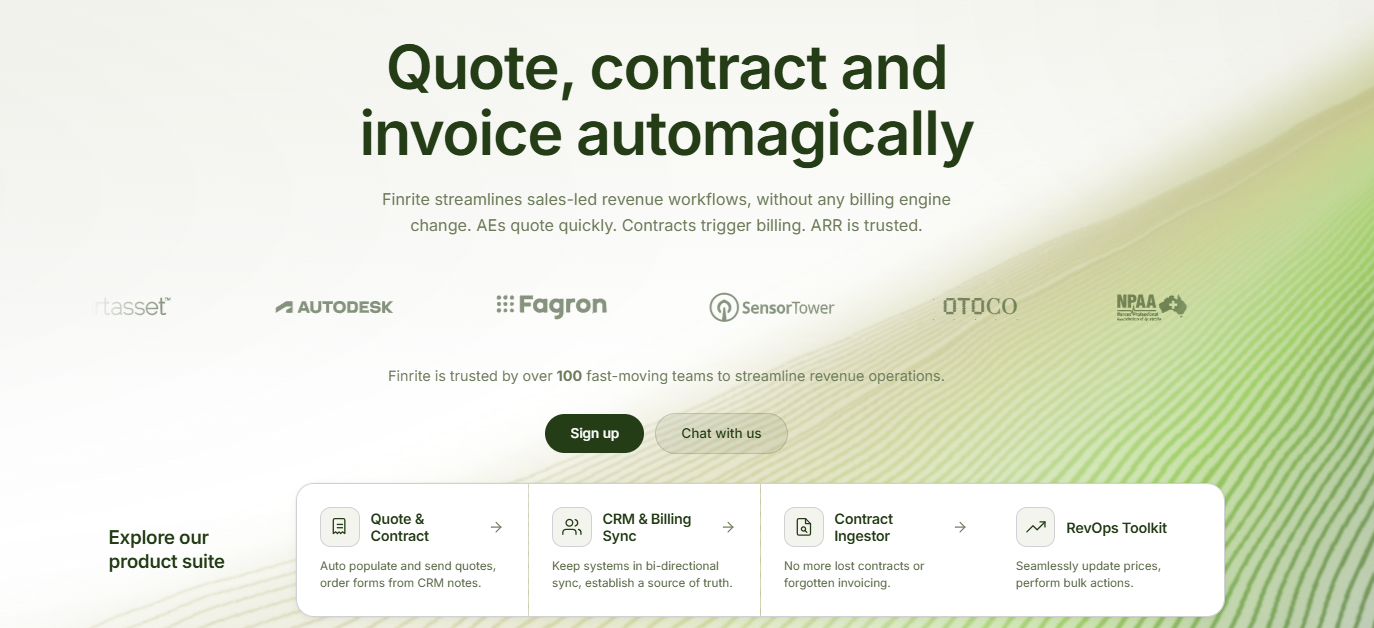
Its CPQ platform and HubSpot-to-Stripe Billing connector let your sales team create quotes from HubSpot deal records, collect signatures, and turn approved contract terms into Stripe subscriptions.
Finrite also supports recurring charges, usage-based pricing, subscription ramps, and contract changes.
You can manage renewals, upgrades, and other subscription amendments through CRM-connected workflows while keeping Stripe Billing as your existing billing system.
For businesses handling negotiated contracts and recurring revenue, Finrite provides a direct connection between the sales process and subsequent billing operations.
Best Features
CRM-embedded CPQ: Create quotes using HubSpot deal data, including customer information, products, negotiated pricing, and contract terms.
Automated Stripe Billing: Generate Stripe invoices and subscriptions from approved deals or signed quotes, reducing manual entry between sales and finance.
Advanced subscription pricing: Support recurring charges, usage-based pricing, ramp schedules, one-time fees, and negotiated billing terms.
Subscription management: Handle renewals, upgrades, downgrades, and contract amendments through HubSpot-connected workflows.
Payment collection at signature: Collect customer payment information when a quote is signed to simplify subsequent billing.
AI Contract Parser: Extract pricing details and billing terms from existing contracts or purchase orders.
Product and price mapping: Connect HubSpot products with corresponding Stripe prices to maintain consistent billing configurations.
Pros
Keeps Stripe Billing in place
Embedded into HubSpot workflows
Supports complex subscription pricing
Automates deal-to-billing handoffs
Connects quotes and contracts with billing
Supports ongoing subscription changes
Why It Works Great With HubSpot
Imagine your sales team closes a deal involving an annual subscription, a one-time onboarding fee, and usage-based charges.
The customer and pricing information already exist in HubSpot. But if your systems aren't properly connected, finance may still need to recreate those details in Stripe. Finrite can automate that handoff.
Your sales team creates the quote using CRM data, collects the customer's signature and payment details, and sends the approved billing configuration into Stripe.
When the customer renews or changes their subscription, your team can manage those updates through HubSpot-connected workflows. Sales continues working in HubSpot, and finance keeps using Stripe Billing.
Book a Finrite demo to see how your team can automate the process from quoting to subscription billing.
2. Slack
Slack is a practical HubSpot integration if your team already handles most internal communication there.
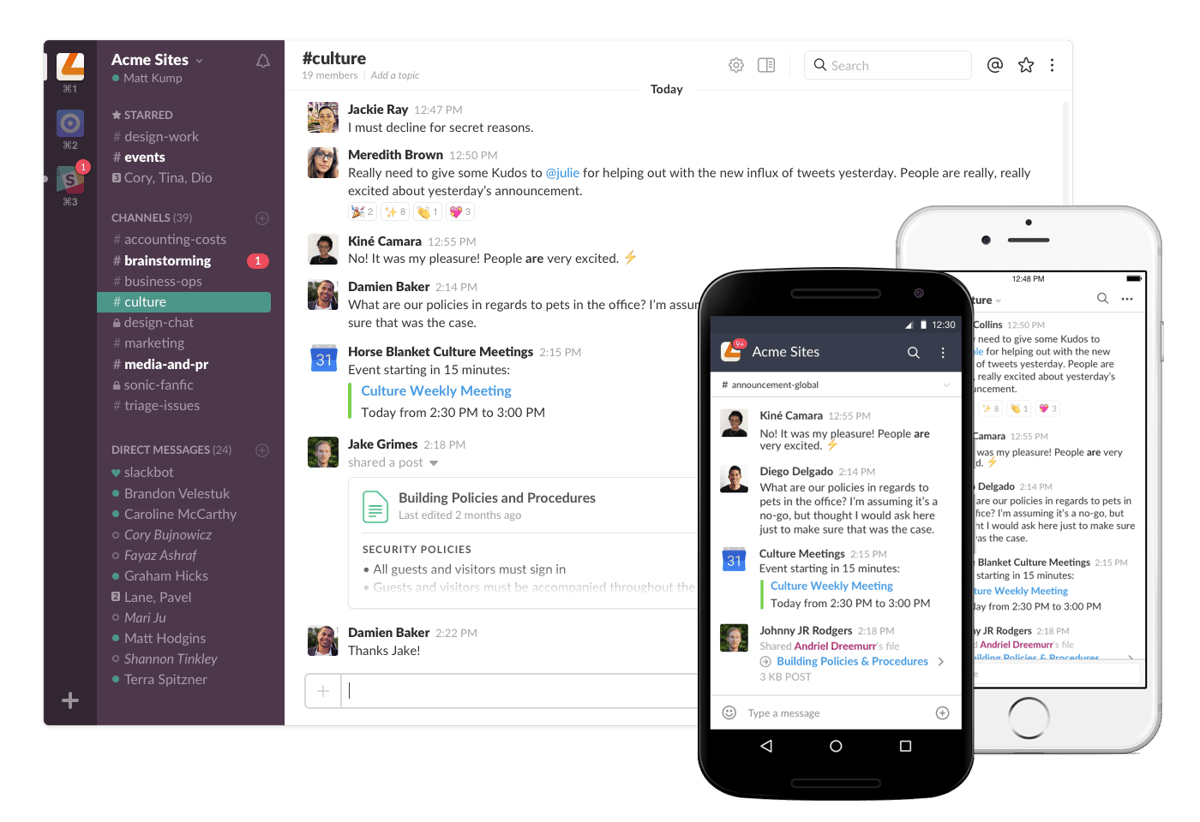
The official integration brings selected HubSpot notifications and CRM information into Slack, helping employees act on important updates while working in their usual communication channels.
Source: G2
For example, sales representatives can receive notifications about assigned tasks or customer activity. Teams can also share CRM records, collaborate on opportunities, and perform supported HubSpot actions from Slack.
The integration is useful for companies that depend on quick responses to incoming leads, customer requests, or internal approvals.
Best Features
CRM notifications: Receive supported HubSpot notifications in Slack, including activity reminders and customer communication updates.
Workflow notifications: Configure HubSpot workflows to send messages to selected Slack users or channels.
CRM record access: Search, share, and interact with supported HubSpot records from Slack.
Task management: Create or manage supported CRM tasks while working in Slack.
Team collaboration: Share relevant deal or customer information in channels where employees already communicate.
Pros
Fits existing team communication
Supports automated notifications
Reduces unnecessary platform switching
Helps teams respond to CRM activity
Supports collaboration around deals
Why It Works Great With HubSpot
Consider what happens when a new qualified lead enters HubSpot.
Your sales representative might receive a notification through HubSpot, but they could miss it while working in another application.
Connecting Slack gives those updates another route to the people responsible for acting on them.
Sales teams can discuss active deals, share records, and coordinate next steps using the communication channels they already rely on.
HubSpot remains the primary CRM, while Slack makes selected customer information and notifications easier to access during everyday work.
3. Zoom
Zoom connects your meetings and webinar activity with HubSpot CRM.
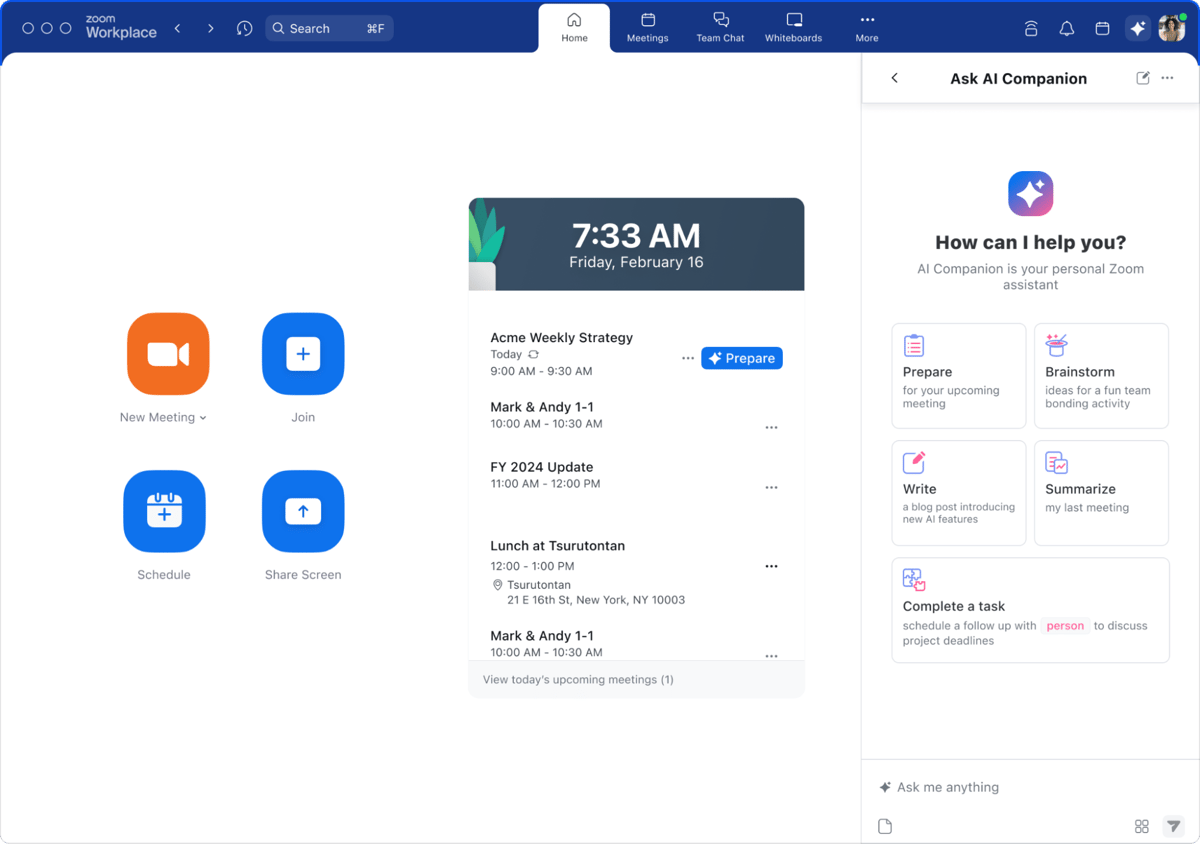
The integration lets you add Zoom video conferencing to HubSpot meeting links, making it easier for prospects to schedule online conversations.
For example, when someone books a demonstration through your HubSpot scheduling page, a Zoom meeting can be generated for the appointment.
Source: G2
The integration can be useful for sales demos, discovery calls, onboarding sessions, and webinar-based marketing efforts. Rather than keeping meeting history separate, your team gets additional customer context within HubSpot.
Best Features
HubSpot meeting scheduling: Add Zoom conferencing to HubSpot meeting links to simplify booking sales calls and demonstrations.
Webinar registration sync: Synchronize supported webinar registration information with HubSpot contacts.
Attendance tracking: Track webinar attendance and use the information for segmentation and follow-up.
Meeting recordings: Associate supported Zoom cloud recordings and transcripts with HubSpot records when configured.
Marketing automation: Use webinar registration and attendance information in eligible HubSpot workflows.
Pros
Useful for remote sales teams
Connects meetings with CRM activity
Supports webinar lead generation
Helps track audience engagement
Simplifies meeting scheduling
Why It Works Great With HubSpot
Sales conversations often contain important information about customer requirements, timelines, and purchasing decisions.
Connecting Zoom with HubSpot helps keep supported meeting information associated with the relevant customer records.
For marketing teams, webinar integration offers another benefit.
Imagine hosting a product webinar attended by 200 prospects. Your team can use synchronized registration and attendance information to identify engaged contacts and create relevant follow-up campaigns.
Keep in mind that meeting scheduling and webinar synchronization are separate capabilities. Certain recording features and webinar activities require additional Zoom settings or subscriptions.
4. Salesforce
Salesforce makes sense for companies that use HubSpot for marketing while keeping Salesforce as their main sales CRM.
Source: G2
The official HubSpot integration supports synchronization between the platforms, helping teams exchange supported customer and sales records.
For example, marketing may manage email campaigns, landing pages, and lead nurturing in HubSpot while sales representatives manage opportunities in Salesforce. Connecting the platforms allows relevant information to move between these environments.
The integration is particularly useful for organizations where different departments depend on separate CRM systems.
Best Features
Bidirectional synchronization: Synchronize supported records between HubSpot and Salesforce according to configured settings.
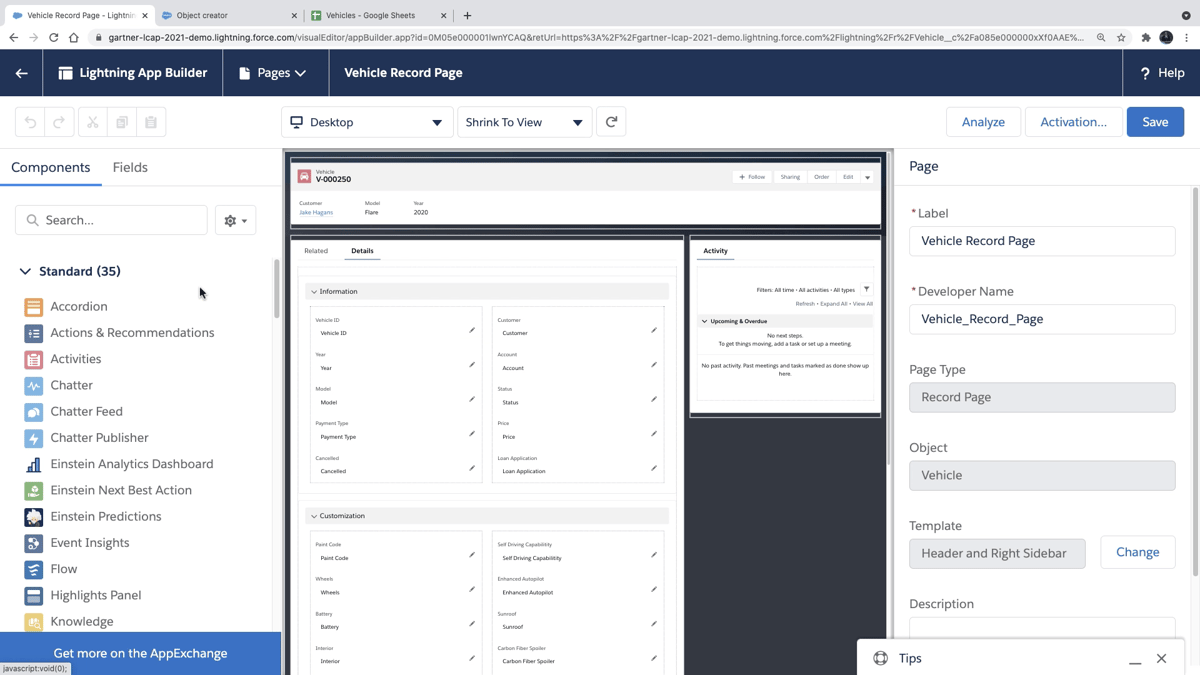
Field mapping: Map relevant properties between platforms to reflect your CRM structure.
Workflow enrollment: Enroll eligible Salesforce leads or contacts into HubSpot workflows through supported functionality.
Lead and contact management: Keep selected customer information aligned between sales and marketing systems.
Pros
Supports two-way synchronization
Reduces duplicate data entry
Connects sales and marketing records
Supports configurable field mapping
Useful for organizations using both CRMs
Why It Works Great With HubSpot
Your marketing team may already know which emails a prospect opened, which forms they completed, and what content caught their attention.
However, sales representatives working in Salesforce may need access to those details before their next conversation.
The HubSpot-Salesforce integration helps make relevant marketing information available to sales while allowing marketing teams to use supported Salesforce data.
For example, completed sales opportunities can help marketers evaluate campaign performance and refine lead qualification.
Configuration deserves some planning, though. Complex field mappings, record ownership rules, and custom objects can increase implementation requirements.
5. Intercom
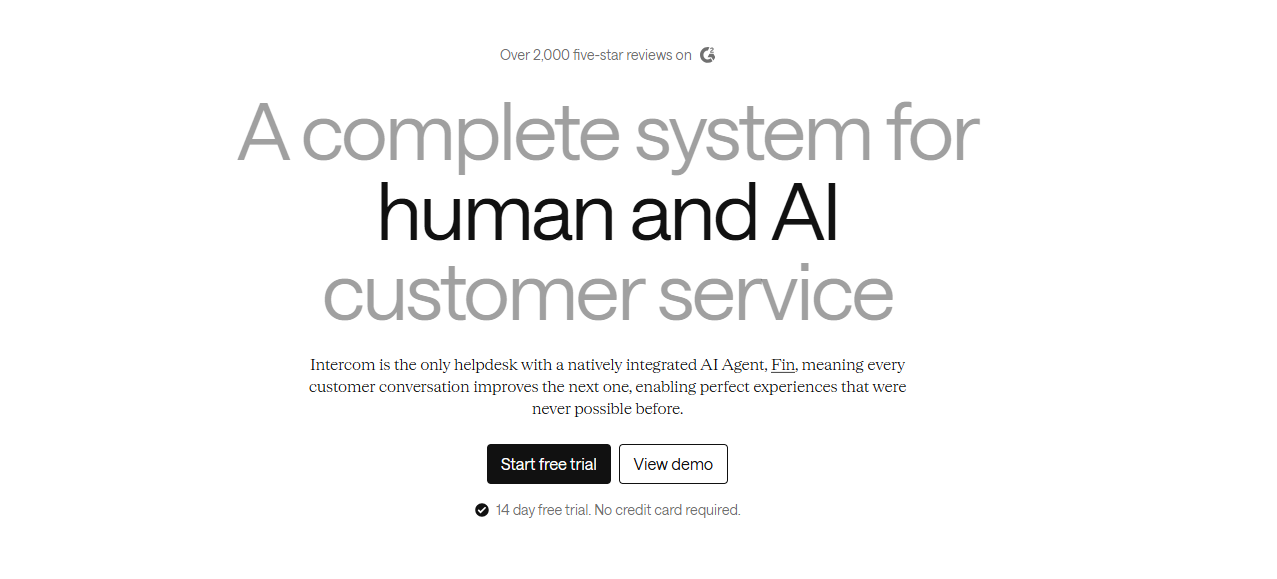
Intercom connects conversational customer interactions with your HubSpot records.
Businesses using Intercom for website messaging, customer communication, and lead qualification can send relevant information into their CRM.
Source: Intercom.com
For example, a prospect might start a conversation through your website, ask about pricing, and provide contact information.
Connecting Intercom with HubSpot can help your sales team access that information when following up.
HubSpot also offers a separate Data Sync integration for supported Intercom records, allowing teams to configure synchronization based on their requirements.
Best Features
Lead synchronization: Send supported leads captured through Intercom into HubSpot for follow-up.
Conversation visibility: Make relevant customer conversations available alongside CRM information.
Contact synchronization: Keep supported customer and lead information connected between platforms.
Historical data synchronization: Import eligible existing records through supported HubSpot Data Sync configurations.
Custom field mapping: Configure additional field mappings when supported by your HubSpot subscription.
Pros
Connects conversations with CRM records
Supports lead synchronization
Improves customer information visibility
Offers configurable data synchronization
Useful for conversational lead generation
Why It Works Great With HubSpot
A customer conversation may reveal more useful information than a standard form submission.
For example, a prospect might explain their current software setup, specific requirements, and planned purchasing timeline while speaking with your team through Intercom.
Connecting that conversation with HubSpot helps sales representatives understand the customer's needs before continuing the discussion.
Customer service teams can also benefit from having relevant CRM information available while responding to inquiries.
The specific capabilities depend on the integration you configure. Intercom's native connection and HubSpot's Data Sync integration serve related but distinct purposes.
6. Docusign
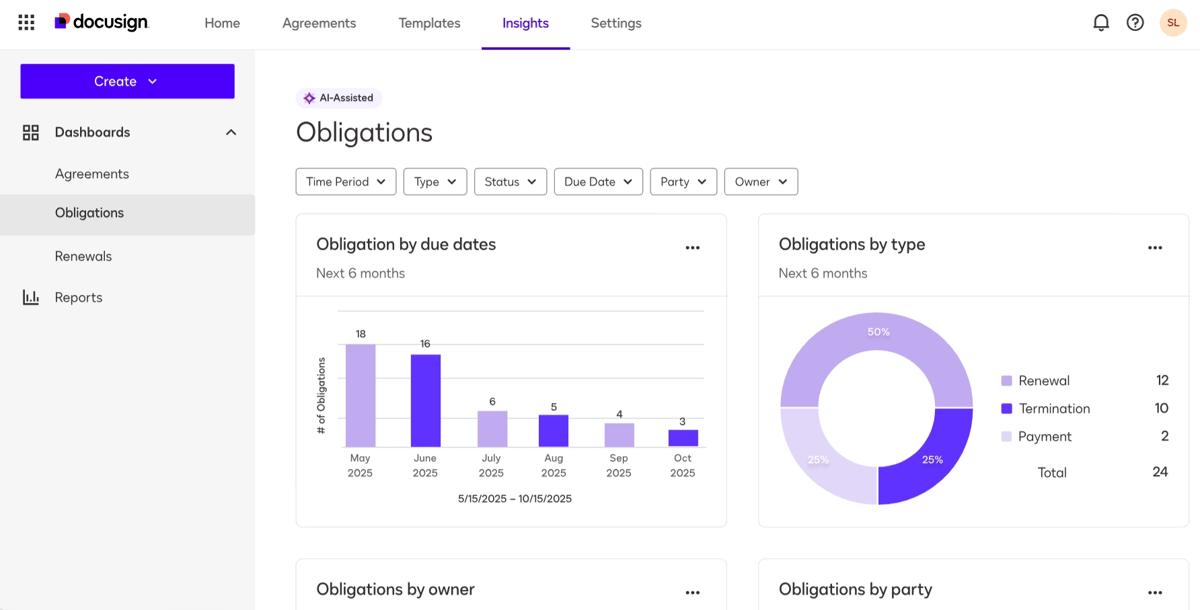
Docusign brings agreement workflows closer to your HubSpot sales process.
HubSpot users can create and send Docusign envelopes from contact, company, or deal records. Envelope status and recipient activity can appear inside HubSpot, while status changes can trigger workflows for follow-up or record updates.
Source: G2
The integration does have an important distinction: HubSpot states that the current app does not provide full record or document data synchronization between HubSpot and Docusign. Its focus is on sending agreements, field mapping, tracking, and workflow automation.
Best Features
Envelope creation: Send Docusign agreements from HubSpot contact, company, or deal records without starting from a separate workspace.
Custom field mapping: Map HubSpot property values into Docusign fields to reduce repetitive contract entry.
Agreement tracking: View envelope status and recipient activity within HubSpot as documents move through signature.
Workflow triggers: Docusign status changes can start HubSpot automated workflows for follow-up or CRM updates.
Document history: Previous envelope activity can appear on related HubSpot records for easier reference.
Pros
Familiar e-signature platform
Reduces agreement data entry
Adds signature visibility to HubSpot
Supports workflow automation
Works from CRM records
Why It Works Great With HubSpot
Contracts sit close to the point where a sales opportunity becomes a customer, which makes HubSpot visibility useful.
For example, sales reps can launch an agreement from the relevant CRM record and monitor signature progress without treating Docusign as an entirely separate process.
Automated workflows can also respond to envelope status changes. A completed agreement might trigger internal follow-up or move the CRM record into its next stage.
If Docusign is already part of your sales stack, integrating it with HubSpot can save time while keeping agreement activity connected to the deal.
7. QuickBooks Online
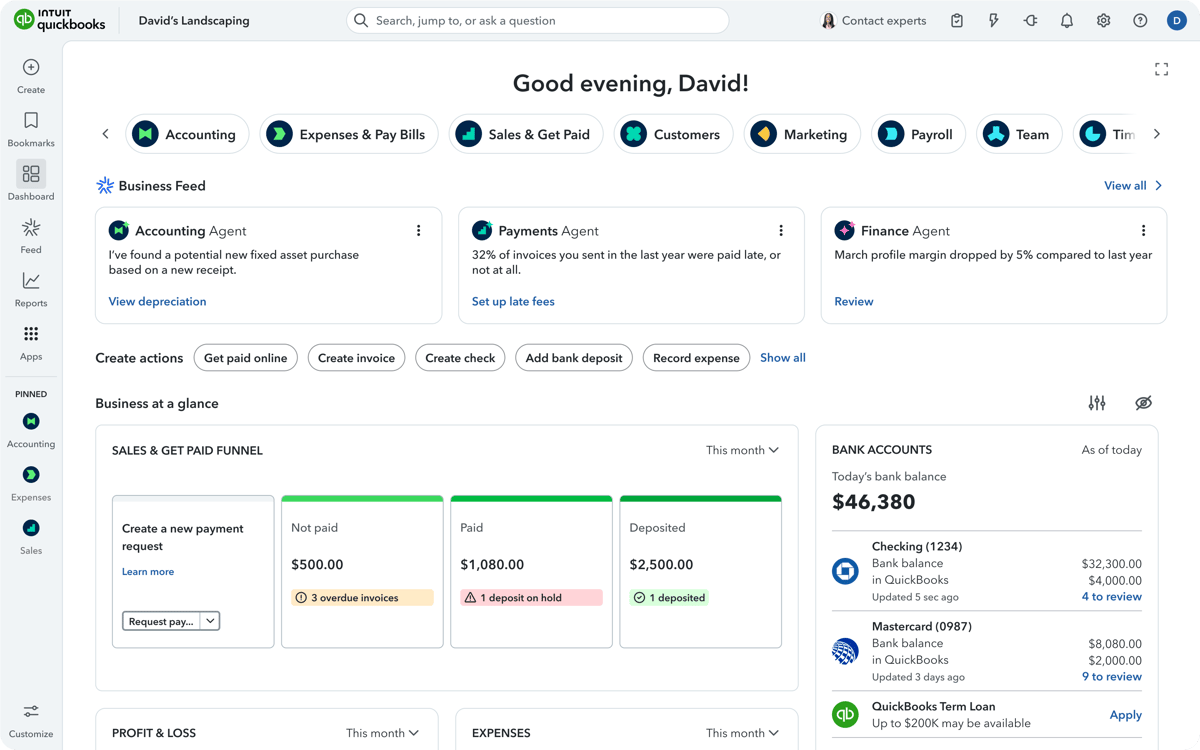
QuickBooks Online connects HubSpot customer records with accounting workflows.
HubSpot's certified integration can sync contacts, invoices, and products in one direction or both directions. Sync filters let you control what information moves between the platforms.
Source: G2
Published HubSpot invoices can also sync into QuickBooks Online, with corresponding payment information updating as payments are recorded.
For smaller businesses already using QuickBooks, the integration creates a straightforward connection between front-office activity and accounting without requiring a larger finance system.
Best Features
Two-way sync: Contacts, products, and invoices can move between HubSpot and QuickBooks Online based on your preferred synchronization direction.
Invoice synchronization: Published HubSpot invoices can create corresponding QuickBooks records and reduce repeated invoice entry.
Payment updates: Recorded payments can update connected invoice information so sales and finance have better visibility.
Sync filters: Control which records move between systems and avoid transferring data your accounting team does not need.
Product synchronization: Product data can stay connected between the CRM and accounting environment.
Pros
Useful for QuickBooks customers
Supports two-way sync
Reduces invoice entry
Connects accounting with CRM
Offers flexible sync controls
Why It Works Great With HubSpot
QuickBooks and HubSpot usually serve different parts of the customer lifecycle. Your sales team can manage relationships and deals in HubSpot while accounting continues working in QuickBooks.
Connecting them reduces the need to recreate customer, invoice, or product information manually.
Plus, quotes and deals can be converted into invoices and subscriptions in a few clicks before relevant invoice data syncs to QuickBooks Online.
Bring Your HubSpot Workflow Together With Finrite
Your sales team has already negotiated the pricing, recorded the customer information, and finalized the contract in HubSpot.
Why should finance have to enter everything again in Stripe?
Finrite connects the sales and billing processes so approved deal information can move into Stripe Billing with less manual work.
Your team can create quotes using HubSpot data, collect signatures and payment details, and automatically generate the corresponding billing records in Stripe.
Finrite also supports complex pricing, subscription renewals, upgrades, downgrades, and contract amendments.
And because Stripe remains your billing system, there's no need to migrate your existing subscriptions to another platform.
Book a Finrite demo to see how you can automate quoting, contracts, and Stripe Billing directly from your HubSpot workflows.
FAQs About the Best HubSpot Integrations
What are the best HubSpot integrations?
The best HubSpot integrations depend on your existing technology stack and where manual work is slowing your team down. Common integrations connect HubSpot with communication, billing, accounting, e-signature, customer support, or other CRM platforms. Look for an app that improves a workflow you already use, keeps customer data accurate, and makes important information easier to access within HubSpot.
How do I choose the right HubSpot integrations?
Start with the systems your marketing and sales teams use most frequently. Review which information needs to move between them, how often records change, and if you need one-way or two-way sync. Custom field mapping, historical data support, automated workflows, and security requirements may also influence your choice. Taking a workflow-first approach can help you avoid installing integrations that add little practical benefit.
Can HubSpot integrations help with marketing automation?
Yes. Integrations can bring additional marketing data into HubSpot and make it available for segmentation, lead nurturing, reporting, and automated workflows. Depending on the connected platform, you may be able to segment customers using behavioral information, personalize marketing campaigns, or trigger follow-up after a specific customer interaction. Better-connected data can also help marketing teams gain valuable insights into campaign performance and make more data-driven decisions.
Do HubSpot integrations reduce manual work?
Many do. A well-designed integration can sync customer information, transfer product or order data, send notifications, update CRM records, or trigger follow-up automatically. The amount of manual work you save depends on the integration and your current process. Before installing one, identify the repetitive tasks consuming the most time and confirm that the app can automate or simplify those specific steps.
About Finrite
Finrite streamlines sales-led revenue workflows, without any billing engine change. Sales reps can send out proposals in seconds, and our HubSpot to Stripe Connector creates subscriptions, customers, and billing objects in moments.
Automate quote-to-cash. Keep your billing stack.
Give sales a faster way to quote and finance a reliable way to bill. Finrite connects your CRM, contracts, and billing to automate the work from proposal to subscription.